
Keralyth - Minecraft Skins & Skin History
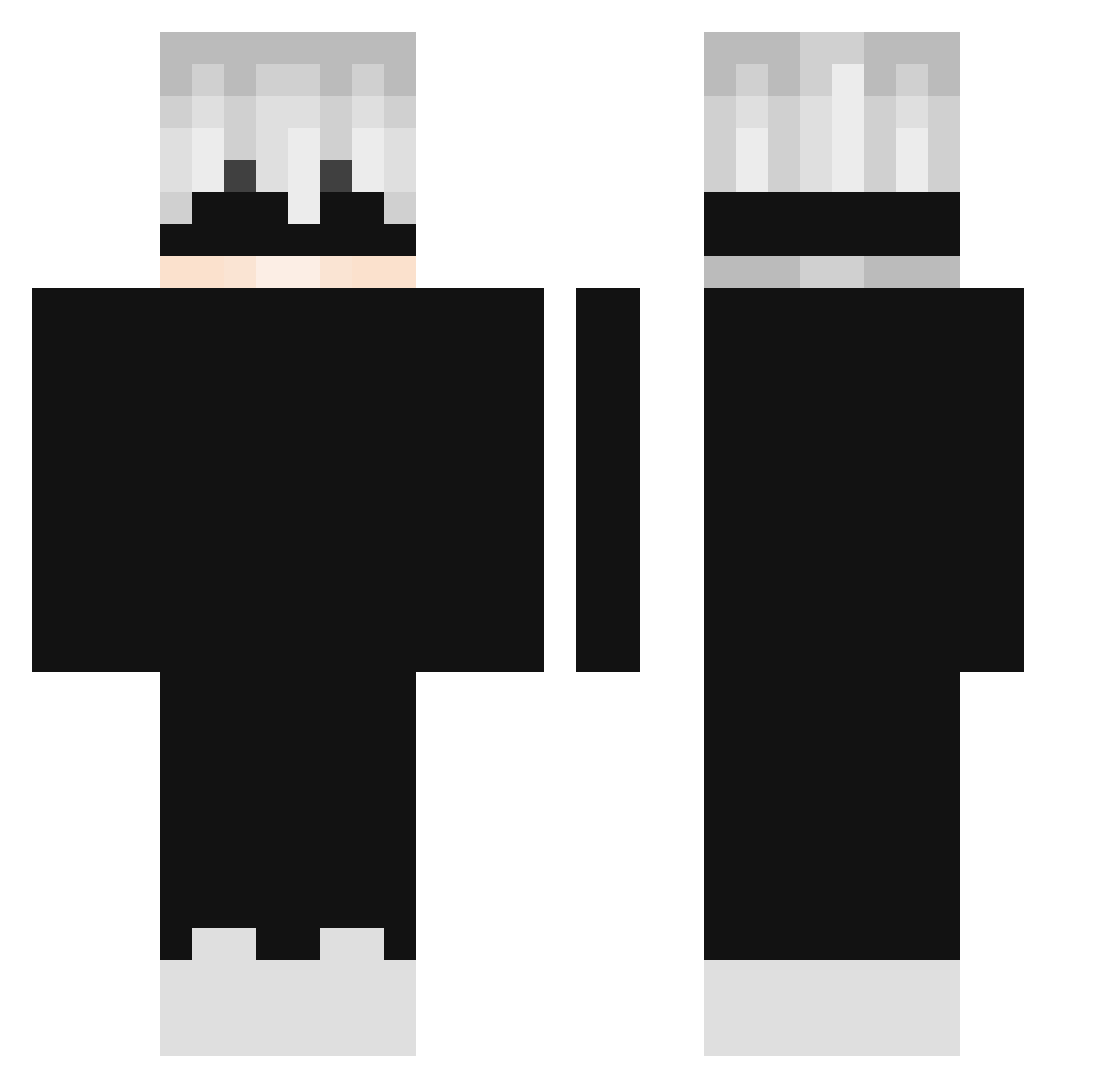
Current Minecraft skin of the player Keralyth, loaded from the official Mojang API. Rotate the 3D model with your mouse or finger, then download the skin as a PNG file and use it in Minecraft: Bedrock Edition or Java Edition for free. When Keralyth changes their skin, this page updates automatically and the old skin stays in the history below.
Other players with this skin (299)
Keralyth was the 277th player we have seen with this skin, first spotted on 02.11.2026. The same skin was seen on these players. Open a nickname to see their current skin and skin history.
 xLeonardo_Mafia AlkoLik MathiasMew _Sgag_ NgHaiiMinhhh_ IceChopHee YusaaHD ceoxyz RealMem OriginsEU DanoneLEGIT NT_7414 ZefFqN_ shenyuhao thewitcherr Tabsi08 SH_Paulo Vekxz SimpsonsZ24 NihadsRevenge SpiDgier Th1sIsAndr3w_ ARROBAbielrtx Back4 matsunno Whoistommy hyprays BotDev_1 _Hariox_ Otiq JRS65432 LonelyGon Evantzitzi Huluzm MaiziSenpai Loiraeuteamo XaMeIsCrazy Cesinha14 Qy_z the_cold_ HIHIHIHIHIHIHl kimoa Saempai styps_ Rukiyomi sirokunnnnnnnnn subwaychan mircusausmzircus lightravn_ Keito2016 nxsrosnot hvllsangel Pilotworstww ZORO__8 Papi_Sheim itswoozydoozy GodRuthless_Not PIPATKK EfehanSk cys1207
More Satoru Gojo Minecraft skins
See all 1375 Satoru Gojo skins
How to install the Keralyth skin
- Press the Download button above to save the skin as a PNG file.
- Minecraft: Bedrock Edition (PE): open the Dressing Room from the main menu (or tap your character → Edit Character), go to Classic Skins → Owned, press the + (new skin) button, choose the downloaded PNG and pick the Classic (Steve) model. Works on PC and mobile; consoles cannot import custom skins.
- Minecraft: Java Edition: open the Minecraft Launcher, go to the Skins tab, click New Skin, load the PNG, pick the Classic (Steve) model and press Save & Use. You can also upload it at minecraft.net → Profile → Change Skin.
The skin does not show up after import - what should I do?
Restart Minecraft and open the Dressing Room again - imported skins sometimes appear only after a restart. Also make sure you selected the imported skin and picked the Classic (Steve) model.
Which model should I choose, Classic or Slim?
This skin is designed for the Classic (Steve) model. If you pick the wrong model, the arms of the skin will look stretched or squeezed.
Is the skin of Keralyth free to download?
Yes. Press Download, save the PNG file and use it in Minecraft: Bedrock Edition or Java Edition - no payment or registration needed. The skin also works on multiplayer servers and Realms.
More skins
Looking for more? Go back to all Minecraft skins and check the top skins of the week, month and all time, or find any player's skin by nickname.