
KellenWang - Minecraft Skins & Skin History
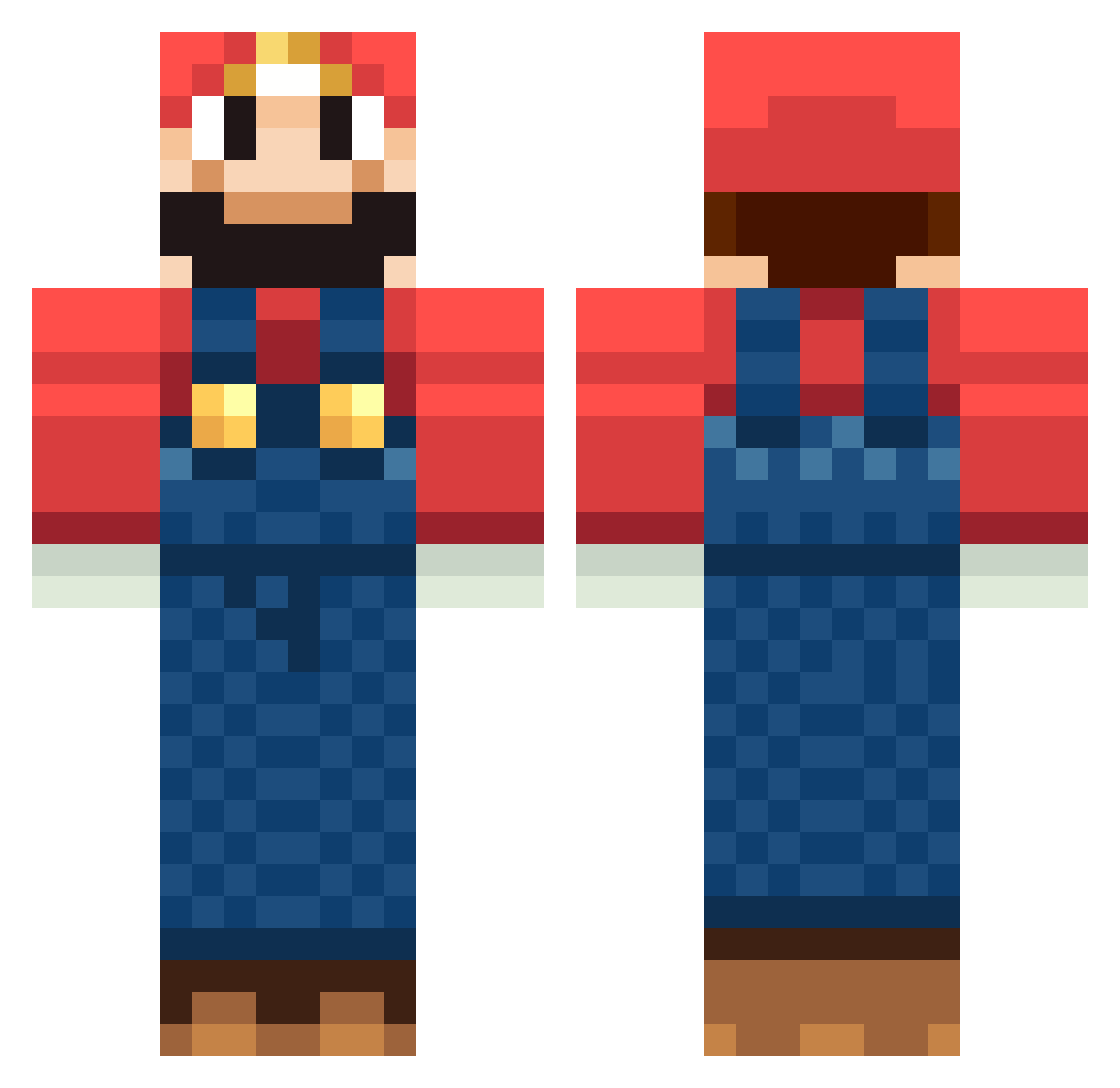
Current Minecraft skin of the player KellenWang, loaded from the official Mojang API. Rotate the 3D model with your mouse or finger, then download the skin as a PNG file and use it in Minecraft: Bedrock Edition or Java Edition for free. When KellenWang changes their skin, this page updates automatically and the old skin stays in the history below.
Other players with this skin (1263)
KellenWang was the 1072nd player we have seen with this skin, first spotted on 22.10.2026. The same skin was seen on these players. Open a nickname to see their current skin and skin history.
 Julmust_ sparkleunicorn Totenblume Yarnball03 E_A_S_T_Y SuperMario184 fredo_19 PegLegNerd christi4nk DanieltHatcher equivalent_90 Fenirine Jordo916 Isaacm504 AMTFTW final_apple lukehallbland Darckmax Bias_minecraft Zuirox MidnightDT ljbutch MrReisee nielssie09 billyarrels Dennis0333 dylantrott lordofjaga LordMalcor Maxprive raulr98 runfromzombies Alextbh1 Joe_Mann jessey78 kackralle math7608 RRRSING Seba123t huita1121 NsPoLaRiS Cryxsis LucaS_GabrieL Marshmellowman9 xxawesomex Buglii hubba74 Jono5 exsos VeggiCraft zjc09 lennardnl Noctambulist Hysteriaaa TotalcoolAngel Supadupa2 Mario_hr SKyndowser Mariacary barabom
More Mario Minecraft skins
How to install the KellenWang skin
- Press the Download button above to save the skin as a PNG file.
- Minecraft: Bedrock Edition (PE): open the Dressing Room from the main menu (or tap your character → Edit Character), go to Classic Skins → Owned, press the + (new skin) button, choose the downloaded PNG and pick the Classic (Steve) model. Works on PC and mobile; consoles cannot import custom skins.
- Minecraft: Java Edition: open the Minecraft Launcher, go to the Skins tab, click New Skin, load the PNG, pick the Classic (Steve) model and press Save & Use. You can also upload it at minecraft.net → Profile → Change Skin.
The skin does not show up after import - what should I do?
Restart Minecraft and open the Dressing Room again - imported skins sometimes appear only after a restart. Also make sure you selected the imported skin and picked the Classic (Steve) model.
Which model should I choose, Classic or Slim?
This skin is designed for the Classic (Steve) model. If you pick the wrong model, the arms of the skin will look stretched or squeezed.
Is the skin of KellenWang free to download?
Yes. Press Download, save the PNG file and use it in Minecraft: Bedrock Edition or Java Edition - no payment or registration needed. The skin also works on multiplayer servers and Realms.
More skins
Looking for more? Go back to all Minecraft skins and check the top skins of the week, month and all time, or find any player's skin by nickname.