
Kalaxity212 - Minecraft Skins & Skin History
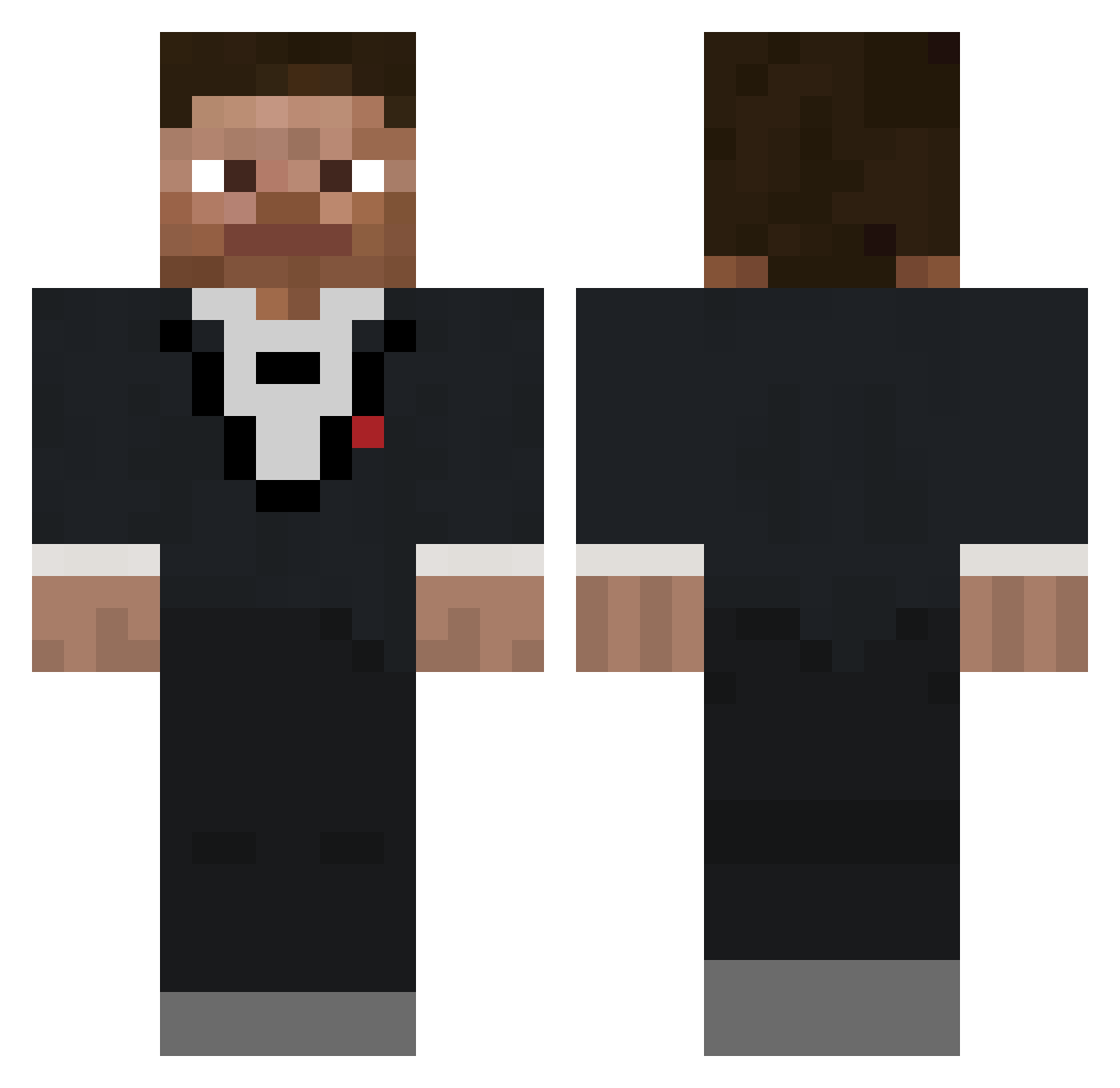
Current Minecraft skin of the player Kalaxity212, loaded from the official Mojang API. Rotate the 3D model with your mouse or finger, then download the skin as a PNG file and use it in Minecraft: Bedrock Edition or Java Edition for free. When Kalaxity212 changes their skin, this page updates automatically and the old skin stays in the history below.
Other players with this skin (687)
Kalaxity212 was the 558th player we have seen with this skin, first spotted on 21.10.2026. The same skin was seen on these players. Open a nickname to see their current skin and skin history.
 AirshipTuna2255 Dy1rone mrc_adr nuamua Bboarders_ YouBetterYouBet Rooke__ limegameing _czr Firelord12345 zak213 Birdi__ garCIA1011 MaybeCubick KiKiM0nke BaconGhast43 SaucyLizard24 Croxyy lifonov Jawcub GigaballsLOL Edwither RageDevil11 uwuLupa safadaoquerido44 PharosLegende Boofboi_ Bacon_Mann Hamstergod80 Maindiver IMGR82 dantheratman BlargFlazz smoothbrainmmt Morttiz refilm Saletaug FLANDOO Jacksonisokxd ben00000000000 InstantRoman Sons_Of_Marz Logann03 SanSuperior notgrabt RedKill5755 Jonathanbacon llamSehTlegnA Tclatrail Treekin3 Chrxco DERPYKINGER MouldyMustardMan nahbrocomeon Grant_310 Soz0o SinnerG_ Sketchy_Potato Cinder2465 XLHero45
How to install the Kalaxity212 skin
- Press the Download button above to save the skin as a PNG file.
- Minecraft: Bedrock Edition (PE): open the Dressing Room from the main menu (or tap your character → Edit Character), go to Classic Skins → Owned, press the + (new skin) button, choose the downloaded PNG and pick the Classic (Steve) model. Works on PC and mobile; consoles cannot import custom skins.
- Minecraft: Java Edition: open the Minecraft Launcher, go to the Skins tab, click New Skin, load the PNG, pick the Classic (Steve) model and press Save & Use. You can also upload it at minecraft.net → Profile → Change Skin.
The skin does not show up after import - what should I do?
Restart Minecraft and open the Dressing Room again - imported skins sometimes appear only after a restart. Also make sure you selected the imported skin and picked the Classic (Steve) model.
Which model should I choose, Classic or Slim?
This skin is designed for the Classic (Steve) model. If you pick the wrong model, the arms of the skin will look stretched or squeezed.
Is the skin of Kalaxity212 free to download?
Yes. Press Download, save the PNG file and use it in Minecraft: Bedrock Edition or Java Edition - no payment or registration needed. The skin also works on multiplayer servers and Realms.
More skins
Looking for more? Go back to all Minecraft skins and check the top skins of the week, month and all time, or find any player's skin by nickname.