
KageSama19 - Minecraft Skins & Skin History
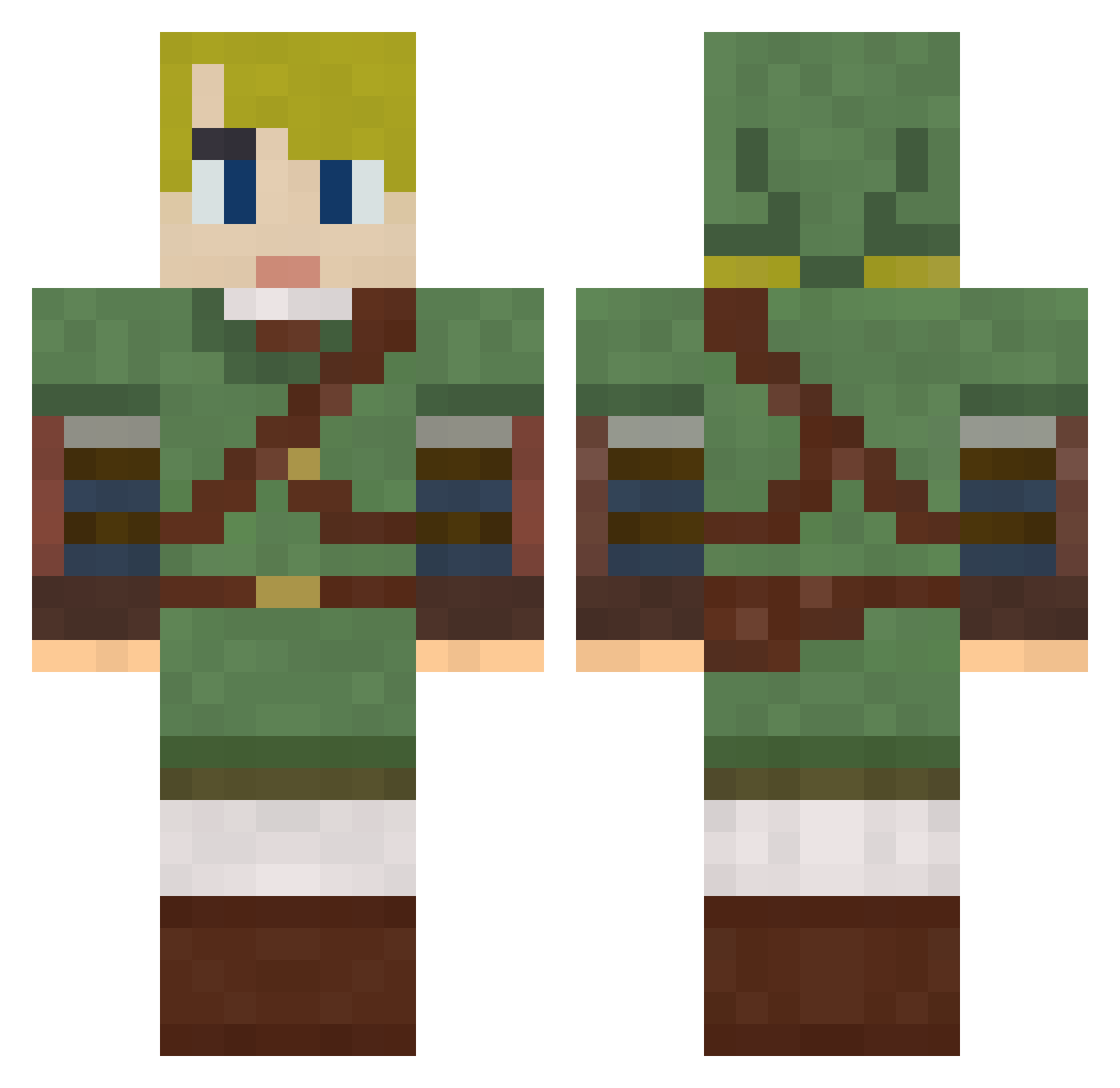
Current Minecraft skin of the player KageSama19, loaded from the official Mojang API. Rotate the 3D model with your mouse or finger, then download the skin as a PNG file and use it in Minecraft: Bedrock Edition or Java Edition for free. When KageSama19 changes their skin, this page updates automatically and the old skin stays in the history below.
Other players with this skin (790)
KageSama19 was the 687th player we have seen with this skin, first spotted on 25.10.2026. The same skin was seen on these players. Open a nickname to see their current skin and skin history.
 xsgt50calx GhostWatch BeniCYL ainzooalgowne Maawc DarkTelon joker890 Nixxk Seb0r xiao__cao OnnyOscar vToothFairy sarc0n7 FlayCraft NekkedNinja Nationalkingkik JamezZz987 nolenaisnothere chengYAMA iggyboo43 HermesBites MiamiKillz Kamform onefatnerd Deoran_Ascend hyu117 Kromiteh garden2 Matthew1301 Miqu_10 savalogan Ludachris23 Jessykaa dragongml darkstarohio Popealmighty Strytan chaseboss4156 jab416171 rossgordon1 zombeefrack922 LOZLegendOfLink citystarz71 NHL_8774 Dr_Reissdorf RoseBread Christophe_LDB Travassicuss birch101112 owen45 Roxipad blinxter21 Pokomi skotikus kgw4787 Gamerdud3456 Sigma77 Lazsterksloser4 Tallek HarryOnPC
More Zelda Minecraft skins
How to install the KageSama19 skin
- Press the Download button above to save the skin as a PNG file.
- Minecraft: Bedrock Edition (PE): open the Dressing Room from the main menu (or tap your character → Edit Character), go to Classic Skins → Owned, press the + (new skin) button, choose the downloaded PNG and pick the Classic (Steve) model. Works on PC and mobile; consoles cannot import custom skins.
- Minecraft: Java Edition: open the Minecraft Launcher, go to the Skins tab, click New Skin, load the PNG, pick the Classic (Steve) model and press Save & Use. You can also upload it at minecraft.net → Profile → Change Skin.
The skin does not show up after import - what should I do?
Restart Minecraft and open the Dressing Room again - imported skins sometimes appear only after a restart. Also make sure you selected the imported skin and picked the Classic (Steve) model.
Which model should I choose, Classic or Slim?
This skin is designed for the Classic (Steve) model. If you pick the wrong model, the arms of the skin will look stretched or squeezed.
Is the skin of KageSama19 free to download?
Yes. Press Download, save the PNG file and use it in Minecraft: Bedrock Edition or Java Edition - no payment or registration needed. The skin also works on multiplayer servers and Realms.
More skins
Looking for more? Go back to all Minecraft skins and check the top skins of the week, month and all time, or find any player's skin by nickname.