
KTX887 - Minecraft Skins & Skin History
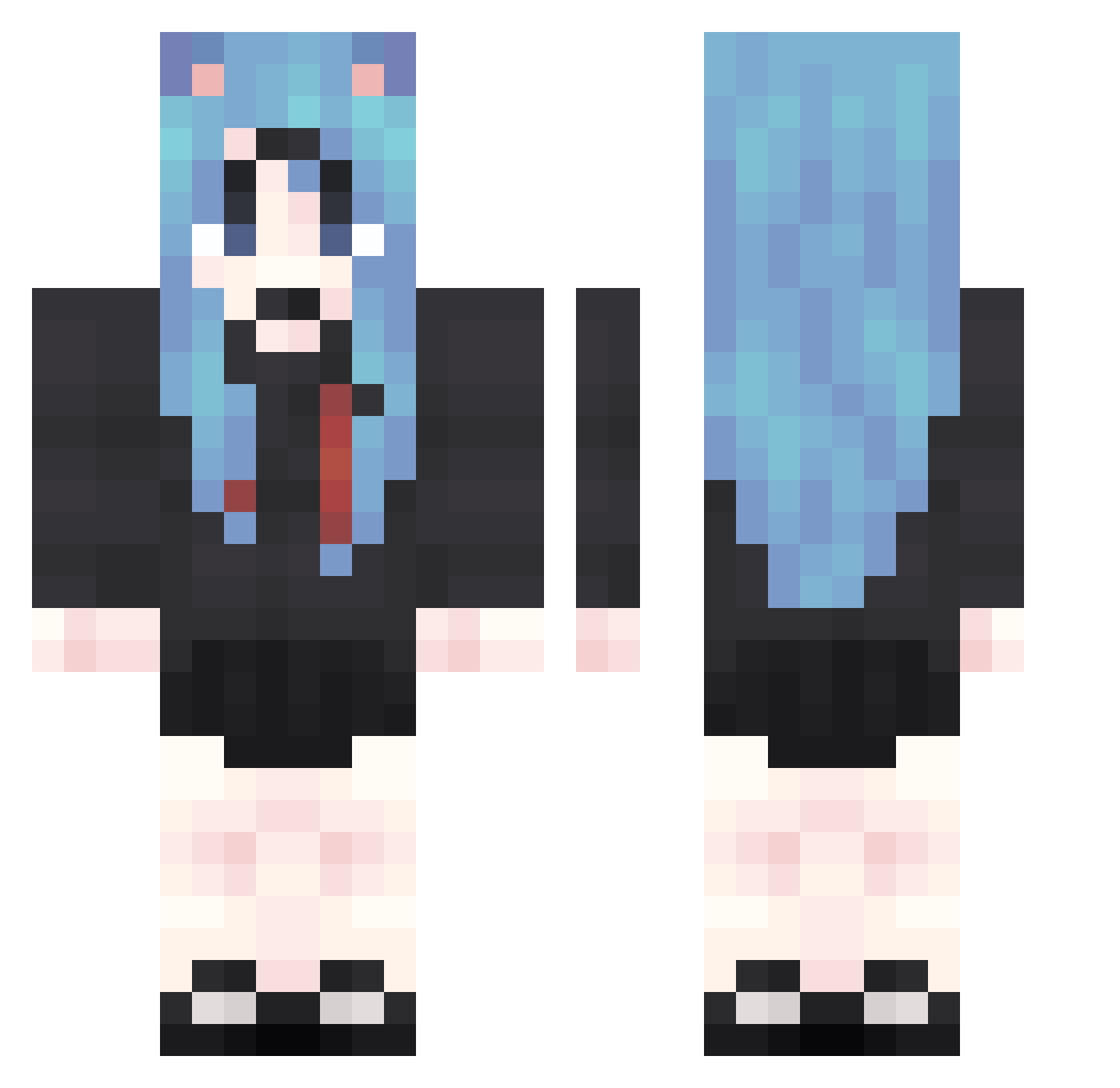
Current Minecraft skin of the player KTX887, loaded from the official Mojang API. Rotate the 3D model with your mouse or finger, then download the skin as a PNG file and use it in Minecraft: Bedrock Edition or Java Edition for free. When KTX887 changes their skin, this page updates automatically and the old skin stays in the history below.
Other players with this skin (1909)
KTX887 was the 1883rd player we have seen with this skin, first spotted on 10.11.2026. The same skin was seen on these players. Open a nickname to see their current skin and skin history.
 GHr845 ytS687 KEo717 OUa136 JDO805 Lel642 uzK630 rij856 Oew428 zYZ926 OYG973 rnT599 uzn185 XJq935 aMt335 jOk301 kOl996 GiS638 cgS33 nwM706 Yma127 fOE608 PUJ785 XiI422 gEL430 AnO961 yHm274 WQc172 aag43 YMX426 NHL451 zZF773 fyz481 Sgp446 pgI524 Mzm271 SDG689 lhP528 gYF718 MrL260 lOB425 QTf339 xGV575 jBX294 VWy951 KLy824 AFM310 zmt586 FGi688 IyM564 MZS983 KYa420 gLr927 rYi540 hxN522 cEW694 SzE217 uhG653 gPe496 XlE860
More School Uniform Minecraft skins
See all 7293 School Uniform skins
How to install the KTX887 skin
- Press the Download button above to save the skin as a PNG file.
- Minecraft: Bedrock Edition (PE): open the Dressing Room from the main menu (or tap your character → Edit Character), go to Classic Skins → Owned, press the + (new skin) button, choose the downloaded PNG and pick the Classic (Steve) model. Works on PC and mobile; consoles cannot import custom skins.
- Minecraft: Java Edition: open the Minecraft Launcher, go to the Skins tab, click New Skin, load the PNG, pick the Classic (Steve) model and press Save & Use. You can also upload it at minecraft.net → Profile → Change Skin.
The skin does not show up after import - what should I do?
Restart Minecraft and open the Dressing Room again - imported skins sometimes appear only after a restart. Also make sure you selected the imported skin and picked the Classic (Steve) model.
Which model should I choose, Classic or Slim?
This skin is designed for the Classic (Steve) model. If you pick the wrong model, the arms of the skin will look stretched or squeezed.
Is the skin of KTX887 free to download?
Yes. Press Download, save the PNG file and use it in Minecraft: Bedrock Edition or Java Edition - no payment or registration needed. The skin also works on multiplayer servers and Realms.
More skins
Looking for more? Go back to all Minecraft skins and check the top skins of the week, month and all time, or find any player's skin by nickname.