
KRx248 - Minecraft Skins & Skin History
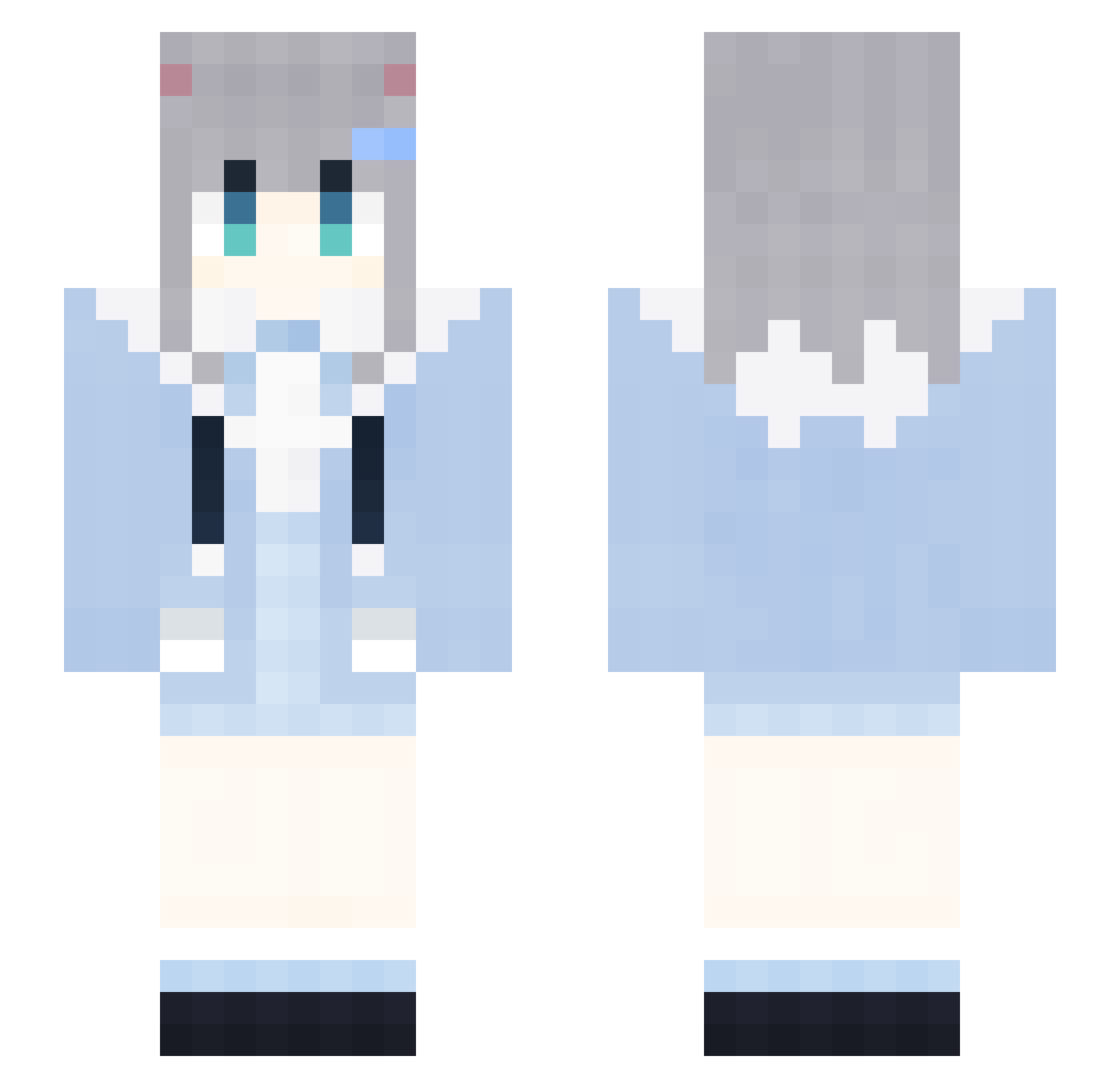
Current Minecraft skin of the player KRx248, loaded from the official Mojang API. Rotate the 3D model with your mouse or finger, then download the skin as a PNG file and use it in Minecraft: Bedrock Edition or Java Edition for free. When KRx248 changes their skin, this page updates automatically and the old skin stays in the history below.
Other players with this skin (1906)
KRx248 was the 1413th player we have seen with this skin, first spotted on 17.10.2026. The same skin was seen on these players. Open a nickname to see their current skin and skin history.
 GapRapGpdNiTs438 eDN750 LoveCxyForever69 xkC594 TORANITHM ZyT114 unE759 qUJ581 FireFoxChorme38 prz20 JjJ254 DxT769 nKc895 gLW603 TbB22 GapRapGpdNidJ975 UKU644 HOA846 XxxxX_MAGA_Xx440 xSR838 VIT2 RabbitMiceTTW446 TZJ632 FireFoxChorme688 CherryHarryju102 FxO858 rkH186 ieY923 Hge456 Xbh906 LoveZxyLikeWc799 2021COCA_COLA592 fiK50 Hgg918 2021COCA_COLA235 adoghead Arcadesama dRA941 Green_Frost Tdj381 Wkm810 LogitechHubfn743 LAWSONCOFFEEV261 LoveZxyLikedI566 LAWSONCOFFEEh339 mengnimei 0001112223334186 AIRCUSHIONHVM401 ijk760 oaA695 fht655 wSe126 2021COCA_COLA315 GapRapGpdNiea532 FireFoxChorme94 Gdt700 NVv215 AIRCUSHIONnhN880 xqF155 WVV741
More Cat Ears Minecraft skins
How to install the KRx248 skin
- Press the Download button above to save the skin as a PNG file.
- Minecraft: Bedrock Edition (PE): open the Dressing Room from the main menu (or tap your character → Edit Character), go to Classic Skins → Owned, press the + (new skin) button, choose the downloaded PNG and pick the Slim (Alex) model. Works on PC and mobile; consoles cannot import custom skins.
- Minecraft: Java Edition: open the Minecraft Launcher, go to the Skins tab, click New Skin, load the PNG, pick the Slim (Alex) model and press Save & Use. You can also upload it at minecraft.net → Profile → Change Skin.
The skin does not show up after import - what should I do?
Restart Minecraft and open the Dressing Room again - imported skins sometimes appear only after a restart. Also make sure you selected the imported skin and picked the Slim (Alex) model.
Which model should I choose, Classic or Slim?
This skin is designed for the Slim (Alex) model. If you pick the wrong model, the arms of the skin will look stretched or squeezed.
Is the skin of KRx248 free to download?
Yes. Press Download, save the PNG file and use it in Minecraft: Bedrock Edition or Java Edition - no payment or registration needed. The skin also works on multiplayer servers and Realms.
More skins
Looking for more? Go back to all Minecraft skins and check the top skins of the week, month and all time, or find any player's skin by nickname.