
Juniorzclw - Minecraft Skins & Skin History
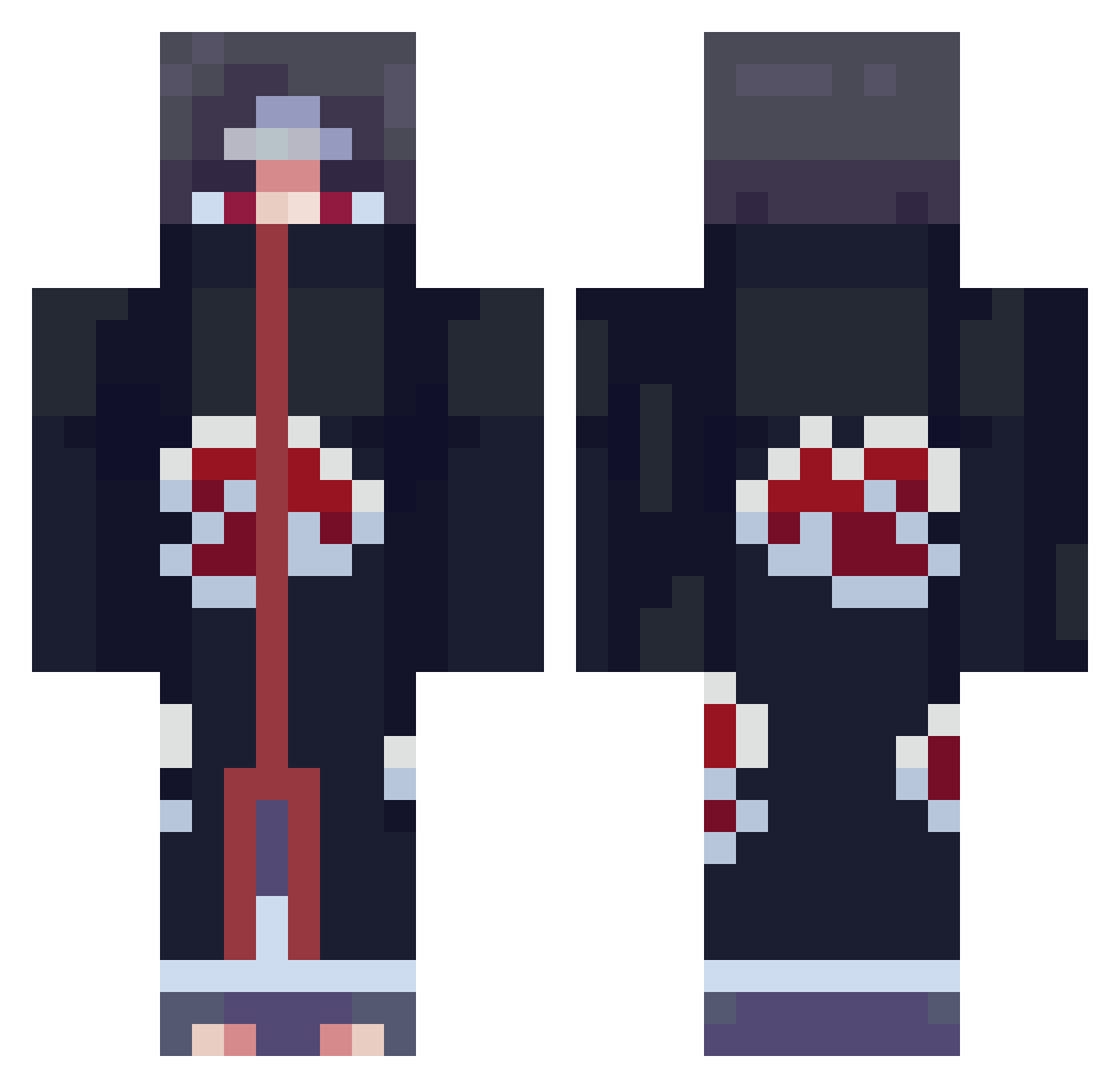
Current Minecraft skin of the player Juniorzclw, loaded from the official Mojang API. Rotate the 3D model with your mouse or finger, then download the skin as a PNG file and use it in Minecraft: Bedrock Edition or Java Edition for free. When Juniorzclw changes their skin, this page updates automatically and the old skin stays in the history below.
Other players with this skin (856)
Juniorzclw was the 737th player we have seen with this skin, first spotted on 24.10.2026. The same skin was seen on these players. Open a nickname to see their current skin and skin history.
 vekm _Uta4u_CaH_ KiwisPlug itsTHePUGs285 Benjarts _cliver Chazuba OWES86 Yaikito Zqdt SideMasked megatug6 IamMaster Ching1209 jimunoz Herobrine_monkaW HanNi113 typicalsweat TooPoorForV4 Hayyti Garick_AU DragonBoy150 Velesious Knoxter HecateMiku Demonic_Wade clear18 ShaneCN monkeymenace_123 Chackelban MartyG1954 Doorbreaker034 GBKlever KassadinPlayer Simgwanpil zMikasa_ Seolreim_01 EmpSavvy B_B_H w4ld0o ki3n1 dvelascop _The_Tembersh TimTitman darthjack04 Tom861124 Guzman77_ SenpaiMeku StabMe__ Uchiha_2tachi NilsFishy syosus Hueseyin01 JacksonTA14 Dizzlly Madarinen1 Gretsch_2005 JustGotBlastedx HeyBran_ cythyr
More Itachi Uchiha Minecraft skins
See all 358 Itachi Uchiha skins
How to install the Juniorzclw skin
- Press the Download button above to save the skin as a PNG file.
- Minecraft: Bedrock Edition (PE): open the Dressing Room from the main menu (or tap your character → Edit Character), go to Classic Skins → Owned, press the + (new skin) button, choose the downloaded PNG and pick the Classic (Steve) model. Works on PC and mobile; consoles cannot import custom skins.
- Minecraft: Java Edition: open the Minecraft Launcher, go to the Skins tab, click New Skin, load the PNG, pick the Classic (Steve) model and press Save & Use. You can also upload it at minecraft.net → Profile → Change Skin.
The skin does not show up after import - what should I do?
Restart Minecraft and open the Dressing Room again - imported skins sometimes appear only after a restart. Also make sure you selected the imported skin and picked the Classic (Steve) model.
Which model should I choose, Classic or Slim?
This skin is designed for the Classic (Steve) model. If you pick the wrong model, the arms of the skin will look stretched or squeezed.
Is the skin of Juniorzclw free to download?
Yes. Press Download, save the PNG file and use it in Minecraft: Bedrock Edition or Java Edition - no payment or registration needed. The skin also works on multiplayer servers and Realms.
More skins
Looking for more? Go back to all Minecraft skins and check the top skins of the week, month and all time, or find any player's skin by nickname.