
JulzOnMc - Minecraft Skins & Skin History
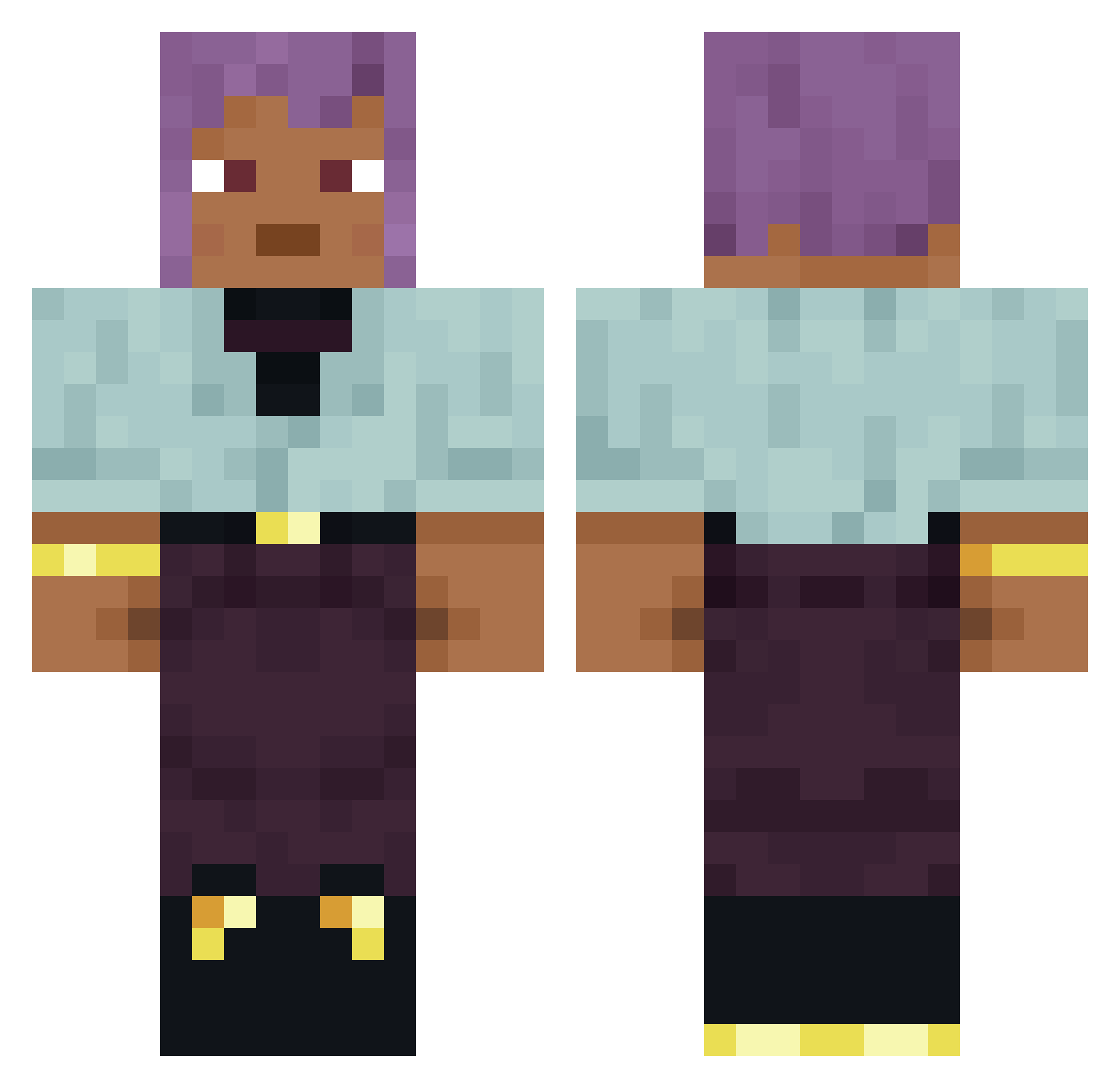
Current Minecraft skin of the player JulzOnMc, loaded from the official Mojang API. Rotate the 3D model with your mouse or finger, then download the skin as a PNG file and use it in Minecraft: Bedrock Edition or Java Edition for free. When JulzOnMc changes their skin, this page updates automatically and the old skin stays in the history below.
Other players with this skin (898)
JulzOnMc was the 780th player we have seen with this skin, first spotted on 26.10.2026. The same skin was seen on these players. Open a nickname to see their current skin and skin history.
 Nuncius Stryke107 Camphor poultrygoddessss Pedantically T1ntifax Decimalize TheDarkDingaling Miner0109 ch33s3b0b TDRZINHOOO Bridging GRANDDAUGHTERS Rodinal Sakebaum Trunch P5z Obi_Hahn boynotcry unhacked DiazBro1 Techmex99 AlexK674 Pipestone UserObject Siww Laureen pasha3 Ferried Black_Jack9487 Chszana Jagras Cynox187 AwwesomeSaauce BantRiid DaLoco AlexTesla95 lunatellus Angwantibo Mahergame299 Husbander Gloze kanari Mellows iloveasdojob Zyleok Investigate fabulist Tonging jeerer Bossiq777 ProbablyRowdy ATingA Disburdenment Dessertspoon gojoiscute Spectral16 thah_ Nancee Loadstones
How to install the JulzOnMc skin
- Press the Download button above to save the skin as a PNG file.
- Minecraft: Bedrock Edition (PE): open the Dressing Room from the main menu (or tap your character → Edit Character), go to Classic Skins → Owned, press the + (new skin) button, choose the downloaded PNG and pick the Classic (Steve) model. Works on PC and mobile; consoles cannot import custom skins.
- Minecraft: Java Edition: open the Minecraft Launcher, go to the Skins tab, click New Skin, load the PNG, pick the Classic (Steve) model and press Save & Use. You can also upload it at minecraft.net → Profile → Change Skin.
The skin does not show up after import - what should I do?
Restart Minecraft and open the Dressing Room again - imported skins sometimes appear only after a restart. Also make sure you selected the imported skin and picked the Classic (Steve) model.
Which model should I choose, Classic or Slim?
This skin is designed for the Classic (Steve) model. If you pick the wrong model, the arms of the skin will look stretched or squeezed.
Is the skin of JulzOnMc free to download?
Yes. Press Download, save the PNG file and use it in Minecraft: Bedrock Edition or Java Edition - no payment or registration needed. The skin also works on multiplayer servers and Realms.
More skins
Looking for more? Go back to all Minecraft skins and check the top skins of the week, month and all time, or find any player's skin by nickname.