
Jaxanon - Minecraft Skins & Skin History
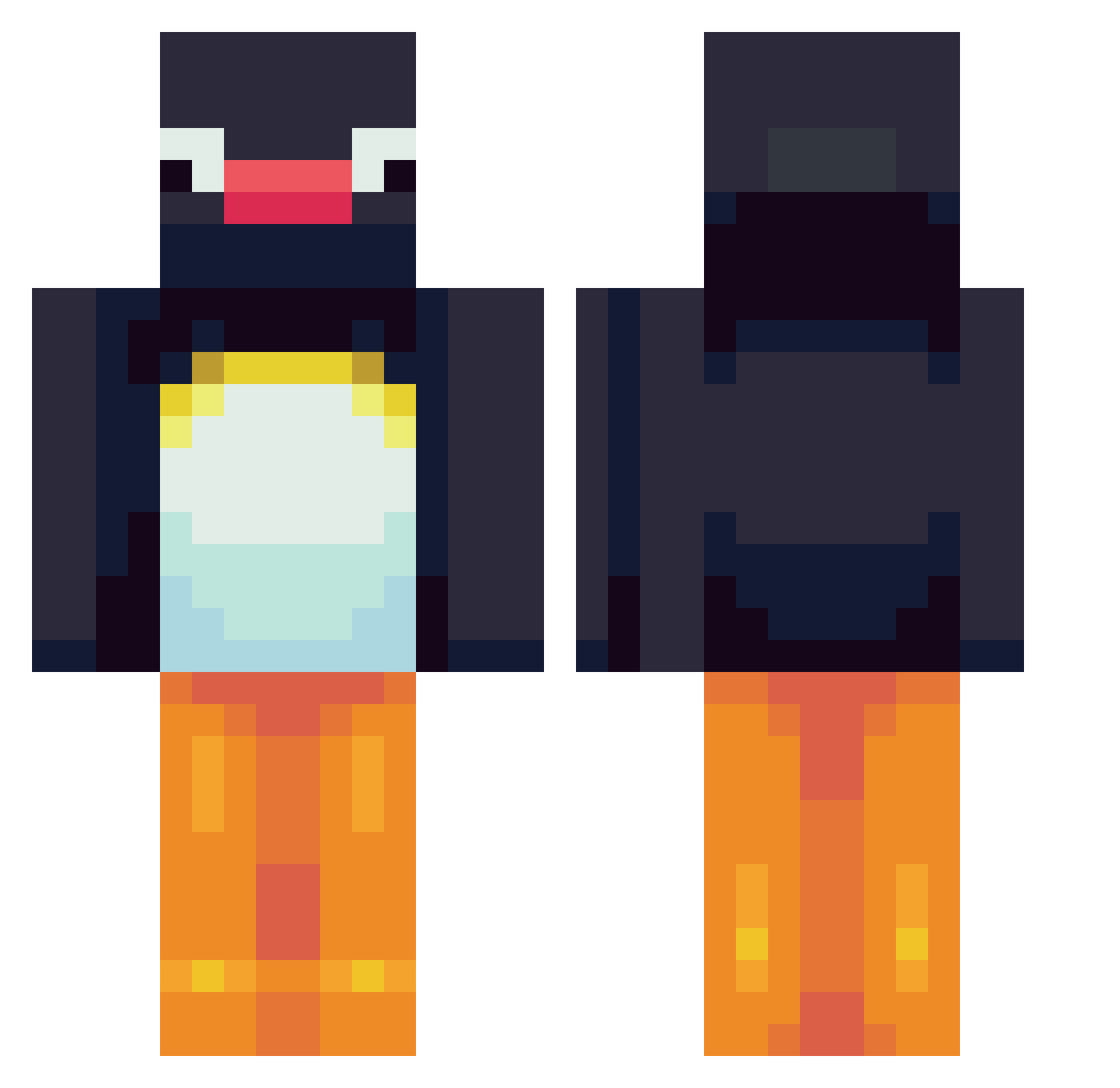
Current Minecraft skin of the player Jaxanon, loaded from the official Mojang API. Rotate the 3D model with your mouse or finger, then download the skin as a PNG file and use it in Minecraft: Bedrock Edition or Java Edition for free. When Jaxanon changes their skin, this page updates automatically and the old skin stays in the history below.
Other players with this skin (748)
Jaxanon was the 691st player we have seen with this skin, first spotted on 04.11.2026. The same skin was seen on these players. Open a nickname to see their current skin and skin history.
 Syst3maticError Zimprich76 WhistlingBoots buggy_beans Pinguinoot SquantoNS WuhBahn cooljills MrGizMo LongShlongOlliee Kssay Hannabear14 MrBowerbird MissKong elise_j8 Jaaners omanio ThrobbingDih Hockeytogo ange_inconnu PelleDelle WelshRonin Ashrules77 ChunkyGAM UlrikTveitsme ToonVHezpz kochamsyrenki123 CrimesNotHidden Axe73 ArreBoph FeelsBananaMan Patata_ASP driivalts Grilkill systematicd fish2808 Razorx28 Abdulla01h Mr_H4CK3TT Kxllooo Kia111 ElBibeau designerlyfe IDYBL elnahz chamomiIe clyr_12 Quique_Chido15 Fredways AdrianVide BlockingYeti333 NickVA Matadamas69 boelminb Tooivichmarus HarryDoog007 Sigkvit09 min_311 p0ppuy Eml1yn
More Pingu Minecraft skins
How to install the Jaxanon skin
- Press the Download button above to save the skin as a PNG file.
- Minecraft: Bedrock Edition (PE): open the Dressing Room from the main menu (or tap your character → Edit Character), go to Classic Skins → Owned, press the + (new skin) button, choose the downloaded PNG and pick the Classic (Steve) model. Works on PC and mobile; consoles cannot import custom skins.
- Minecraft: Java Edition: open the Minecraft Launcher, go to the Skins tab, click New Skin, load the PNG, pick the Classic (Steve) model and press Save & Use. You can also upload it at minecraft.net → Profile → Change Skin.
The skin does not show up after import - what should I do?
Restart Minecraft and open the Dressing Room again - imported skins sometimes appear only after a restart. Also make sure you selected the imported skin and picked the Classic (Steve) model.
Which model should I choose, Classic or Slim?
This skin is designed for the Classic (Steve) model. If you pick the wrong model, the arms of the skin will look stretched or squeezed.
Is the skin of Jaxanon free to download?
Yes. Press Download, save the PNG file and use it in Minecraft: Bedrock Edition or Java Edition - no payment or registration needed. The skin also works on multiplayer servers and Realms.
More skins
Looking for more? Go back to all Minecraft skins and check the top skins of the week, month and all time, or find any player's skin by nickname.