
JamesGroundX - Minecraft Skins & Skin History
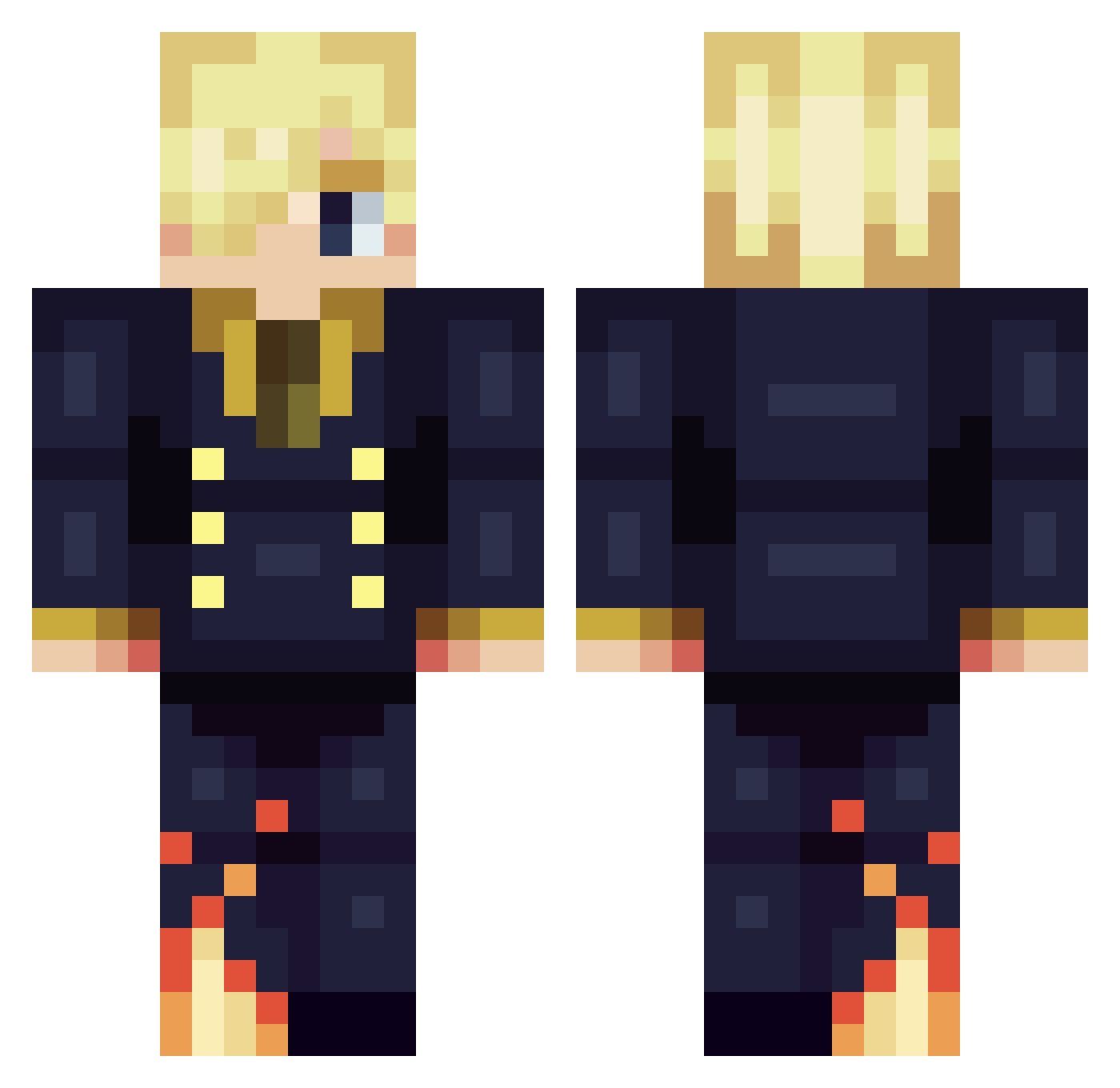
Current Minecraft skin of the player JamesGroundX, loaded from the official Mojang API. Rotate the 3D model with your mouse or finger, then download the skin as a PNG file and use it in Minecraft: Bedrock Edition or Java Edition for free. When JamesGroundX changes their skin, this page updates automatically and the old skin stays in the history below.
Other players with this skin (421)
JamesGroundX was the 364th player we have seen with this skin, first spotted on 29.10.2026. The same skin was seen on these players. Open a nickname to see their current skin and skin history.
 GabS2Bad Traveler_IXI milkway15 Reconai Captaine_Gimi Umadelizia DavidJacare9916 MONKEYD83340 mckeplar Nikorasuz ooooYYoooo Lite_DC10 ZayerG IXS4XI Percy_Dragneel Trivella_ Cole033 BeeFXT Scott_Dickey Bad_Snip3r AndrilexX Jeorje_X kwtbest AkiraK2002 Creed229 Shayde_alr Chrimka TheMelenas letigre01 The_war_king gamstudent Tomitel Yahir159 Boombarastic AyoC10 xIlluminaudio Luiggilqmf Kenny_78 iSincerelyi FrankIgSs xiaolei1664 emiivia ShaDoWzz744 Kuro1927 its2w3y Fatherly0 TheFaLOuT Blue_Sc0rpion raphino10 vowix999 TimHamster darksamuzs KurjenRahija DragonReloadRPG Source85 RaySilent Rhodd Asitakaa_ Ptitlim JarutoKunYT
More Sanji Minecraft skins
How to install the JamesGroundX skin
- Press the Download button above to save the skin as a PNG file.
- Minecraft: Bedrock Edition (PE): open the Dressing Room from the main menu (or tap your character → Edit Character), go to Classic Skins → Owned, press the + (new skin) button, choose the downloaded PNG and pick the Classic (Steve) model. Works on PC and mobile; consoles cannot import custom skins.
- Minecraft: Java Edition: open the Minecraft Launcher, go to the Skins tab, click New Skin, load the PNG, pick the Classic (Steve) model and press Save & Use. You can also upload it at minecraft.net → Profile → Change Skin.
The skin does not show up after import - what should I do?
Restart Minecraft and open the Dressing Room again - imported skins sometimes appear only after a restart. Also make sure you selected the imported skin and picked the Classic (Steve) model.
Which model should I choose, Classic or Slim?
This skin is designed for the Classic (Steve) model. If you pick the wrong model, the arms of the skin will look stretched or squeezed.
Is the skin of JamesGroundX free to download?
Yes. Press Download, save the PNG file and use it in Minecraft: Bedrock Edition or Java Edition - no payment or registration needed. The skin also works on multiplayer servers and Realms.
More skins
Looking for more? Go back to all Minecraft skins and check the top skins of the week, month and all time, or find any player's skin by nickname.