
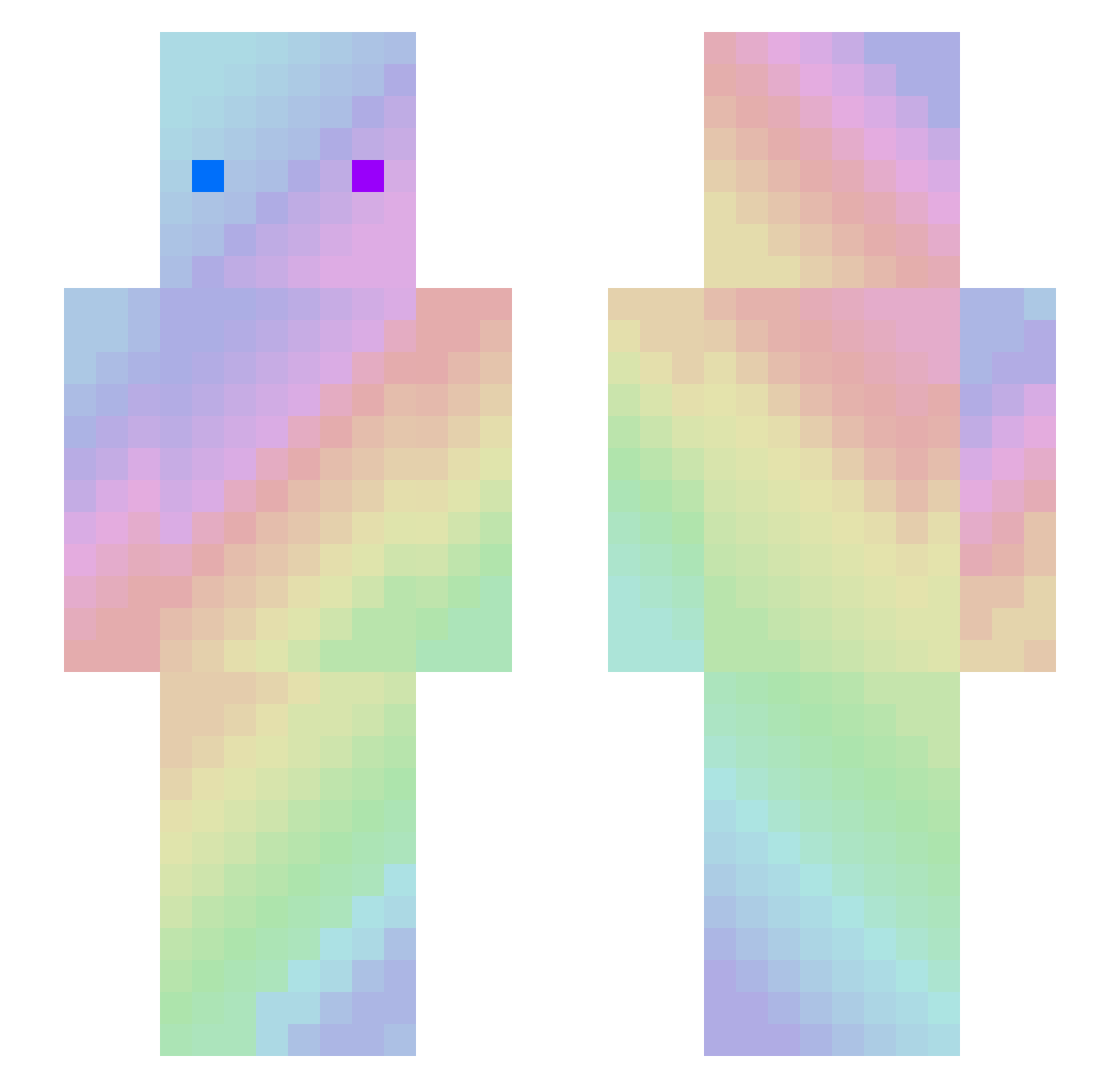
Current Minecraft skin of the player Jae_yeon_, loaded from the official Mojang API. Rotate the 3D model with your mouse or finger, then download the skin as a PNG file and use it in Minecraft: Bedrock Edition or Java Edition for free. When Jae_yeon_ changes their skin, this page updates automatically and the old skin stays in the history below.
Other players with this skin (62)
The same skin was seen on these players. Open a nickname to see their current skin and skin history.
 seungmin__03 Jacobthewierd HPH2 Crazybeast212 j_oj_o_zeng ACH_33 gumballnatv4k Sw3du Strawberry_Soju Chusi09 Fonest_Trash AquaAce1088 _Serverdett_ mializ24 Agoinding BigPuffy727 DarkVinchi LaBombito 7_hoe xRevali OmegaHyvi ShaiLeShai TheToru ChickenStrips06 MIKIFUXX tikri26 MrBestKid sampires matos25200 ftswz AboveCurve88 Sol_Prism BENJIMVONQEUFFTI Diamondlover666 BENPIPPI lyunjaehee cccyf Tun139 y_jun7 johnnyb8686 Carlos_IOI ngogooo LORC2003 YaaBoii1221 CheeseBlocck whitxd ETETOOO Jerry_Pan yummymummy60 AvoidingPrawn36 LLakwow ThatsZ4 senpai_thomas drphilsbabymomma MaterTow tarikmenguc1 MizzKat DreamWanWan TungPung Seoyoun0909
How to install the Jae_yeon_ skin
- Press the Download button above to save the skin as a PNG file.
- Minecraft: Bedrock Edition (PE): open the Dressing Room from the main menu (or tap your character → Edit Character), go to Classic Skins → Owned, press the + (new skin) button, choose the downloaded PNG and pick the Slim (Alex) model. Works on PC and mobile; consoles cannot import custom skins.
- Minecraft: Java Edition: open the Minecraft Launcher, go to the Skins tab, click New Skin, load the PNG, pick the Slim (Alex) model and press Save & Use. You can also upload it at minecraft.net → Profile → Change Skin.
The skin does not show up after import - what should I do?
Restart Minecraft and open the Dressing Room again - imported skins sometimes appear only after a restart. Also make sure you selected the imported skin and picked the Slim (Alex) model.
Which model should I choose, Classic or Slim?
This skin is designed for the Slim (Alex) model. If you pick the wrong model, the arms of the skin will look stretched or squeezed.
Is the skin of Jae_yeon_ free to download?
Yes. Press Download, save the PNG file and use it in Minecraft: Bedrock Edition or Java Edition - no payment or registration needed. The skin also works on multiplayer servers and Realms.
More skins
Looking for more? Go back to all Minecraft skins and check the top skins of the week, month and all time, or find any player's skin by nickname.