
JWBasketball23 - Minecraft Skins & Skin History
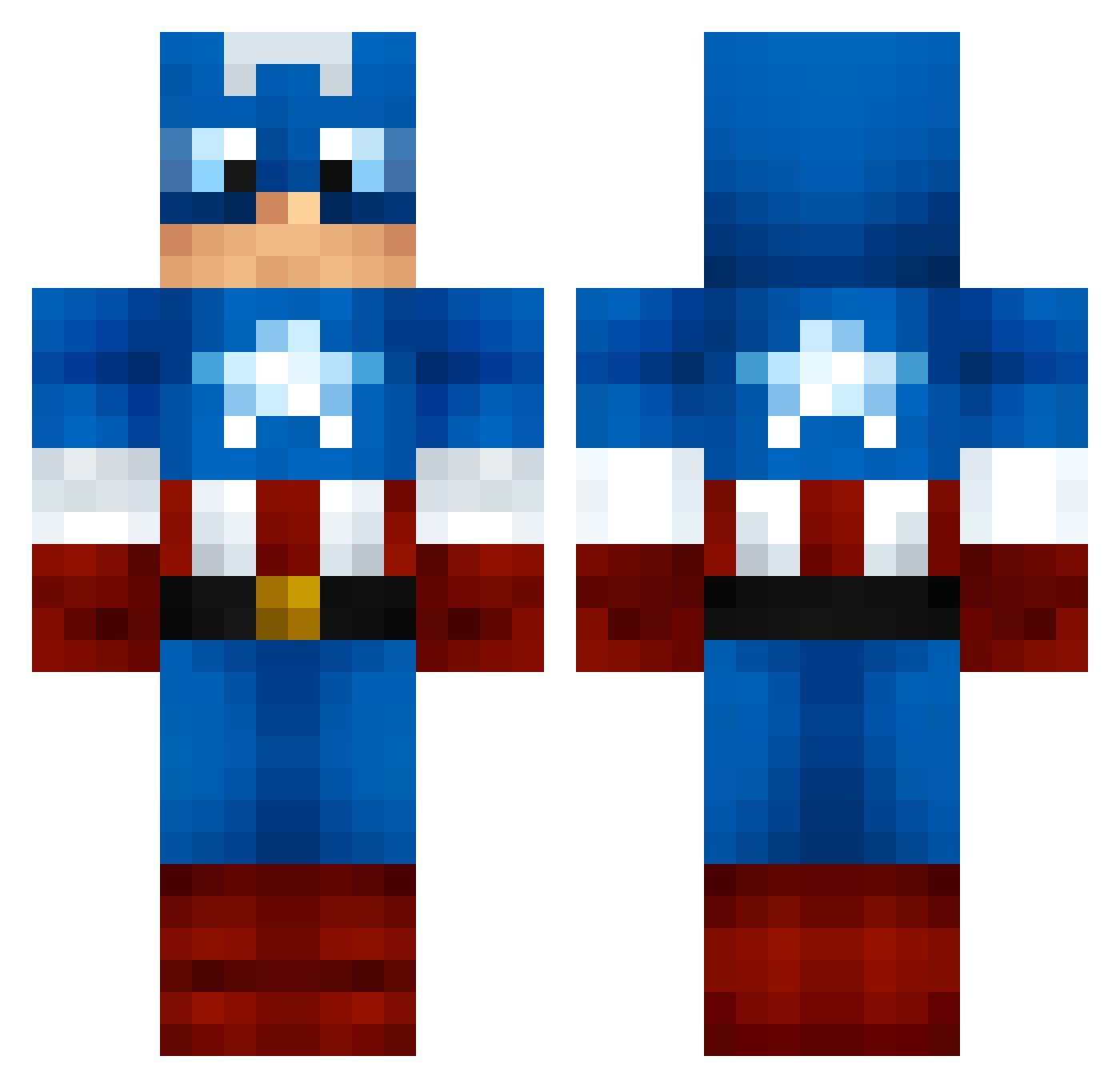
Current Minecraft skin of the player JWBasketball23, loaded from the official Mojang API. Rotate the 3D model with your mouse or finger, then download the skin as a PNG file and use it in Minecraft: Bedrock Edition or Java Edition for free. When JWBasketball23 changes their skin, this page updates automatically and the old skin stays in the history below.
Other players with this skin (1261)
JWBasketball23 was the 1160th player we have seen with this skin, first spotted on 02.11.2026. The same skin was seen on these players. Open a nickname to see their current skin and skin history.
 III_Goober_III Ace96ish baptistefanton09 xxxJohannxxx cosmo143 Clarito sloppyfoot12 mrjake03 Bernie_MC GrayChow Happy_Orphan TeeGOout_ Mishaxi jacko_quack Doeneris Maiko_Marie ShaQix BennyHaHa715 H1TMAN87 Atika85 krieger27 Alveyyy minigod12 jimjoe15 jaj225 JAWNIEyt Bonkxrs halo11012005 nycgmr jgarcia1992 Bower4u H3phy MONEYGRE3N eclipse_3gtt sindal1234 MKH514 MonsterousShark burneykb joeyfatcat ChuckLeTueur myamo_0017 PhoenixMaxter Bellew99 PoliCas ACFmatthew aborsean jreed453 Tree_Puncher_25 TheFieds mrrealshaggy CAKETRACTOR scuba_moose_ tangcool01 _Simon_ownt JoshJacob123 CptDragyn LeaGumman BellaLuce Hugo_Hannes GizzYx
More Captain America Minecraft skins
See all 177 Captain America skins
How to install the JWBasketball23 skin
- Press the Download button above to save the skin as a PNG file.
- Minecraft: Bedrock Edition (PE): open the Dressing Room from the main menu (or tap your character → Edit Character), go to Classic Skins → Owned, press the + (new skin) button, choose the downloaded PNG and pick the Classic (Steve) model. Works on PC and mobile; consoles cannot import custom skins.
- Minecraft: Java Edition: open the Minecraft Launcher, go to the Skins tab, click New Skin, load the PNG, pick the Classic (Steve) model and press Save & Use. You can also upload it at minecraft.net → Profile → Change Skin.
The skin does not show up after import - what should I do?
Restart Minecraft and open the Dressing Room again - imported skins sometimes appear only after a restart. Also make sure you selected the imported skin and picked the Classic (Steve) model.
Which model should I choose, Classic or Slim?
This skin is designed for the Classic (Steve) model. If you pick the wrong model, the arms of the skin will look stretched or squeezed.
Is the skin of JWBasketball23 free to download?
Yes. Press Download, save the PNG file and use it in Minecraft: Bedrock Edition or Java Edition - no payment or registration needed. The skin also works on multiplayer servers and Realms.
More skins
Looking for more? Go back to all Minecraft skins and check the top skins of the week, month and all time, or find any player's skin by nickname.