
Hugo_Hannes - Minecraft Skins & Skin History
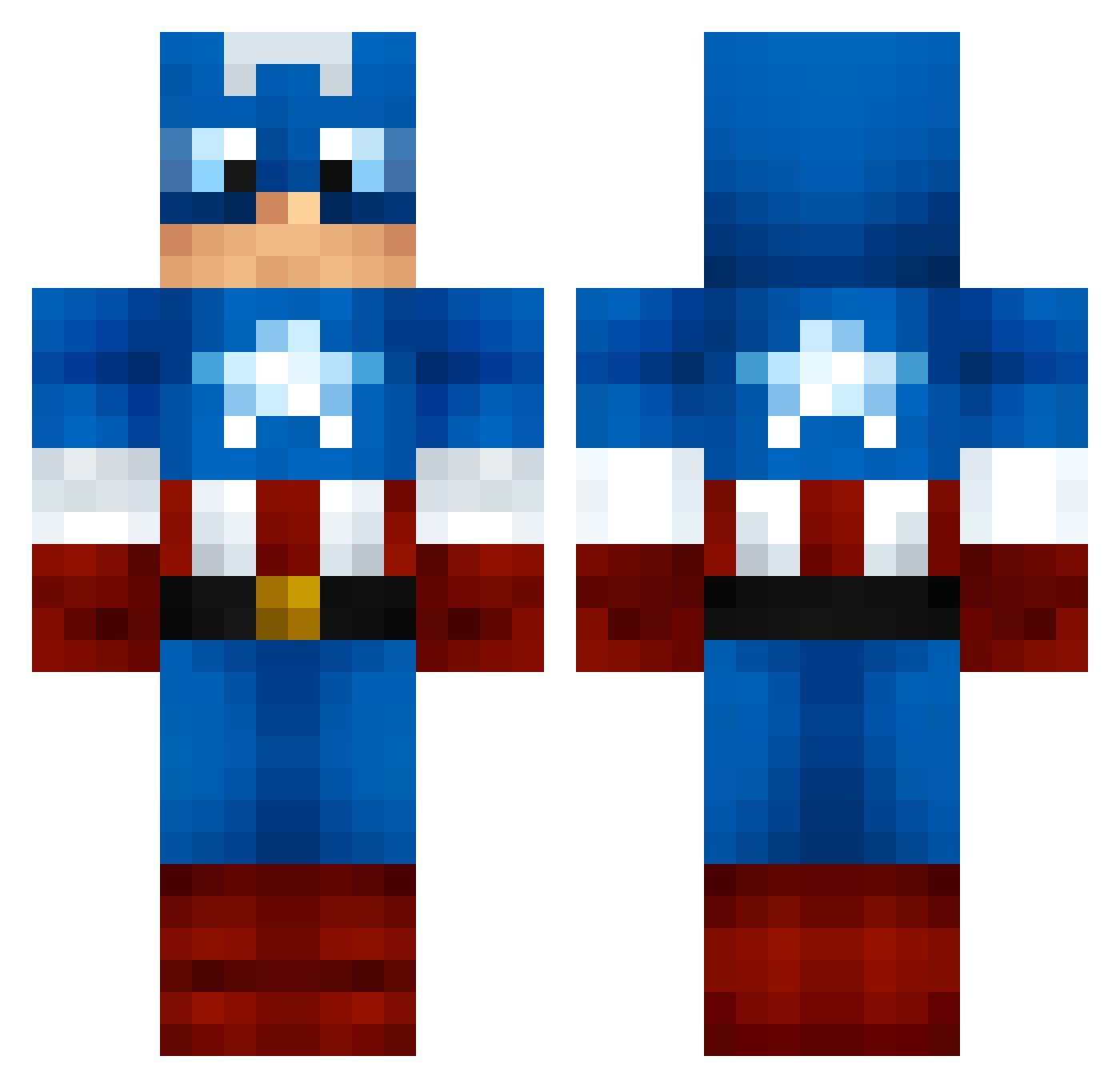
Current Minecraft skin of the player Hugo_Hannes, loaded from the official Mojang API. Rotate the 3D model with your mouse or finger, then download the skin as a PNG file and use it in Minecraft: Bedrock Edition or Java Edition for free. When Hugo_Hannes changes their skin, this page updates automatically and the old skin stays in the history below.
Other players with this skin (1260)
Hugo_Hannes was the 1196th player we have seen with this skin, first spotted on 05.11.2026. The same skin was seen on these players. Open a nickname to see their current skin and skin history.
 BellaLuce LeaGumman CptDragyn JoshJacob123 uAlbyy tangcool01 scuba_moose_ NikNaja CAKETRACTOR 19josh99 FatJudge DavidDuVietnam MrPurple17 mrrealshaggy Toke88 TheFieds littleack03 islewu jreed453 anthony8000 ACFmatthew PoliCas BokuAdmy Bellew99 PhoenixMaxter myamo_0017 Grenney_ aarkos23 MonsterousShark MKH514 sindal1234 eclipse_3gtt megamixman72 BigRedNZ red_clown jgarcia1992 SpicyMcRib nycgmr halo11012005 Bonkxrs Super_Buckey __DareDevil minigod12 Alveyyy krieger27 vReflex kayplay Atika85 H1TMAN87 Tjmills4397 Maiko_Marie gabrielryberg123 jacko_quack Alkayos Cerzio Erik_221722 GrayChow Bumjae rcbmasters Clarito
More Captain America Minecraft skins
See all 177 Captain America skins
How to install the Hugo_Hannes skin
- Press the Download button above to save the skin as a PNG file.
- Minecraft: Bedrock Edition (PE): open the Dressing Room from the main menu (or tap your character → Edit Character), go to Classic Skins → Owned, press the + (new skin) button, choose the downloaded PNG and pick the Classic (Steve) model. Works on PC and mobile; consoles cannot import custom skins.
- Minecraft: Java Edition: open the Minecraft Launcher, go to the Skins tab, click New Skin, load the PNG, pick the Classic (Steve) model and press Save & Use. You can also upload it at minecraft.net → Profile → Change Skin.
The skin does not show up after import - what should I do?
Restart Minecraft and open the Dressing Room again - imported skins sometimes appear only after a restart. Also make sure you selected the imported skin and picked the Classic (Steve) model.
Which model should I choose, Classic or Slim?
This skin is designed for the Classic (Steve) model. If you pick the wrong model, the arms of the skin will look stretched or squeezed.
Is the skin of Hugo_Hannes free to download?
Yes. Press Download, save the PNG file and use it in Minecraft: Bedrock Edition or Java Edition - no payment or registration needed. The skin also works on multiplayer servers and Realms.
More skins
Looking for more? Go back to all Minecraft skins and check the top skins of the week, month and all time, or find any player's skin by nickname.