
JNTMchao - Minecraft Skins & Skin History
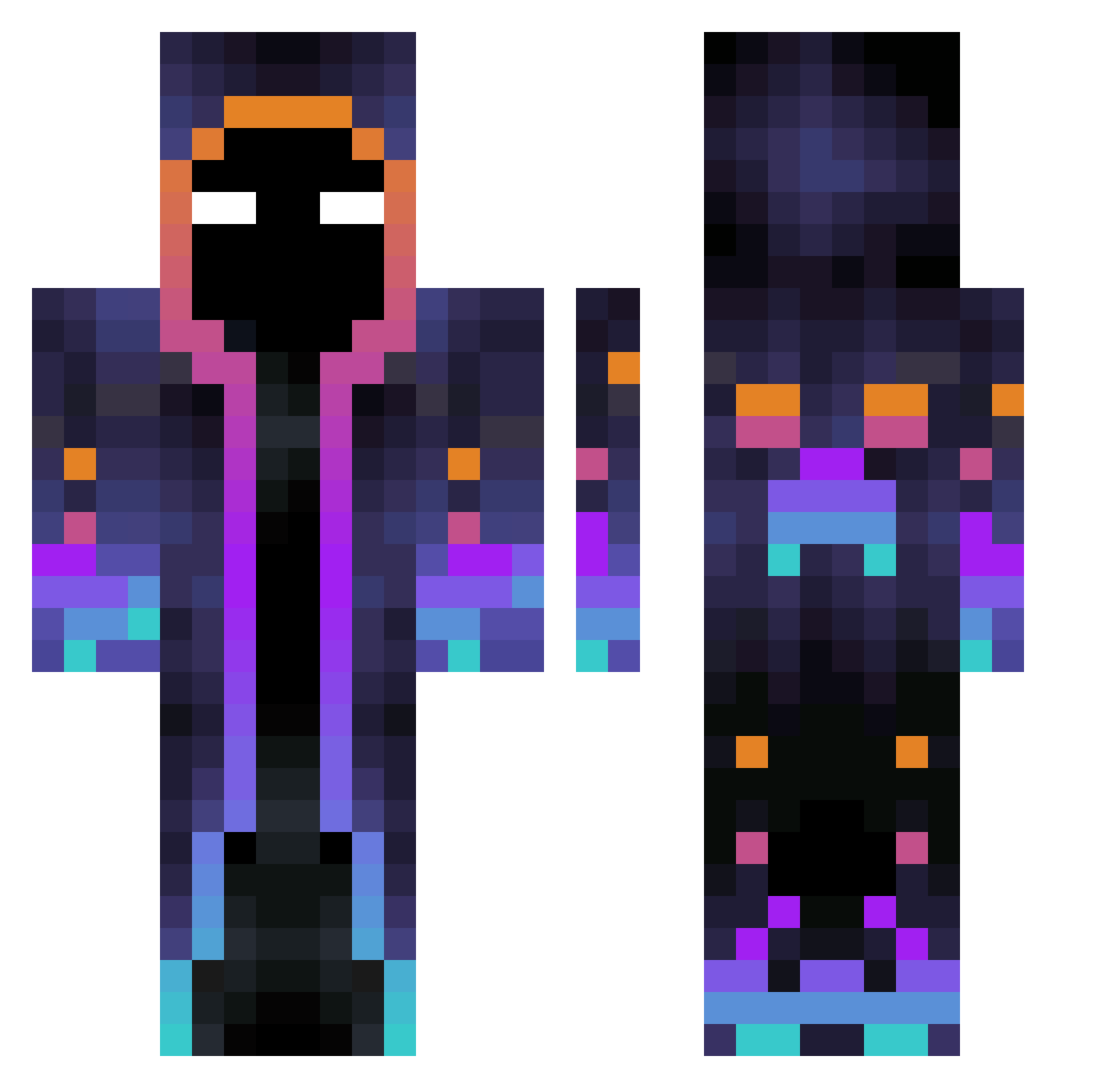
Current Minecraft skin of the player JNTMchao, loaded from the official Mojang API. Rotate the 3D model with your mouse or finger, then download the skin as a PNG file and use it in Minecraft: Bedrock Edition or Java Edition for free. When JNTMchao changes their skin, this page updates automatically and the old skin stays in the history below.
Other players with this skin (596)
JNTMchao was the 453rd player we have seen with this skin, first spotted on 18.10.2026. The same skin was seen on these players. Open a nickname to see their current skin and skin history.
 Sliminguido Sadness73 LieutenantDan420 KzxII0 Stevestar1907 Mage__EU xiao_yao_y MR_X9 Kimiini Wolfieyt32 MrLukye zeff41 Hiob2115 Natanbob kongwe yaya_wky Ziko3372 dobwww woshizym Rondomi2 elemi712 Brandon_zz P0L1LLA seungwoo0119 dinnerjoker gteshima Connery83 xXxsebaxXx39 Milesonss Anthonymz04 GlobalWeb Arcenal_Tofu HYDR447 luxiaogenyu BarbieAssassinah EdwardX_233 VruzZz RK_GAMER matrizxlol Kaomir350 tnrwp123 Dyson217 SmallSkyman KILLER_YO JhonTussiB Accely AdiXx132 waterpi ThegoodBeard xp0601 einfrieren Don_the_Dom SevenKings tprkKRN chickrenboy DeltaMonkey137 Piet94 Caamilongas Kaast04 coinfliper300
More Galaxy Minecraft skins
How to install the JNTMchao skin
- Press the Download button above to save the skin as a PNG file.
- Minecraft: Bedrock Edition (PE): open the Dressing Room from the main menu (or tap your character → Edit Character), go to Classic Skins → Owned, press the + (new skin) button, choose the downloaded PNG and pick the Classic (Steve) model. Works on PC and mobile; consoles cannot import custom skins.
- Minecraft: Java Edition: open the Minecraft Launcher, go to the Skins tab, click New Skin, load the PNG, pick the Classic (Steve) model and press Save & Use. You can also upload it at minecraft.net → Profile → Change Skin.
The skin does not show up after import - what should I do?
Restart Minecraft and open the Dressing Room again - imported skins sometimes appear only after a restart. Also make sure you selected the imported skin and picked the Classic (Steve) model.
Which model should I choose, Classic or Slim?
This skin is designed for the Classic (Steve) model. If you pick the wrong model, the arms of the skin will look stretched or squeezed.
Is the skin of JNTMchao free to download?
Yes. Press Download, save the PNG file and use it in Minecraft: Bedrock Edition or Java Edition - no payment or registration needed. The skin also works on multiplayer servers and Realms.
More skins
Looking for more? Go back to all Minecraft skins and check the top skins of the week, month and all time, or find any player's skin by nickname.