
JMAN9403 - Minecraft Skins & Skin History
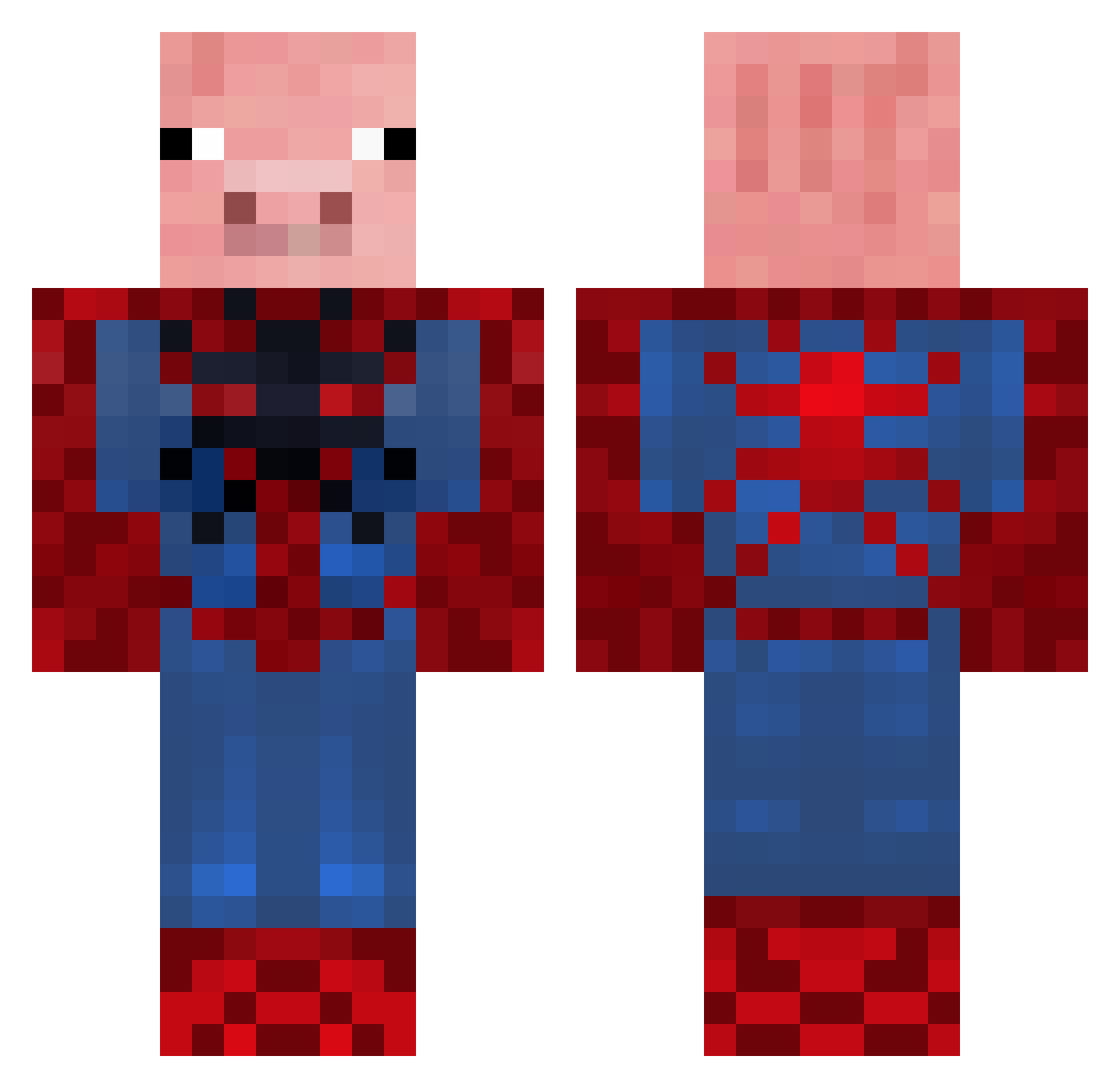
Current Minecraft skin of the player JMAN9403, loaded from the official Mojang API. Rotate the 3D model with your mouse or finger, then download the skin as a PNG file and use it in Minecraft: Bedrock Edition or Java Edition for free. When JMAN9403 changes their skin, this page updates automatically and the old skin stays in the history below.
Other players with this skin (655)
JMAN9403 was the 497th player we have seen with this skin, first spotted on 16.10.2026. The same skin was seen on these players. Open a nickname to see their current skin and skin history.
 Frikadellchen ericpulaski cedking mickheske BeastofCheese chrisa2001 jfrosty96 _Co0P3r_ digdig22 BOUBALF LWV masuhn LeanneChen PHURLS Nione7 MovingToYourGal sir_trotters hockeyrockstar Carl_EP chargerking43 MinemanRy987 EliteHunter2003 Oscarp GolvBjorn davide_b BatmanandRobin03 LazyArc62 sensei51 cheese904 SpiderPig_PT TrioSports jhat06 LewisColla seaboy1998 ink333 michaelsnow97 broncobanana Alex171098 Hunter9os Etrikulus xnuclear_nacho17 Briswock HunSerFinUd Bubba700 Feppen Xmaskus dlwww joephooijmans costno SpiderMan1313 OBEYDerp CrazyPancakes42 Jochum karatekd51 PurpleSMG AFCA_Sander PeterSchmalz Dumbrobot zachattack42201 Jonasthemaster99
More Pig Minecraft skins
How to install the JMAN9403 skin
- Press the Download button above to save the skin as a PNG file.
- Minecraft: Bedrock Edition (PE): open the Dressing Room from the main menu (or tap your character → Edit Character), go to Classic Skins → Owned, press the + (new skin) button, choose the downloaded PNG and pick the Classic (Steve) model. Works on PC and mobile; consoles cannot import custom skins.
- Minecraft: Java Edition: open the Minecraft Launcher, go to the Skins tab, click New Skin, load the PNG, pick the Classic (Steve) model and press Save & Use. You can also upload it at minecraft.net → Profile → Change Skin.
The skin does not show up after import - what should I do?
Restart Minecraft and open the Dressing Room again - imported skins sometimes appear only after a restart. Also make sure you selected the imported skin and picked the Classic (Steve) model.
Which model should I choose, Classic or Slim?
This skin is designed for the Classic (Steve) model. If you pick the wrong model, the arms of the skin will look stretched or squeezed.
Is the skin of JMAN9403 free to download?
Yes. Press Download, save the PNG file and use it in Minecraft: Bedrock Edition or Java Edition - no payment or registration needed. The skin also works on multiplayer servers and Realms.
More skins
Looking for more? Go back to all Minecraft skins and check the top skins of the week, month and all time, or find any player's skin by nickname.