
ItaIicHarbor737 - Minecraft Skins & Skin History
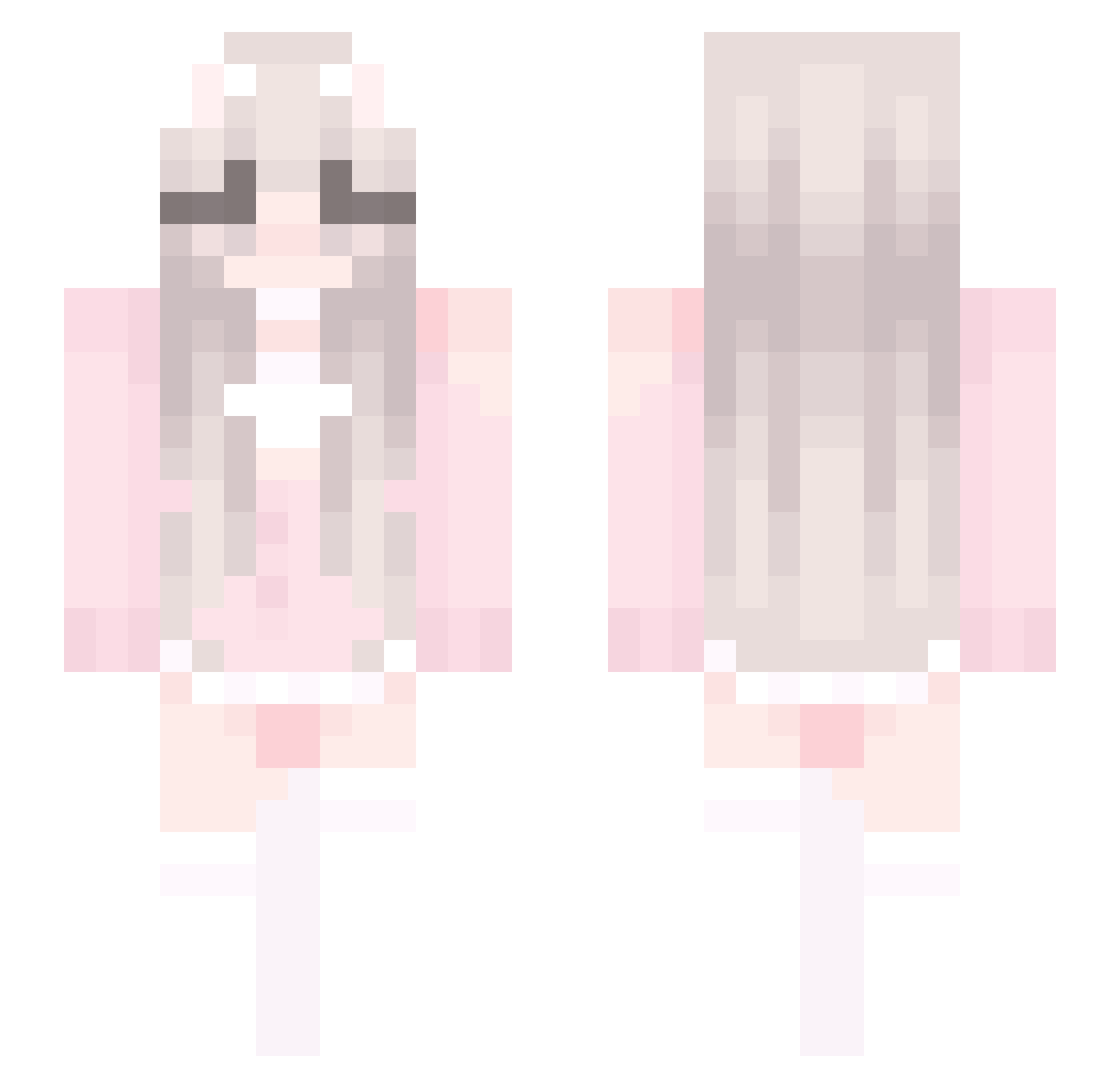
Current Minecraft skin of the player ItaIicHarbor737, loaded from the official Mojang API. Rotate the 3D model with your mouse or finger, then download the skin as a PNG file and use it in Minecraft: Bedrock Edition or Java Edition for free. When ItaIicHarbor737 changes their skin, this page updates automatically and the old skin stays in the history below.
Other players with this skin (447)
ItaIicHarbor737 was the 370th player we have seen with this skin, first spotted on 20.10.2026. The same skin was seen on these players. Open a nickname to see their current skin and skin history.
 3soon voulete freetoepics1 Caelestis_Stella QXqwq JstOc farway2004 EpicBotato12 awiohrou8w babexin WangXi2006 Junaa0607 jHassanovitc LCAWQY yeonji1308 xilongw WaterBottleH20 CowgirlLady glloy FelwinterF 110708 Mtrcnm FUNDNIGHT zxcvy02 duxiu002 93LingTuT Alien_wan Wes0324 ZionWill wq8754 fyyd PlayerDREAM TheCuter0ne DK_Scarlet DFiary Ayuthing zhuxu06 Arleneyh fire_axolotl1 Ut2ao SY1357 Navazer Moodychen Sllurpie Ling_77 juharZZ bunyluvr OzNix_XU INECE Mooniiao xiaolin007 Ancix MrSebik yukihosi athiya_ or_Ed lkday Kerze6263 XIJIAOO DouYin_Wan
More Cute Minecraft skins
How to install the ItaIicHarbor737 skin
- Press the Download button above to save the skin as a PNG file.
- Minecraft: Bedrock Edition (PE): open the Dressing Room from the main menu (or tap your character → Edit Character), go to Classic Skins → Owned, press the + (new skin) button, choose the downloaded PNG and pick the Slim (Alex) model. Works on PC and mobile; consoles cannot import custom skins.
- Minecraft: Java Edition: open the Minecraft Launcher, go to the Skins tab, click New Skin, load the PNG, pick the Slim (Alex) model and press Save & Use. You can also upload it at minecraft.net → Profile → Change Skin.
The skin does not show up after import - what should I do?
Restart Minecraft and open the Dressing Room again - imported skins sometimes appear only after a restart. Also make sure you selected the imported skin and picked the Slim (Alex) model.
Which model should I choose, Classic or Slim?
This skin is designed for the Slim (Alex) model. If you pick the wrong model, the arms of the skin will look stretched or squeezed.
Is the skin of ItaIicHarbor737 free to download?
Yes. Press Download, save the PNG file and use it in Minecraft: Bedrock Edition or Java Edition - no payment or registration needed. The skin also works on multiplayer servers and Realms.
More skins
Looking for more? Go back to all Minecraft skins and check the top skins of the week, month and all time, or find any player's skin by nickname.