
ImGoti - Minecraft Skins & Skin History
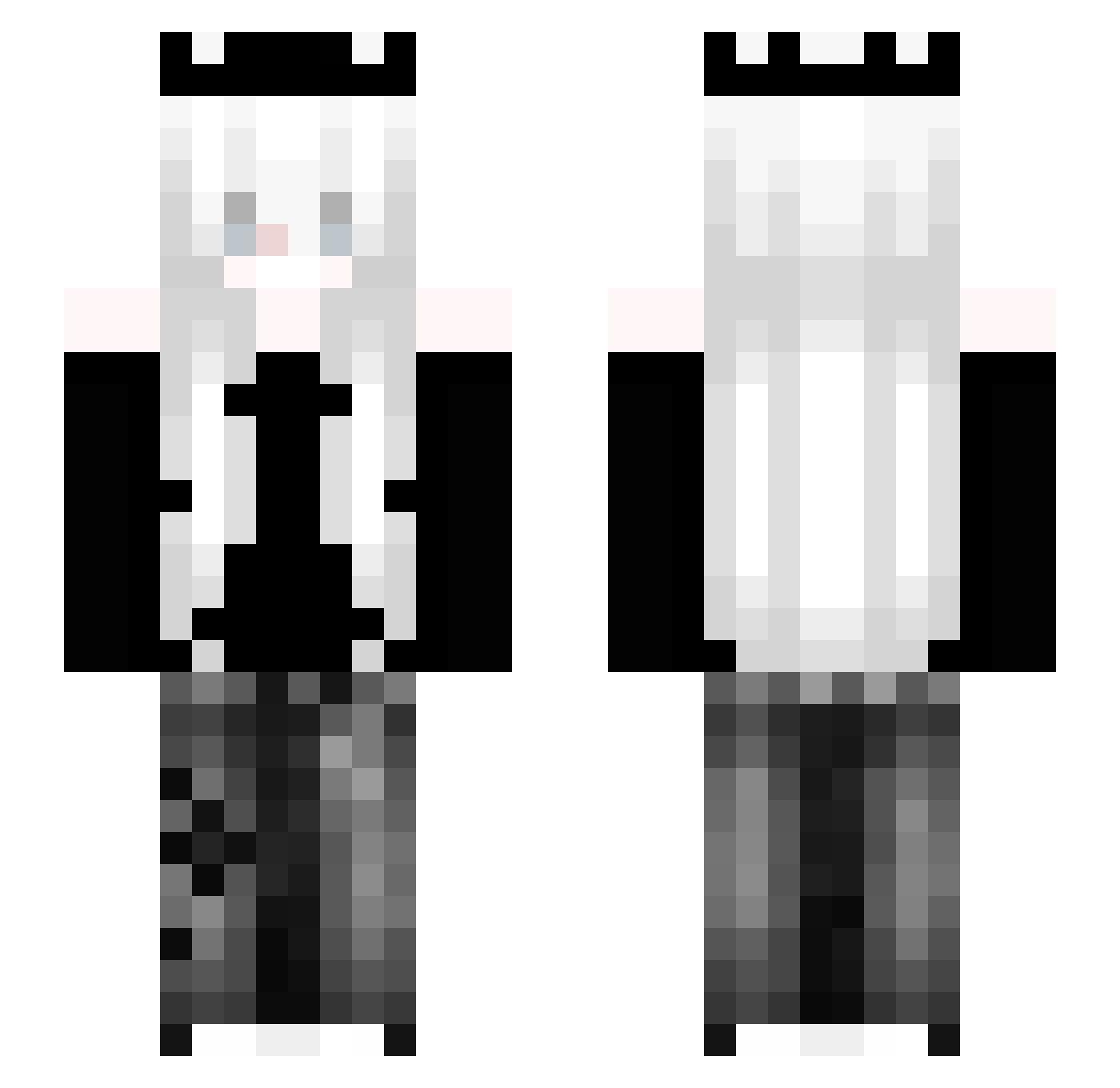
Current Minecraft skin of the player ImGoti, loaded from the official Mojang API. Rotate the 3D model with your mouse or finger, then download the skin as a PNG file and use it in Minecraft: Bedrock Edition or Java Edition for free. When ImGoti changes their skin, this page updates automatically and the old skin stays in the history below.
Other players with this skin (167)
ImGoti was the 141st player we have seen with this skin, first spotted on 15.10.2026. The same skin was seen on these players. Open a nickname to see their current skin and skin history.
 Y0M1SS HOSHI_0 Eduzn Caique_CxC xxxevol _Matix_12 Cynicler FenixBlack1 hycyf Dittiel LinhCorea0eUwU alicinha179 skin6666 xMOJIx butterman096137 Mr_W01f _Elipia TenSalt6 NatsuYooo Flexy9888___ manface1234599 imnot_winter Jenna718 fangwtf AYLONBR99 ReiniOle Hiperatividade _Liquidd Rick1ra jojodroch _Viq3r_ CombosX 345q kellenor Kqiao lilqci milophene ipeksu11 M3NKA Nelusankamooo Boddom SintoMedo tokki6974 Crave7 SigoSereno Szturmi xvvAne2 Martynezzzz Bublali xUSSAGIx Jinx61 Mookio LSswapped__ lilapringles36 Meatballs1018 Superaido Cra2yovo ahmygdala hamudi111 Ard0nis
More Crown Minecraft skins
How to install the ImGoti skin
- Press the Download button above to save the skin as a PNG file.
- Minecraft: Bedrock Edition (PE): open the Dressing Room from the main menu (or tap your character → Edit Character), go to Classic Skins → Owned, press the + (new skin) button, choose the downloaded PNG and pick the Slim (Alex) model. Works on PC and mobile; consoles cannot import custom skins.
- Minecraft: Java Edition: open the Minecraft Launcher, go to the Skins tab, click New Skin, load the PNG, pick the Slim (Alex) model and press Save & Use. You can also upload it at minecraft.net → Profile → Change Skin.
The skin does not show up after import - what should I do?
Restart Minecraft and open the Dressing Room again - imported skins sometimes appear only after a restart. Also make sure you selected the imported skin and picked the Slim (Alex) model.
Which model should I choose, Classic or Slim?
This skin is designed for the Slim (Alex) model. If you pick the wrong model, the arms of the skin will look stretched or squeezed.
Is the skin of ImGoti free to download?
Yes. Press Download, save the PNG file and use it in Minecraft: Bedrock Edition or Java Edition - no payment or registration needed. The skin also works on multiplayer servers and Realms.
More skins
Looking for more? Go back to all Minecraft skins and check the top skins of the week, month and all time, or find any player's skin by nickname.