
ImAriaaaa - Minecraft Skins & Skin History
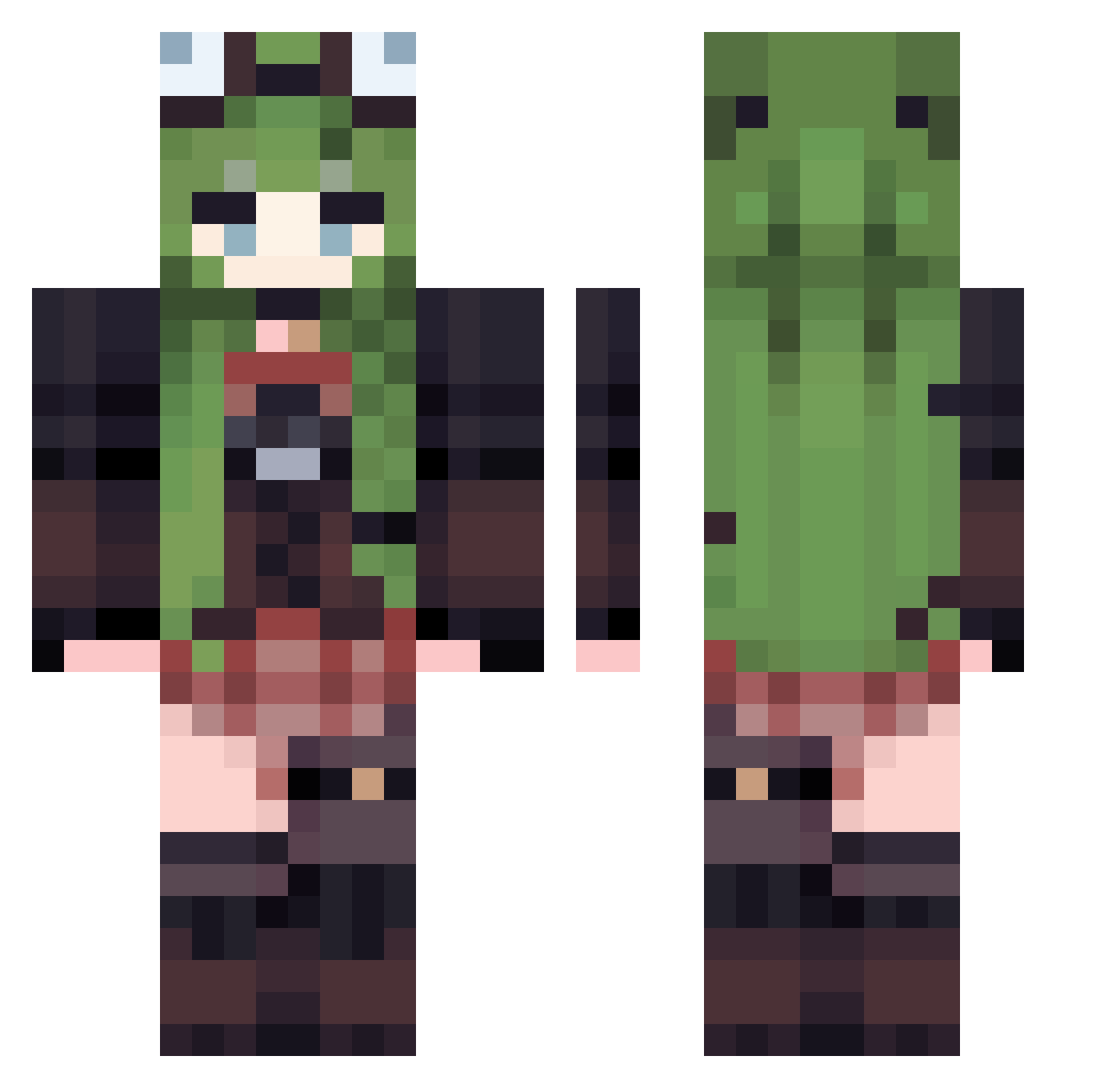
Current Minecraft skin of the player ImAriaaaa, loaded from the official Mojang API. Rotate the 3D model with your mouse or finger, then download the skin as a PNG file and use it in Minecraft: Bedrock Edition or Java Edition for free. When ImAriaaaa changes their skin, this page updates automatically and the old skin stays in the history below.
Other players with this skin (529)
ImAriaaaa was the 470th player we have seen with this skin, first spotted on 27.10.2026. The same skin was seen on these players. Open a nickname to see their current skin and skin history.
 vaIyka P3treBIGM ImRup jinnieb Flykingfox LeannaSophie miaoyi90 Bonadventure343 KaisaTop Vishnu_frog xiaoxiaohou NoHandsPaszne Boru3704 LisseTulips Its_Hannah12537 Apromett GayEdapp 657486 kijibato1020 MaySnowball Nualesca jiahao7 Fidgettt_ MsEme juaco1208 noise2147 maman_dayo Ambrelliia Tiegol kociara100 ruannn111 szlnjs kyennie Russel wsc9999 ray_mp4 YLS233 Kira8916 Suzuneko1330 wadawalls Edoski_ liaflat SHIWU119 SPARK_XI celeryisok Leonka77 Moon_Light0909 Snake4768 qqq123589 dotorrl sunnnu hejinchao MK_Coward mao3613 Sqlerix112 ElsiaX gata_shodinger03 alexlovesearth REGGAEMARSHMELLO 06080420
More Frog Hat Minecraft skins
How to install the ImAriaaaa skin
- Press the Download button above to save the skin as a PNG file.
- Minecraft: Bedrock Edition (PE): open the Dressing Room from the main menu (or tap your character → Edit Character), go to Classic Skins → Owned, press the + (new skin) button, choose the downloaded PNG and pick the Classic (Steve) model. Works on PC and mobile; consoles cannot import custom skins.
- Minecraft: Java Edition: open the Minecraft Launcher, go to the Skins tab, click New Skin, load the PNG, pick the Classic (Steve) model and press Save & Use. You can also upload it at minecraft.net → Profile → Change Skin.
The skin does not show up after import - what should I do?
Restart Minecraft and open the Dressing Room again - imported skins sometimes appear only after a restart. Also make sure you selected the imported skin and picked the Classic (Steve) model.
Which model should I choose, Classic or Slim?
This skin is designed for the Classic (Steve) model. If you pick the wrong model, the arms of the skin will look stretched or squeezed.
Is the skin of ImAriaaaa free to download?
Yes. Press Download, save the PNG file and use it in Minecraft: Bedrock Edition or Java Edition - no payment or registration needed. The skin also works on multiplayer servers and Realms.
More skins
Looking for more? Go back to all Minecraft skins and check the top skins of the week, month and all time, or find any player's skin by nickname.