
I_mSleepy - Minecraft Skins & Skin History
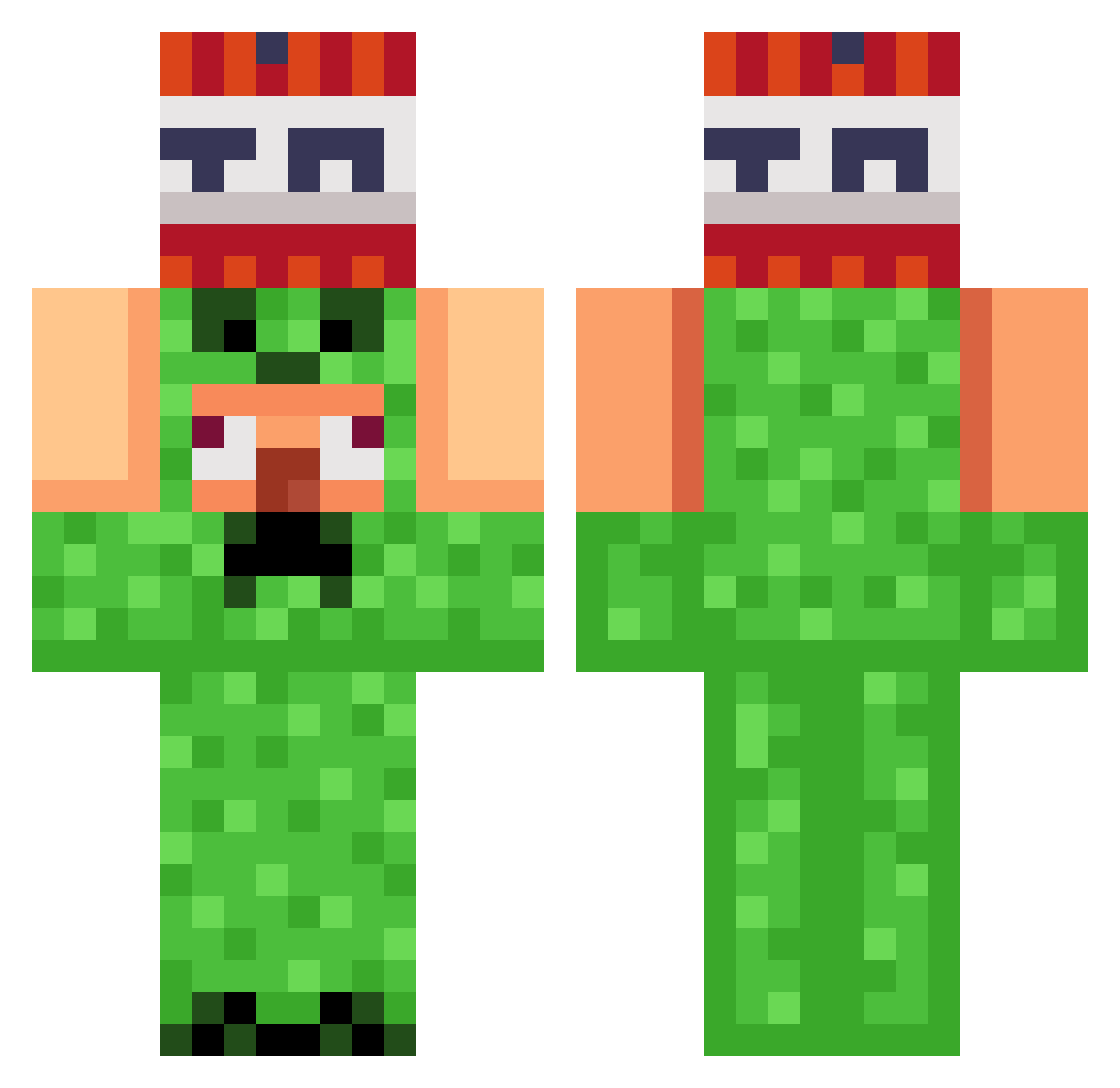
Current Minecraft skin of the player I_mSleepy, loaded from the official Mojang API. Rotate the 3D model with your mouse or finger, then download the skin as a PNG file and use it in Minecraft: Bedrock Edition or Java Edition for free. When I_mSleepy changes their skin, this page updates automatically and the old skin stays in the history below.
Other players with this skin (989)
I_mSleepy was the 849th player we have seen with this skin, first spotted on 23.10.2026. The same skin was seen on these players. Open a nickname to see their current skin and skin history.
 SearFlea APTUP_PEHETPATOP Broski1103 anxyzz hyeonwoo10 kislmen Zeruda87 WONTED_PUMPKIN Maneonek simonbuA OMG0312 Hero0105 BrankoGranko69 cfoomer1 Andrew_Z_6 Gerardo69 MARCHEDUKE ChromaticKey Dedigiwijzer dma0913 WOLF4522 diridi bbang0129 Bjuno07 Lucrosoft vfrl Privert_urod yobiking Anoj16 slimreaper9876 DeltaPrime KevinTran21109 AdamosBabos Erdoghan NOOBYOJK Fatalitiko Paul5584 asu08 8ARS Hung367 HOLYMOLY1110 Tomasz245Bak DimaSbitnev hug02014 Tobbe0909 F1lgab2 ItzRexis Mo13rbl kerem121212 ichbineinsigma21 gamingflight23 wpeik ragextreme LIAM69420UHH wisemostl0104 d3luker niedyszyn Nemeziz2101 Linux_warez DubsC3ptroo
More TNT Minecraft skins
How to install the I_mSleepy skin
- Press the Download button above to save the skin as a PNG file.
- Minecraft: Bedrock Edition (PE): open the Dressing Room from the main menu (or tap your character → Edit Character), go to Classic Skins → Owned, press the + (new skin) button, choose the downloaded PNG and pick the Classic (Steve) model. Works on PC and mobile; consoles cannot import custom skins.
- Minecraft: Java Edition: open the Minecraft Launcher, go to the Skins tab, click New Skin, load the PNG, pick the Classic (Steve) model and press Save & Use. You can also upload it at minecraft.net → Profile → Change Skin.
The skin does not show up after import - what should I do?
Restart Minecraft and open the Dressing Room again - imported skins sometimes appear only after a restart. Also make sure you selected the imported skin and picked the Classic (Steve) model.
Which model should I choose, Classic or Slim?
This skin is designed for the Classic (Steve) model. If you pick the wrong model, the arms of the skin will look stretched or squeezed.
Is the skin of I_mSleepy free to download?
Yes. Press Download, save the PNG file and use it in Minecraft: Bedrock Edition or Java Edition - no payment or registration needed. The skin also works on multiplayer servers and Realms.
More skins
Looking for more? Go back to all Minecraft skins and check the top skins of the week, month and all time, or find any player's skin by nickname.