
IAmMocha7 - Minecraft Skins & Skin History
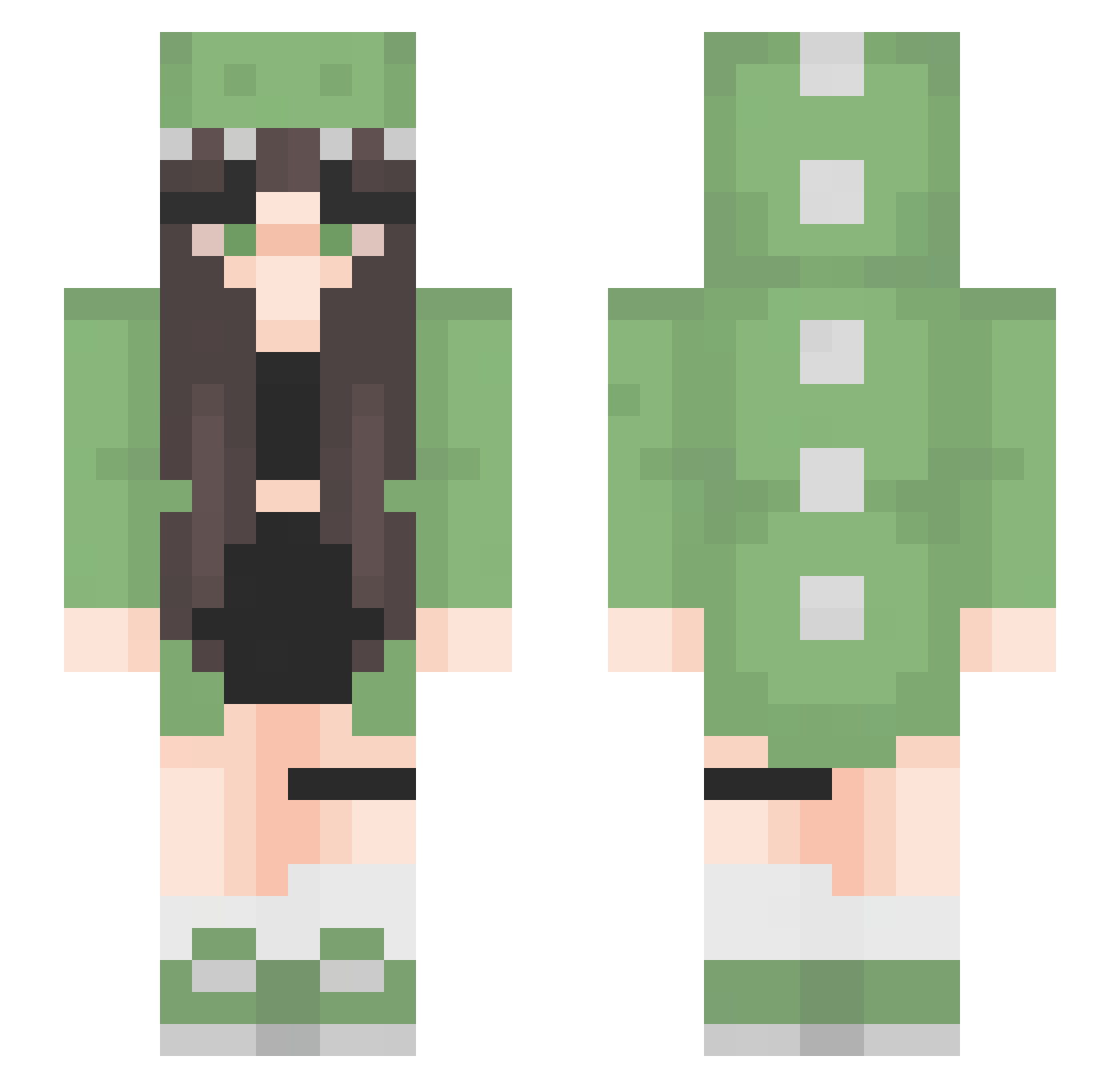
Current Minecraft skin of the player IAmMocha7, loaded from the official Mojang API. Rotate the 3D model with your mouse or finger, then download the skin as a PNG file and use it in Minecraft: Bedrock Edition or Java Edition for free. When IAmMocha7 changes their skin, this page updates automatically and the old skin stays in the history below.
Other players with this skin (45)
IAmMocha7 was the 36th player we have seen with this skin, first spotted on 23.10.2026. The same skin was seen on these players. Open a nickname to see their current skin and skin history.
 Izanagi1827 Demigod_Lyfe coyri belconb dirtyleafwater lenaheyd Lia_Li paulala2 Dino_Goose_ SogSosig TwinTax76284018 OhPuppyy froxle mads7255 Schmurly UBIyam MoMo_Moonlight AlanCastellon Lex2118 BubblegumBabe Nadoliee hhamlett Lacosaroja kaybyebye ceasara Midnight_Wolf84 Pan_que_sito x_porshies_x Pochamaa CHINIS17 Ale_Shof memaggot Joa22 Marizixx GranJan7 Sapi_06 Purrlyn chofas Titanultra99 JohannaMagDich Suavitel6 BreadC0rn naliyah88 zoxkru GYinYin
More Dinosaur Kigurumi Minecraft skins
See all 418 Dinosaur Kigurumi skins
How to install the IAmMocha7 skin
- Press the Download button above to save the skin as a PNG file.
- Minecraft: Bedrock Edition (PE): open the Dressing Room from the main menu (or tap your character → Edit Character), go to Classic Skins → Owned, press the + (new skin) button, choose the downloaded PNG and pick the Slim (Alex) model. Works on PC and mobile; consoles cannot import custom skins.
- Minecraft: Java Edition: open the Minecraft Launcher, go to the Skins tab, click New Skin, load the PNG, pick the Slim (Alex) model and press Save & Use. You can also upload it at minecraft.net → Profile → Change Skin.
The skin does not show up after import - what should I do?
Restart Minecraft and open the Dressing Room again - imported skins sometimes appear only after a restart. Also make sure you selected the imported skin and picked the Slim (Alex) model.
Which model should I choose, Classic or Slim?
This skin is designed for the Slim (Alex) model. If you pick the wrong model, the arms of the skin will look stretched or squeezed.
Is the skin of IAmMocha7 free to download?
Yes. Press Download, save the PNG file and use it in Minecraft: Bedrock Edition or Java Edition - no payment or registration needed. The skin also works on multiplayer servers and Realms.
More skins
Looking for more? Go back to all Minecraft skins and check the top skins of the week, month and all time, or find any player's skin by nickname.