
HudsonToad17 - Minecraft Skins & Skin History
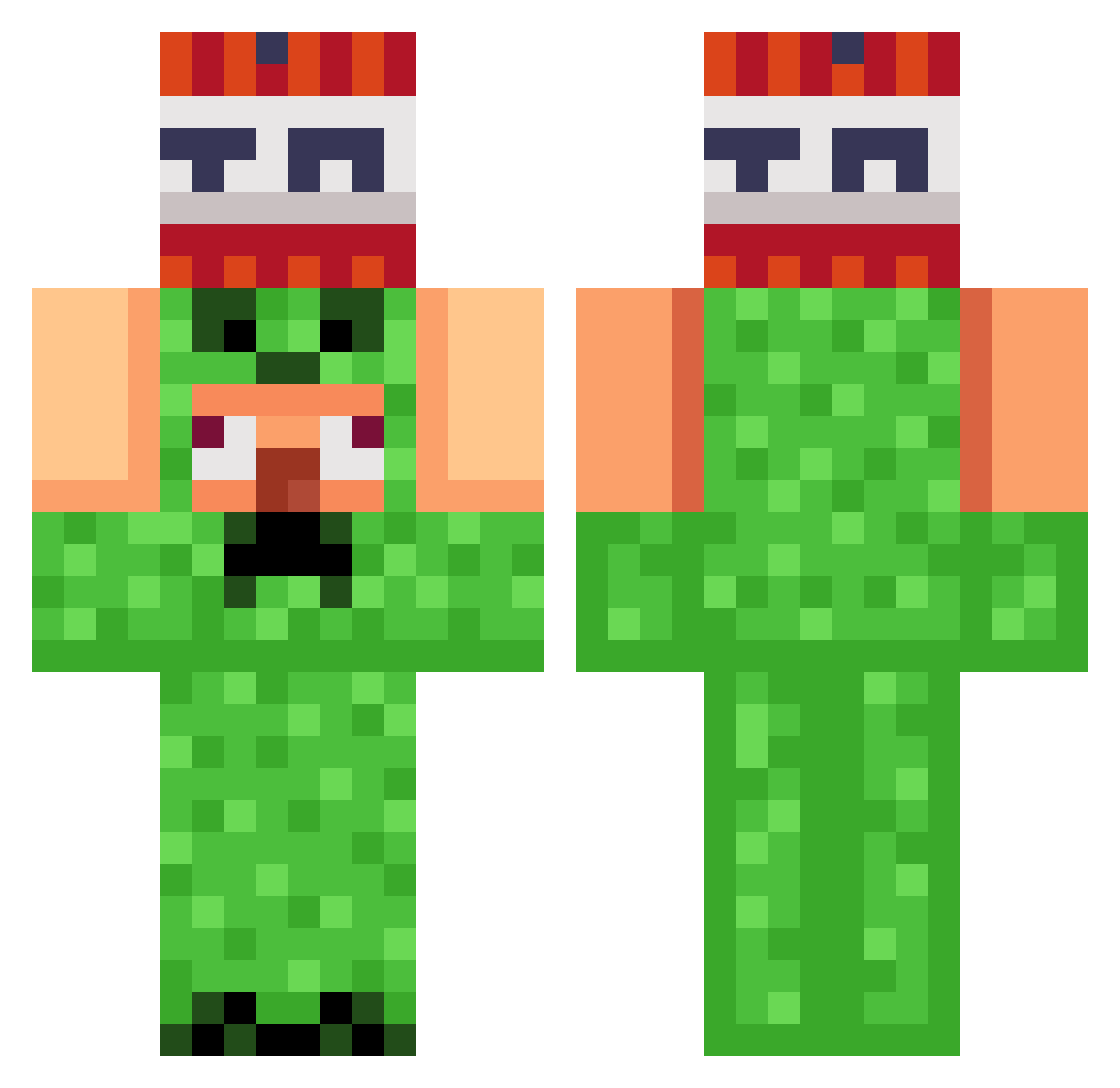
Current Minecraft skin of the player HudsonToad17, loaded from the official Mojang API. Rotate the 3D model with your mouse or finger, then download the skin as a PNG file and use it in Minecraft: Bedrock Edition or Java Edition for free. When HudsonToad17 changes their skin, this page updates automatically and the old skin stays in the history below.
Other players with this skin (989)
HudsonToad17 was the 924th player we have seen with this skin, first spotted on 29.10.2026. The same skin was seen on these players. Open a nickname to see their current skin and skin history.
 uujh ImPete95 VeRaven CamaradaTrindade Odeminoque ELVIEJOXD Jihu567 bobinaz04 BIGbigfart123 SlapPineapple poseha11 S1mpleJ NietAdolf ivibesti elaodu Antek20152015 JACKandSAM rlaqp123 SkibidiRizzler59 ZeYanBEST Scarface811 xuwentao Liamdotliam icup1 NatriXx12 TheSkull_z Raildd MaxRenGo tatane34 momogay ertuslas sethey7993 lzc6666 CCBUM kimhwikyeong Axelotten14 Vald_of_12 Xx_Miguel_xX22 Rata2013 Ethanmany ATROPOSOS ant1212 JacobyJonson AbramZ them_anton Sindre82 LeCubeMagique AdolfH123 I_Hit_Women bysdani kimdongjae85 Speerspitze22 BreezyEntree hIiMhIiMiDk_____ JennoxMc Fortis_Miles JotterStumblepot proaxo777 Agent_KRK Reeeid
More TNT Minecraft skins
How to install the HudsonToad17 skin
- Press the Download button above to save the skin as a PNG file.
- Minecraft: Bedrock Edition (PE): open the Dressing Room from the main menu (or tap your character → Edit Character), go to Classic Skins → Owned, press the + (new skin) button, choose the downloaded PNG and pick the Classic (Steve) model. Works on PC and mobile; consoles cannot import custom skins.
- Minecraft: Java Edition: open the Minecraft Launcher, go to the Skins tab, click New Skin, load the PNG, pick the Classic (Steve) model and press Save & Use. You can also upload it at minecraft.net → Profile → Change Skin.
The skin does not show up after import - what should I do?
Restart Minecraft and open the Dressing Room again - imported skins sometimes appear only after a restart. Also make sure you selected the imported skin and picked the Classic (Steve) model.
Which model should I choose, Classic or Slim?
This skin is designed for the Classic (Steve) model. If you pick the wrong model, the arms of the skin will look stretched or squeezed.
Is the skin of HudsonToad17 free to download?
Yes. Press Download, save the PNG file and use it in Minecraft: Bedrock Edition or Java Edition - no payment or registration needed. The skin also works on multiplayer servers and Realms.
More skins
Looking for more? Go back to all Minecraft skins and check the top skins of the week, month and all time, or find any player's skin by nickname.