
HexerSound - Minecraft Skins & Skin History
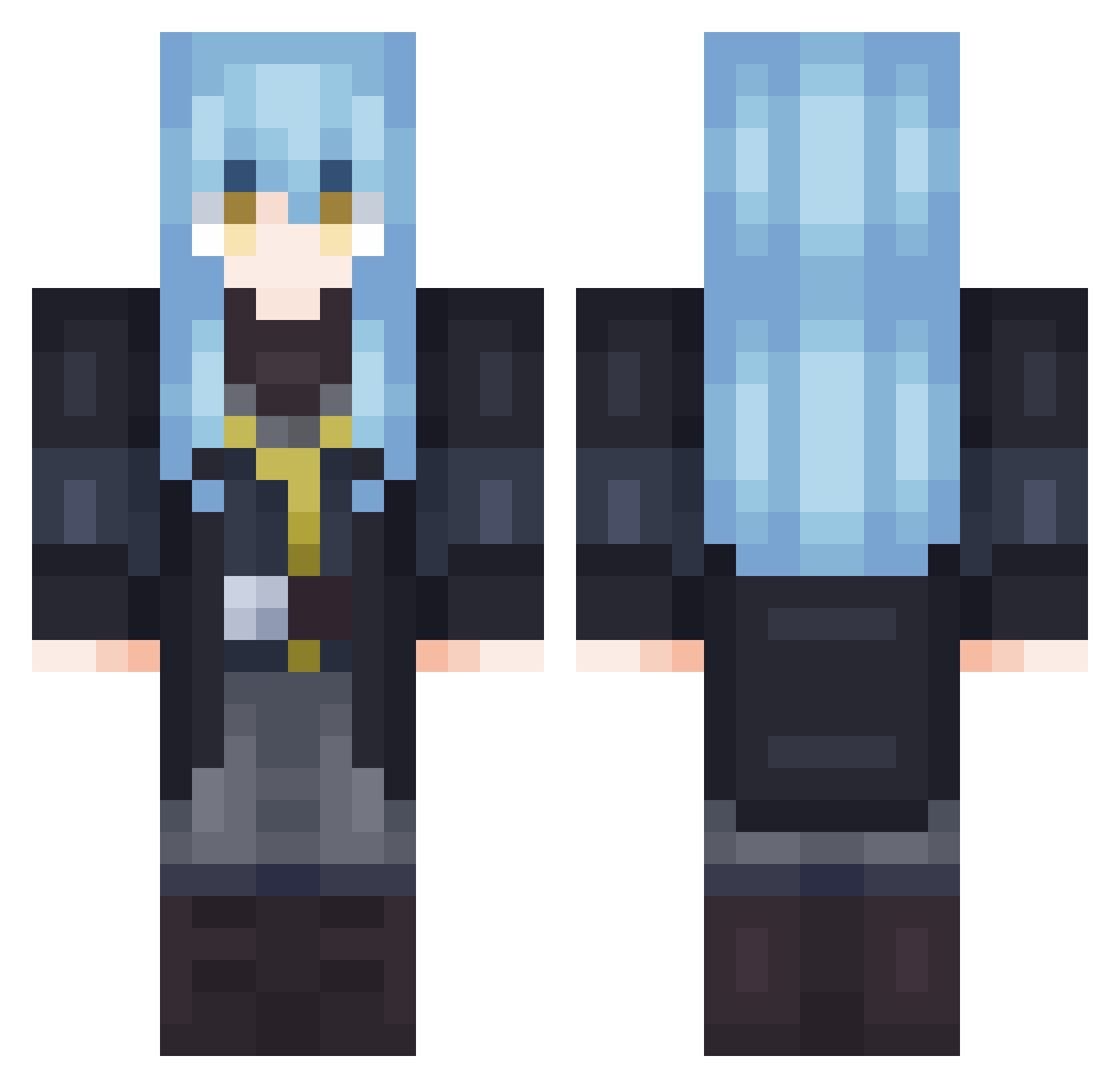
Current Minecraft skin of the player HexerSound, loaded from the official Mojang API. Rotate the 3D model with your mouse or finger, then download the skin as a PNG file and use it in Minecraft: Bedrock Edition or Java Edition for free. When HexerSound changes their skin, this page updates automatically and the old skin stays in the history below.
Other players with this skin (738)
HexerSound was the 666th player we have seen with this skin, first spotted on 26.10.2026. The same skin was seen on these players. Open a nickname to see their current skin and skin history.
 Nobu8735 Endrade The_Ryuse Wajcik SxgeKM SabriGamer02 Hanabung Lesan353 Kazuma_0106 Natsume_MC BellCranelI SorataSweet Bertil_utula Nab1401 Delurain kazoonuts Minecraftv97 Familythz Kaladia_NaraVT XKowN cXenon079 Metryzz lPlutoniuml ClosetUncle Shadow_Zerver Jungwoo_00 LilFattyjr skeleto14 yukihime1203 rhdaud01 Frax8 Lucymulin13 oyu323 ScansOuO CactusF999 Zkarsh Noira123 King_Mattachoooo Lord613 _TowoT_ Kronkisco Wrutus Yukicracked23 coolprinter2430 moayadstric Maxe24 GavinMS Kyunam_2 Tahiyadirty82 Hayato123 Johnykill KnightCr0w Aizawa_Kotaro IBHD shipscrew NJDJ89 Purinchichu Herobrine_XI IchBinDER_Max BruderZeus
More Rimuru Tempest Minecraft skins
See all 255 Rimuru Tempest skins
How to install the HexerSound skin
- Press the Download button above to save the skin as a PNG file.
- Minecraft: Bedrock Edition (PE): open the Dressing Room from the main menu (or tap your character → Edit Character), go to Classic Skins → Owned, press the + (new skin) button, choose the downloaded PNG and pick the Classic (Steve) model. Works on PC and mobile; consoles cannot import custom skins.
- Minecraft: Java Edition: open the Minecraft Launcher, go to the Skins tab, click New Skin, load the PNG, pick the Classic (Steve) model and press Save & Use. You can also upload it at minecraft.net → Profile → Change Skin.
The skin does not show up after import - what should I do?
Restart Minecraft and open the Dressing Room again - imported skins sometimes appear only after a restart. Also make sure you selected the imported skin and picked the Classic (Steve) model.
Which model should I choose, Classic or Slim?
This skin is designed for the Classic (Steve) model. If you pick the wrong model, the arms of the skin will look stretched or squeezed.
Is the skin of HexerSound free to download?
Yes. Press Download, save the PNG file and use it in Minecraft: Bedrock Edition or Java Edition - no payment or registration needed. The skin also works on multiplayer servers and Realms.
More skins
Looking for more? Go back to all Minecraft skins and check the top skins of the week, month and all time, or find any player's skin by nickname.