
HexStrike_ - Minecraft Skins & Skin History
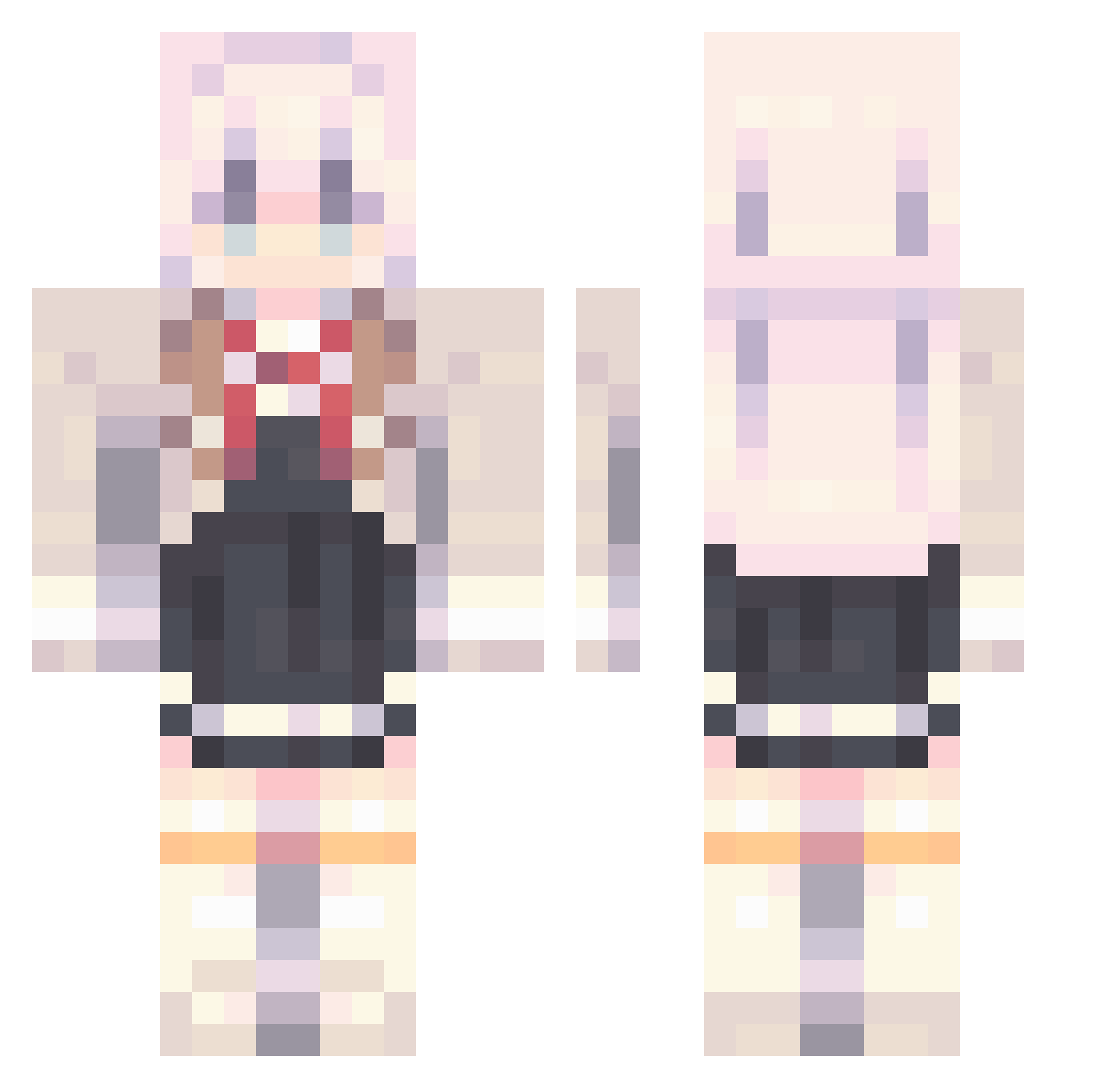
Current Minecraft skin of the player HexStrike_, loaded from the official Mojang API. Rotate the 3D model with your mouse or finger, then download the skin as a PNG file and use it in Minecraft: Bedrock Edition or Java Edition for free. When HexStrike_ changes their skin, this page updates automatically and the old skin stays in the history below.
Other players with this skin (1022)
HexStrike_ was the 1002nd player we have seen with this skin, first spotted on 10.11.2026. The same skin was seen on these players. Open a nickname to see their current skin and skin history.
 Lizzy6304 seonil4708 Lykke117 genemer SABER569 Civilization473 KoxeLp babymom1004 lili110214 uxml LIVPOL1 Inyourface11 cx33r W_HuTao pg_11 Kaoguri_ Elfdw cook1eqs Bright_Sun Tafeeee LunarLotus1133_ Calumniate AlyaFromRussia Citizengan Meeebee bya233 Only_The_Coolest Moyuu_OvO lee950406 Exolly0711 HunterEdward sjw0718 fungfung1234 zhiyu___ Siratama_ bxfsb5 Fishy1798 Hana_lvu Skql1k Orquin31 SaKINa_24 heianwei ES_Refrain Nyaruk0_ Mcfesch youxianlao tdRuoZhi itsunyaa KacEroLek Lilyiz SUP_666 KamakuraShio lvaraj _H1n_ iMelodi chunwaski Xiao_Yuowo Neo0512 NwnisMC miguel0106
More School Uniform Minecraft skins
See all 7293 School Uniform skins
How to install the HexStrike_ skin
- Press the Download button above to save the skin as a PNG file.
- Minecraft: Bedrock Edition (PE): open the Dressing Room from the main menu (or tap your character → Edit Character), go to Classic Skins → Owned, press the + (new skin) button, choose the downloaded PNG and pick the Classic (Steve) model. Works on PC and mobile; consoles cannot import custom skins.
- Minecraft: Java Edition: open the Minecraft Launcher, go to the Skins tab, click New Skin, load the PNG, pick the Classic (Steve) model and press Save & Use. You can also upload it at minecraft.net → Profile → Change Skin.
The skin does not show up after import - what should I do?
Restart Minecraft and open the Dressing Room again - imported skins sometimes appear only after a restart. Also make sure you selected the imported skin and picked the Classic (Steve) model.
Which model should I choose, Classic or Slim?
This skin is designed for the Classic (Steve) model. If you pick the wrong model, the arms of the skin will look stretched or squeezed.
Is the skin of HexStrike_ free to download?
Yes. Press Download, save the PNG file and use it in Minecraft: Bedrock Edition or Java Edition - no payment or registration needed. The skin also works on multiplayer servers and Realms.
More skins
Looking for more? Go back to all Minecraft skins and check the top skins of the week, month and all time, or find any player's skin by nickname.