
Herobrain_playz - Minecraft Skins & Skin History
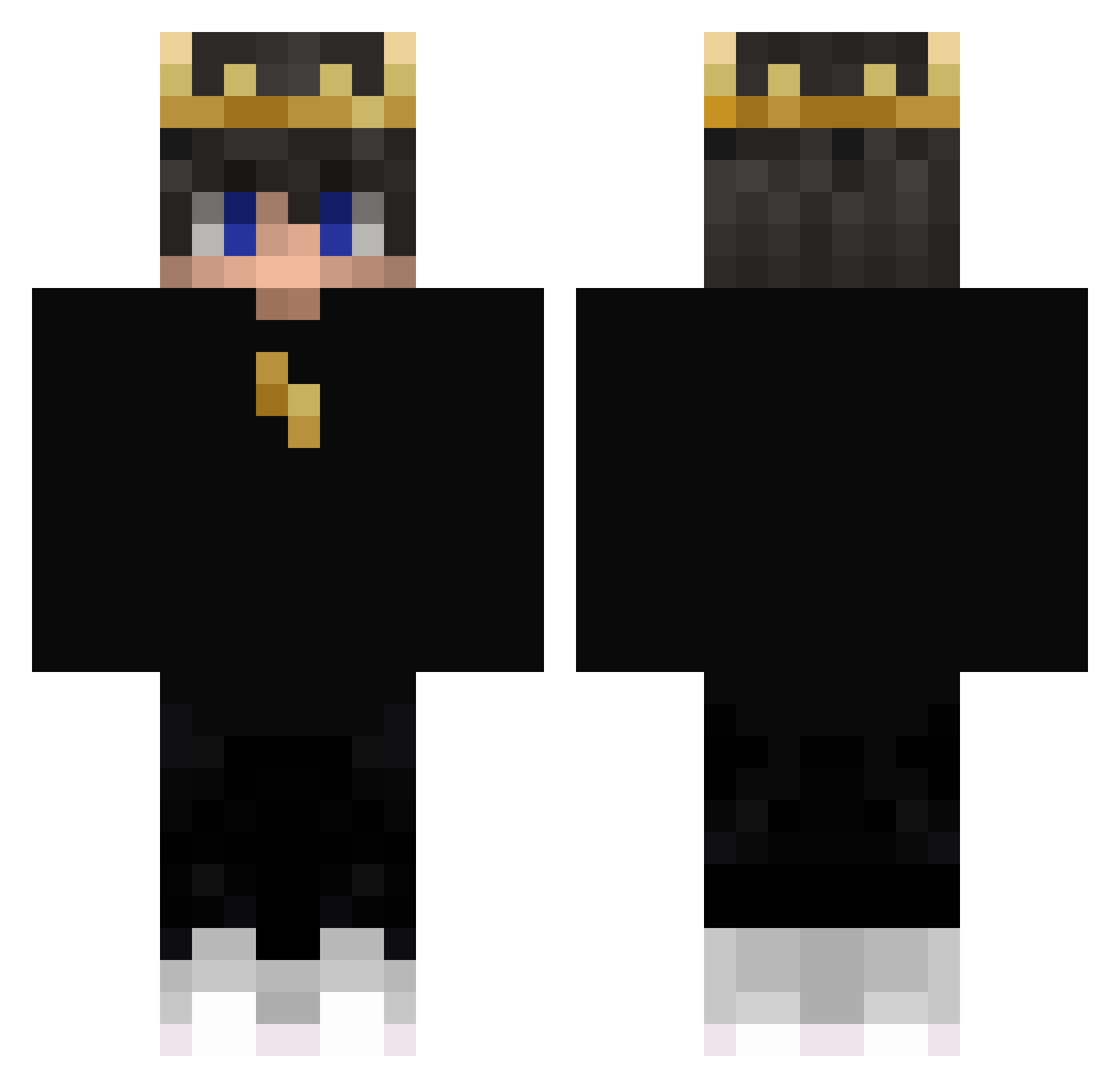
Current Minecraft skin of the player Herobrain_playz, loaded from the official Mojang API. Rotate the 3D model with your mouse or finger, then download the skin as a PNG file and use it in Minecraft: Bedrock Edition or Java Edition for free. When Herobrain_playz changes their skin, this page updates automatically and the old skin stays in the history below.
Other players with this skin (405)
Herobrain_playz was the 388th player we have seen with this skin, first spotted on 31.10.2026. The same skin was seen on these players. Open a nickname to see their current skin and skin history.
 Diaxment Kaplios eG_ShaDe floflinch40 Marioilpro Kore213 Charlitonss MattHasThePace Darkrusher47 KnownAsMatt MoDragon ShrekIsGod T1noRex stvpidlolis ADBillion InaudibleLight brisk5copious Storchenmom AnnualSoup81852 Pakt96 Sspline Funsui The_Arab1 DarkPixelKing daniel_vas SleyerExe Mu_Ah_ Andres23x8 victoxYT Dominik_Hyper Miguelito210612 Ehaku_329 Drakzinn checco2113 Darc_Alex MarsYOYO AyakaEmu xBapeReal Mandxlorian69 SniperLegends pitrix577 Crispy1229 TaqoMX Skebal_ YT_Atrax Maddie_7372 Very_Random_Stuf Nweyz TwinPak24 sJorgul yungeonwoo SaBenBero chiaoen extremis01 SwagLordDaddy Rockyefe GamingCapture kutolog BlackWizzart03 haciyatmazz1
More Lightning Minecraft skins
How to install the Herobrain_playz skin
- Press the Download button above to save the skin as a PNG file.
- Minecraft: Bedrock Edition (PE): open the Dressing Room from the main menu (or tap your character → Edit Character), go to Classic Skins → Owned, press the + (new skin) button, choose the downloaded PNG and pick the Classic (Steve) model. Works on PC and mobile; consoles cannot import custom skins.
- Minecraft: Java Edition: open the Minecraft Launcher, go to the Skins tab, click New Skin, load the PNG, pick the Classic (Steve) model and press Save & Use. You can also upload it at minecraft.net → Profile → Change Skin.
The skin does not show up after import - what should I do?
Restart Minecraft and open the Dressing Room again - imported skins sometimes appear only after a restart. Also make sure you selected the imported skin and picked the Classic (Steve) model.
Which model should I choose, Classic or Slim?
This skin is designed for the Classic (Steve) model. If you pick the wrong model, the arms of the skin will look stretched or squeezed.
Is the skin of Herobrain_playz free to download?
Yes. Press Download, save the PNG file and use it in Minecraft: Bedrock Edition or Java Edition - no payment or registration needed. The skin also works on multiplayer servers and Realms.
More skins
Looking for more? Go back to all Minecraft skins and check the top skins of the week, month and all time, or find any player's skin by nickname.