
Han9Chen9 - Minecraft Skins & Skin History
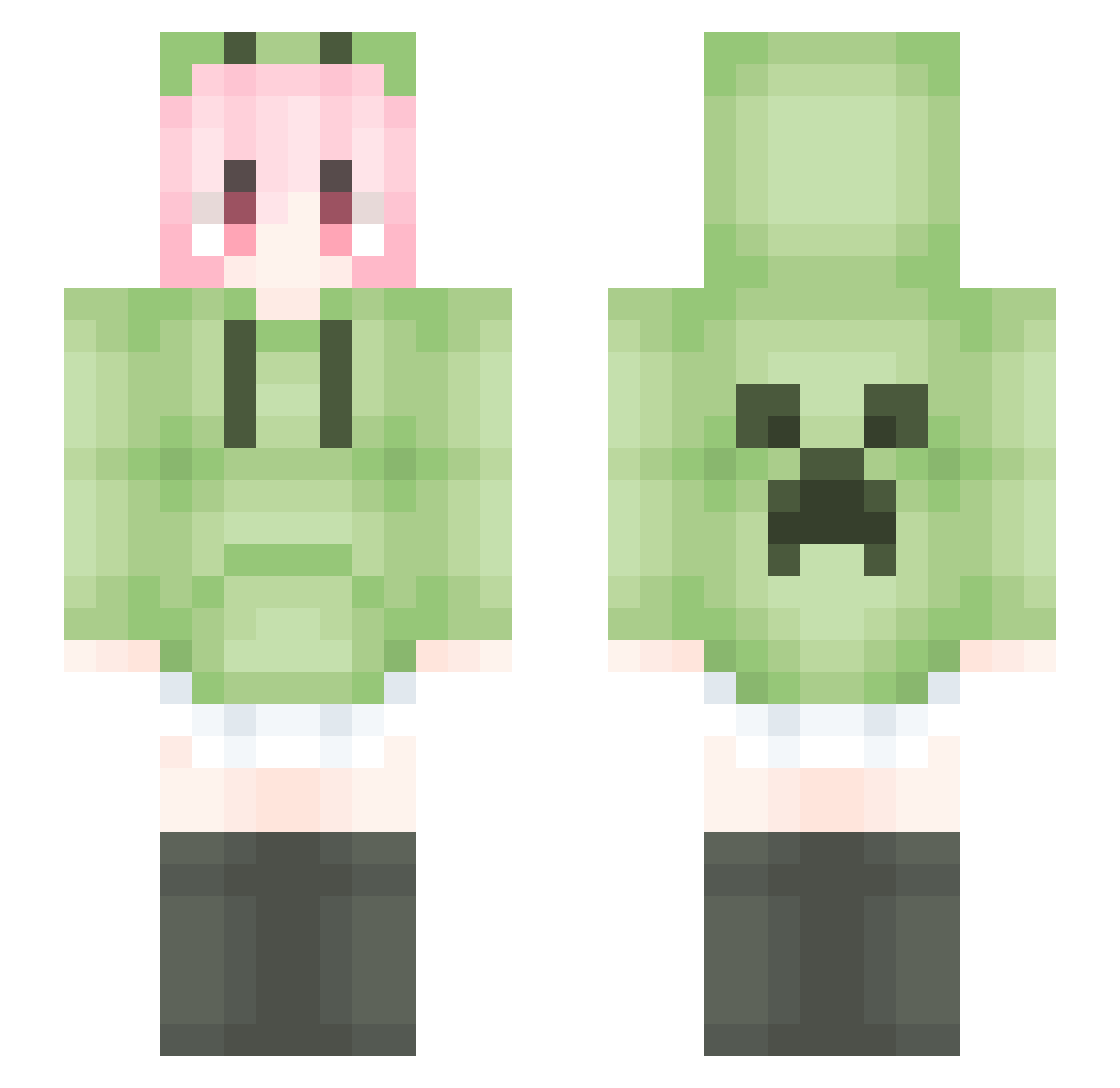
Current Minecraft skin of the player Han9Chen9, loaded from the official Mojang API. Rotate the 3D model with your mouse or finger, then download the skin as a PNG file and use it in Minecraft: Bedrock Edition or Java Edition for free. When Han9Chen9 changes their skin, this page updates automatically and the old skin stays in the history below.
Other players with this skin (1793)
Han9Chen9 was the 1633rd player we have seen with this skin, first spotted on 30.10.2026. The same skin was seen on these players. Open a nickname to see their current skin and skin history.
 yzbz666 ArthurSVIP xiaoyujun__ XlOuli279 yononakiri anmnlc 23wdwdw2 Ahxiao DortHit_89d0cb61 B_EYOND LKJYY ___Lightning Bkio0802 MASAshley sazanami0721 Bhxcgz JJ_Girl bkdmm Yinxier Da_Xiong462 lzhyu edamame222 Taoop tueoo KVEDy lily0404 moglas001 YUkalaruiya JIEJIEA N1nemooN Nueng1565 Small_fish1 mogeko777 MoonXcraft kamenda1 murasame145 R1ttou rsc61 Dravokian 101Linbiao FUJLY Minmty qitej 123uiu GYHKK Little_QwQ feiyufei Zhiiiyan_ Kmmsskx KKilalaixa qazwer12345 HaHaLY ArvinX_X PuePuePrim BingChaoCaiHong ye__su IPreferYou live_on_ Blitzkids_ Sheep_05
More Anime Girl Minecraft skins
See all 13785 Anime Girl skins
How to install the Han9Chen9 skin
- Press the Download button above to save the skin as a PNG file.
- Minecraft: Bedrock Edition (PE): open the Dressing Room from the main menu (or tap your character → Edit Character), go to Classic Skins → Owned, press the + (new skin) button, choose the downloaded PNG and pick the Slim (Alex) model. Works on PC and mobile; consoles cannot import custom skins.
- Minecraft: Java Edition: open the Minecraft Launcher, go to the Skins tab, click New Skin, load the PNG, pick the Slim (Alex) model and press Save & Use. You can also upload it at minecraft.net → Profile → Change Skin.
The skin does not show up after import - what should I do?
Restart Minecraft and open the Dressing Room again - imported skins sometimes appear only after a restart. Also make sure you selected the imported skin and picked the Slim (Alex) model.
Which model should I choose, Classic or Slim?
This skin is designed for the Slim (Alex) model. If you pick the wrong model, the arms of the skin will look stretched or squeezed.
Is the skin of Han9Chen9 free to download?
Yes. Press Download, save the PNG file and use it in Minecraft: Bedrock Edition or Java Edition - no payment or registration needed. The skin also works on multiplayer servers and Realms.
More skins
Looking for more? Go back to all Minecraft skins and check the top skins of the week, month and all time, or find any player's skin by nickname.