
HACt180 - Minecraft Skins & Skin History
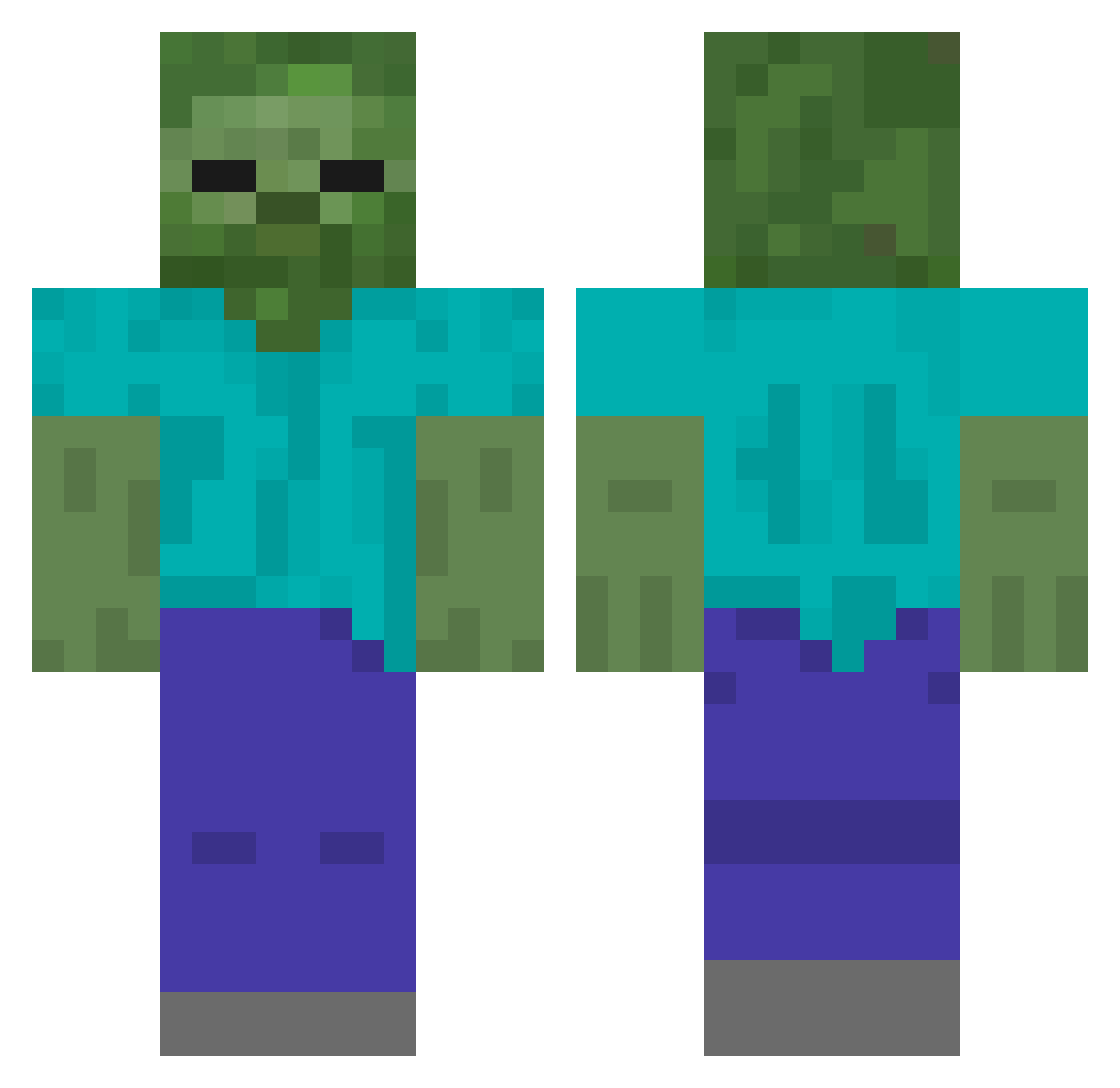
Current Minecraft skin of the player HACt180, loaded from the official Mojang API. Rotate the 3D model with your mouse or finger, then download the skin as a PNG file and use it in Minecraft: Bedrock Edition or Java Edition for free. When HACt180 changes their skin, this page updates automatically and the old skin stays in the history below.
Other players with this skin (557)
HACt180 was the 462nd player we have seen with this skin, first spotted on 24.10.2026. The same skin was seen on these players. Open a nickname to see their current skin and skin history.
 jasper_TvT Obiwn DFGSDFD DYsLexia1006 Hmpj661 HAaf957 XINGHUI133 dashen123 luanma233333 Jasjam22 Laoshi648 KMnO4YYZ yrrak HEiNRiCH_HiMMlEe yang040404 bql_ovo HXZV210 HzHO919 HsSf610 Fancy22 HeRN891 NewFaiths HZbm156 HVLz983 Hvfv674 buhuiqim B1gJB Rockstar3307 HTqQ251 wvGG Lijun530 Like_Medusa WMH0206 caili_ HgPi606 ZRWSJ Huka452 HtKn559 HmPc521 WU_DI666 gaoruich Hmof698 Sunrise451 schile 99yearsoldplaymc Varek331 SempaiRico BestDtier zhong187 Surp1us_ Dolsotbibimbob Executioner3018 langsu wzlz HBgv17 HIok395 HIwo135 kabf_tysgshshshs Pretend05 Miyako_1213
More Undead Minecraft skins
How to install the HACt180 skin
- Press the Download button above to save the skin as a PNG file.
- Minecraft: Bedrock Edition (PE): open the Dressing Room from the main menu (or tap your character → Edit Character), go to Classic Skins → Owned, press the + (new skin) button, choose the downloaded PNG and pick the Classic (Steve) model. Works on PC and mobile; consoles cannot import custom skins.
- Minecraft: Java Edition: open the Minecraft Launcher, go to the Skins tab, click New Skin, load the PNG, pick the Classic (Steve) model and press Save & Use. You can also upload it at minecraft.net → Profile → Change Skin.
The skin does not show up after import - what should I do?
Restart Minecraft and open the Dressing Room again - imported skins sometimes appear only after a restart. Also make sure you selected the imported skin and picked the Classic (Steve) model.
Which model should I choose, Classic or Slim?
This skin is designed for the Classic (Steve) model. If you pick the wrong model, the arms of the skin will look stretched or squeezed.
Is the skin of HACt180 free to download?
Yes. Press Download, save the PNG file and use it in Minecraft: Bedrock Edition or Java Edition - no payment or registration needed. The skin also works on multiplayer servers and Realms.
More skins
Looking for more? Go back to all Minecraft skins and check the top skins of the week, month and all time, or find any player's skin by nickname.