
Grexkin571 - Minecraft Skins & Skin History
Current Minecraft skin of the player Grexkin571, loaded from the official Mojang API. Rotate the 3D model with your mouse or finger, then download the skin as a PNG file and use it in Minecraft: Bedrock Edition or Java Edition for free. When Grexkin571 changes their skin, this page updates automatically and the old skin stays in the history below.
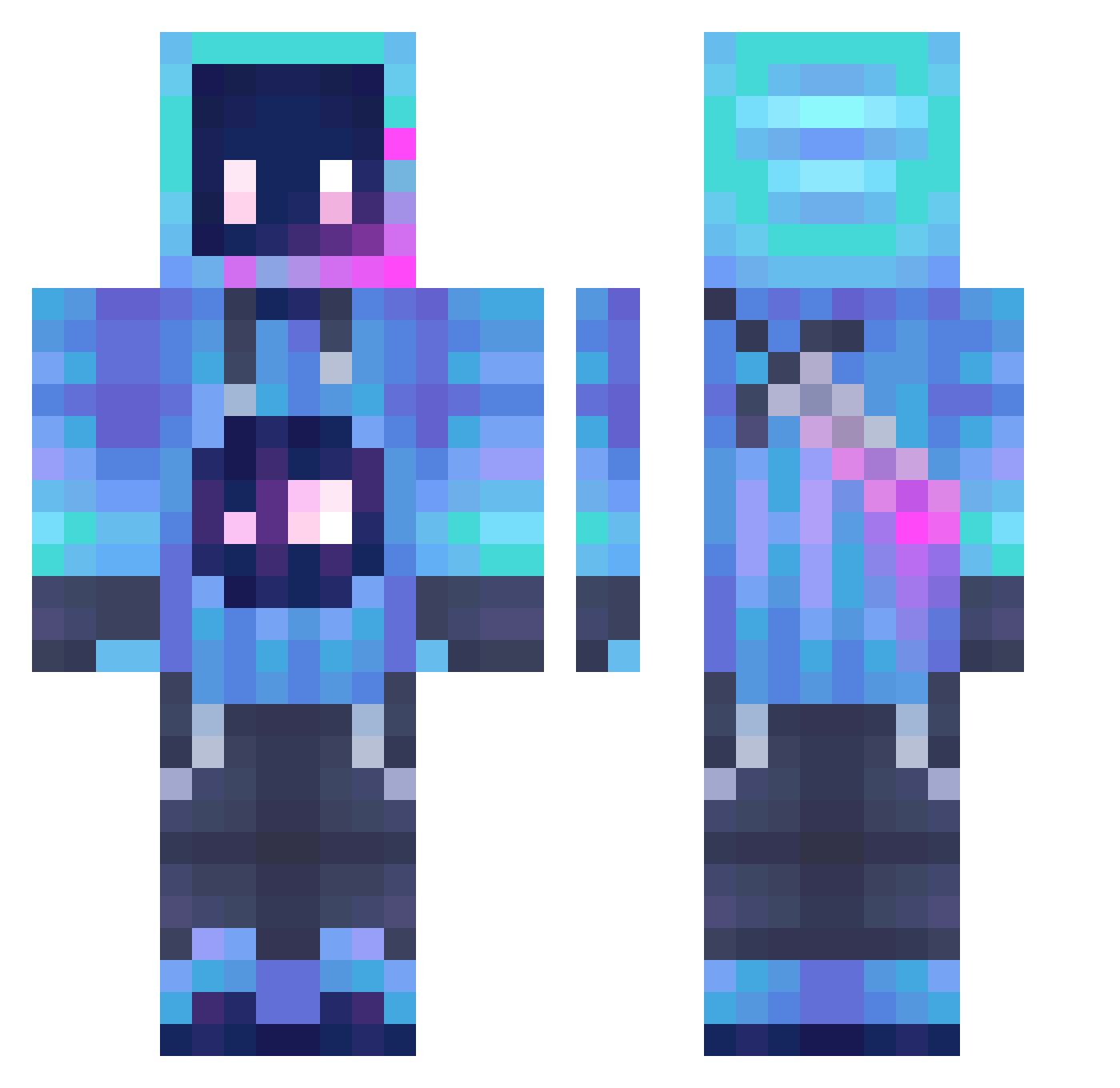
Other players with this skin (1253)
Grexkin571 was the 1032nd player we have seen with this skin, first spotted on 19.10.2026. The same skin was seen on these players. Open a nickname to see their current skin and skin history.
 Envizty Roseaiic neet37564 FlxppyMC zQuKi Fox0430 LORDY2013 DenoUchiha inoahguy13 ENDER_GOD225 Videogame123 PlanetVoyager Swartzzy Alybit AntToeKneeD PointlessSpecks SonorousAlice BangBangTang MrMochiFruit EvanWS ANGIOGRAPHY111 MeroOStora 4snd smile852 H1mple achkokiller228 ghost206 Gaitan__ DoctaWiggles tina_0706 nanu98 ELTHOM Rumpooo majora6409 Daimond_11 xshawnty llKEVINll Xckkk nrgpickleJR kahosy DayCylinder234 GalaxianYogurt DL627 Entity_304_ zepthyn1203 Rorschach008 SynneyecXD Logitich Warren79 dryorange78 TheCorsHorse fishious_ moses_0519 PedroFavorito voicess goliolio ddarkness12 Dannybigbaby 1n0ma undercoverparty
More Sword Minecraft skins
How to install the Grexkin571 skin
- Press the Download button above to save the skin as a PNG file.
- Minecraft: Bedrock Edition (PE): open the Dressing Room from the main menu (or tap your character → Edit Character), go to Classic Skins → Owned, press the + (new skin) button, choose the downloaded PNG and pick the Classic (Steve) model. Works on PC and mobile; consoles cannot import custom skins.
- Minecraft: Java Edition: open the Minecraft Launcher, go to the Skins tab, click New Skin, load the PNG, pick the Classic (Steve) model and press Save & Use. You can also upload it at minecraft.net → Profile → Change Skin.
The skin does not show up after import - what should I do?
Restart Minecraft and open the Dressing Room again - imported skins sometimes appear only after a restart. Also make sure you selected the imported skin and picked the Classic (Steve) model.
Which model should I choose, Classic or Slim?
This skin is designed for the Classic (Steve) model. If you pick the wrong model, the arms of the skin will look stretched or squeezed.
Is the skin of Grexkin571 free to download?
Yes. Press Download, save the PNG file and use it in Minecraft: Bedrock Edition or Java Edition - no payment or registration needed. The skin also works on multiplayer servers and Realms.
More skins
Looking for more? Go back to all Minecraft skins and check the top skins of the week, month and all time, or find any player's skin by nickname.