
Goldenking1234 - Minecraft Skins & Skin History
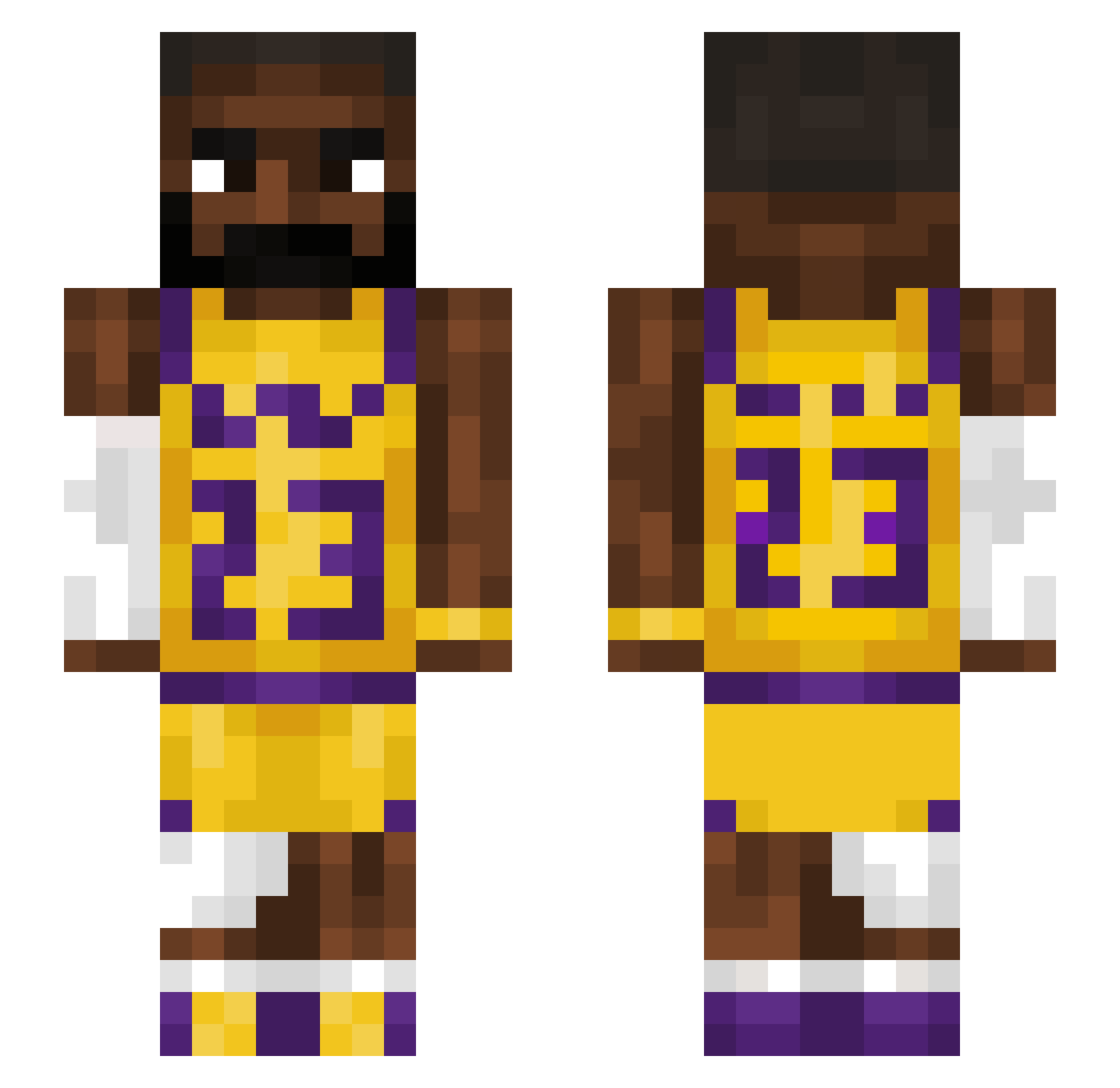
Current Minecraft skin of the player Goldenking1234, loaded from the official Mojang API. Rotate the 3D model with your mouse or finger, then download the skin as a PNG file and use it in Minecraft: Bedrock Edition or Java Edition for free. When Goldenking1234 changes their skin, this page updates automatically and the old skin stays in the history below.
Other players with this skin (1543)
Goldenking1234 was the 1256th player we have seen with this skin, first spotted on 23.10.2026. The same skin was seen on these players. Open a nickname to see their current skin and skin history.
 NorTexGG big_money_T Purple_007 Splodingit asianchicken69 kqww1 Chippy_Boy69 HazardCo2 dundati James082611 SRendonn ravinbh CokeMIKE PredatedCorn582 QREWN Xsylo0 SugmaCrusader HarraMaasikas BlakeFromTX Spaux Pat2811 pekepa Lucasbruh Opasa_1 Slivery Volkynn GiovaneMoreira Troquee MrChopSticksMan AnythingDumb Slavislovas goofyfrlife chenyuquan LeCraft__James Pewl_651 Adamus_exe ThinkTank45 TKcentral whdtn09 VIX0AMLPA Kaeloth d1mitris Vibracoustic Przybo0 MrFister66 myyoo Starwars1233286 natztaxi Crafter_Henri SlashPeriod Ajanyyy videogamevaughn Hecyyyy SaintDxnny HeroNasty Chxiiz6 Chyphnn JhonnyOnTheSpot JohnMoneyy PutitInMe1
More Lakers Minecraft skins
How to install the Goldenking1234 skin
- Press the Download button above to save the skin as a PNG file.
- Minecraft: Bedrock Edition (PE): open the Dressing Room from the main menu (or tap your character → Edit Character), go to Classic Skins → Owned, press the + (new skin) button, choose the downloaded PNG and pick the Slim (Alex) model. Works on PC and mobile; consoles cannot import custom skins.
- Minecraft: Java Edition: open the Minecraft Launcher, go to the Skins tab, click New Skin, load the PNG, pick the Slim (Alex) model and press Save & Use. You can also upload it at minecraft.net → Profile → Change Skin.
The skin does not show up after import - what should I do?
Restart Minecraft and open the Dressing Room again - imported skins sometimes appear only after a restart. Also make sure you selected the imported skin and picked the Slim (Alex) model.
Which model should I choose, Classic or Slim?
This skin is designed for the Slim (Alex) model. If you pick the wrong model, the arms of the skin will look stretched or squeezed.
Is the skin of Goldenking1234 free to download?
Yes. Press Download, save the PNG file and use it in Minecraft: Bedrock Edition or Java Edition - no payment or registration needed. The skin also works on multiplayer servers and Realms.
More skins
Looking for more? Go back to all Minecraft skins and check the top skins of the week, month and all time, or find any player's skin by nickname.