
GEEZ0O - Minecraft Skins & Skin History
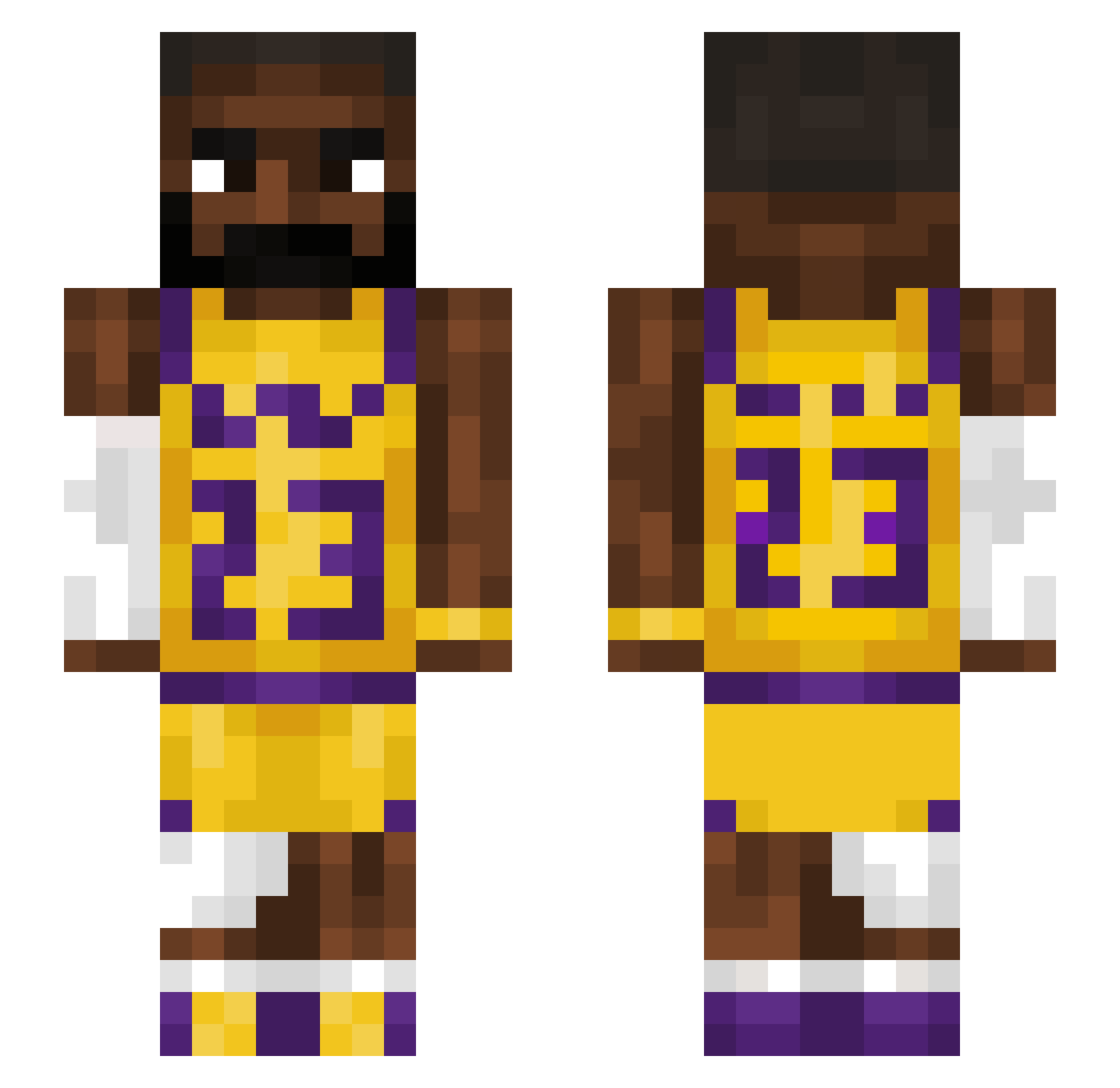
Current Minecraft skin of the player GEEZ0O, loaded from the official Mojang API. Rotate the 3D model with your mouse or finger, then download the skin as a PNG file and use it in Minecraft: Bedrock Edition or Java Edition for free. When GEEZ0O changes their skin, this page updates automatically and the old skin stays in the history below.
Other players with this skin (1541)
GEEZ0O was the 1513th player we have seen with this skin, first spotted on 09.11.2026. The same skin was seen on these players. Open a nickname to see their current skin and skin history.
 Jerezinho Thestormbringa Landscaperpro Gustasmac mcgriiddlle Drewzi a4xe DriftingMahki hollyyy1 Surprise61 Awesome76866 GibbyGoo77 Dapper_Dale LucaHauer GMcho Bongotrommer AmadoBatistaBR RealityCheck2 JoelAKlasse blazer3200 Grubas2 xAldo1003 Spider_BR Timgioh_187 IronGolemLover69 Krispatel786 Padjavant_ STZx19 Jewkeri dilanmfc02 woong1023 clinkers69 PrinnyOne amar09 gicovsk404 LePookie139 Aawin00 Mangogosj Markhadnagy lando_72 DownfallOfDiddyy abbusi Jwow_ ZUGGAAA Scattymeed OGMOee FireTitanElmo mp2shiesty ObtainCorona Bankeee va1ure Berkelik wagoogusB SPITRIKS KonGG1 sangsang12 stijng0315 ClumsyEMT lllIIllIIllIIll grand_dads_ashs
More Lakers Minecraft skins
How to install the GEEZ0O skin
- Press the Download button above to save the skin as a PNG file.
- Minecraft: Bedrock Edition (PE): open the Dressing Room from the main menu (or tap your character → Edit Character), go to Classic Skins → Owned, press the + (new skin) button, choose the downloaded PNG and pick the Slim (Alex) model. Works on PC and mobile; consoles cannot import custom skins.
- Minecraft: Java Edition: open the Minecraft Launcher, go to the Skins tab, click New Skin, load the PNG, pick the Slim (Alex) model and press Save & Use. You can also upload it at minecraft.net → Profile → Change Skin.
The skin does not show up after import - what should I do?
Restart Minecraft and open the Dressing Room again - imported skins sometimes appear only after a restart. Also make sure you selected the imported skin and picked the Slim (Alex) model.
Which model should I choose, Classic or Slim?
This skin is designed for the Slim (Alex) model. If you pick the wrong model, the arms of the skin will look stretched or squeezed.
Is the skin of GEEZ0O free to download?
Yes. Press Download, save the PNG file and use it in Minecraft: Bedrock Edition or Java Edition - no payment or registration needed. The skin also works on multiplayer servers and Realms.
More skins
Looking for more? Go back to all Minecraft skins and check the top skins of the week, month and all time, or find any player's skin by nickname.