
FruitCup360 - Minecraft Skins & Skin History
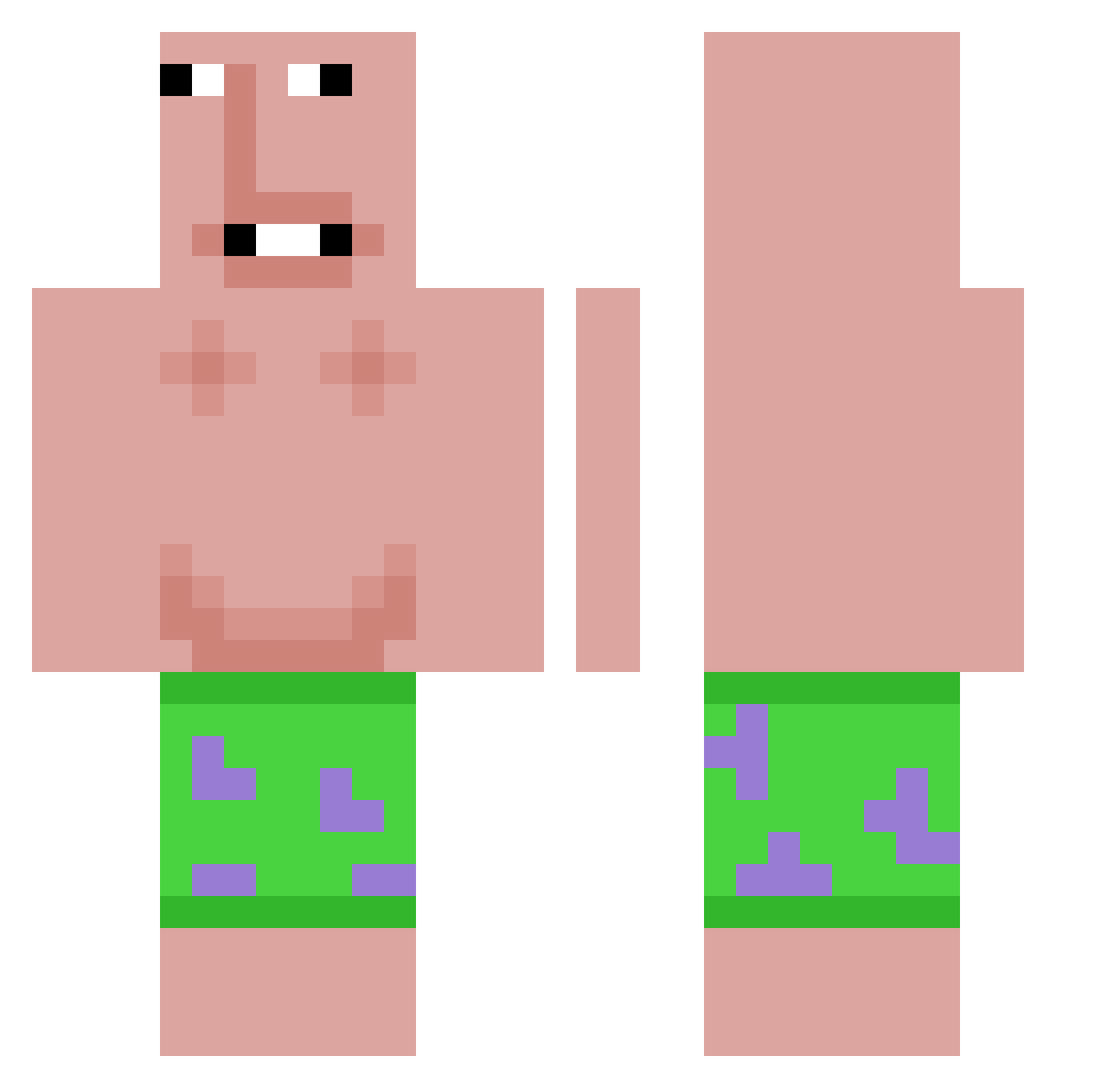
Current Minecraft skin of the player FruitCup360, loaded from the official Mojang API. Rotate the 3D model with your mouse or finger, then download the skin as a PNG file and use it in Minecraft: Bedrock Edition or Java Edition for free. When FruitCup360 changes their skin, this page updates automatically and the old skin stays in the history below.
Other players with this skin (615)
FruitCup360 was the 570th player we have seen with this skin, first spotted on 29.10.2026. The same skin was seen on these players. Open a nickname to see their current skin and skin history.
 SlimAndy CrysisKills gurazmen KRxZY1250 KOREANPOOP kingshen123 Clayyyyy aliasjdve funnyfat YuanJay_TW Lowws graceainne mr_sims34 Kuzavok Crayolz 10chuchi Logicin Dancekat3 imaboy55 Thizin62 INTUFO SilverJetzz UncleShmn ZebraStripes902 qingxing1542 Dunkless8765 LeoNation101 2qoo Alwazl Miniskyfall pohpoe jin20101 Double_Wides NetBang3r lemonboy2345 Turnbeutel1234 wyatt0622 LAVYNASKAKOVAC chaehun0621 Roqxa 4movin coefeyy iloveradiohead09 b0b3l Pochocloxd23 Tullrik DrroxzZ yalizaza TheHolySwiss Nelson123414 Ax3L__ Yooooooo1 Patrikstar2516 GAPXGOD Kaywaa_ thepp34 Fire_eggs0415 man_g0 NATHAN13L7 hankipankiegamer
More Patrick Star Minecraft skins
See all 644 Patrick Star skins
How to install the FruitCup360 skin
- Press the Download button above to save the skin as a PNG file.
- Minecraft: Bedrock Edition (PE): open the Dressing Room from the main menu (or tap your character → Edit Character), go to Classic Skins → Owned, press the + (new skin) button, choose the downloaded PNG and pick the Classic (Steve) model. Works on PC and mobile; consoles cannot import custom skins.
- Minecraft: Java Edition: open the Minecraft Launcher, go to the Skins tab, click New Skin, load the PNG, pick the Classic (Steve) model and press Save & Use. You can also upload it at minecraft.net → Profile → Change Skin.
The skin does not show up after import - what should I do?
Restart Minecraft and open the Dressing Room again - imported skins sometimes appear only after a restart. Also make sure you selected the imported skin and picked the Classic (Steve) model.
Which model should I choose, Classic or Slim?
This skin is designed for the Classic (Steve) model. If you pick the wrong model, the arms of the skin will look stretched or squeezed.
Is the skin of FruitCup360 free to download?
Yes. Press Download, save the PNG file and use it in Minecraft: Bedrock Edition or Java Edition - no payment or registration needed. The skin also works on multiplayer servers and Realms.
More skins
Looking for more? Go back to all Minecraft skins and check the top skins of the week, month and all time, or find any player's skin by nickname.