
Frolozi - Minecraft Skins & Skin History
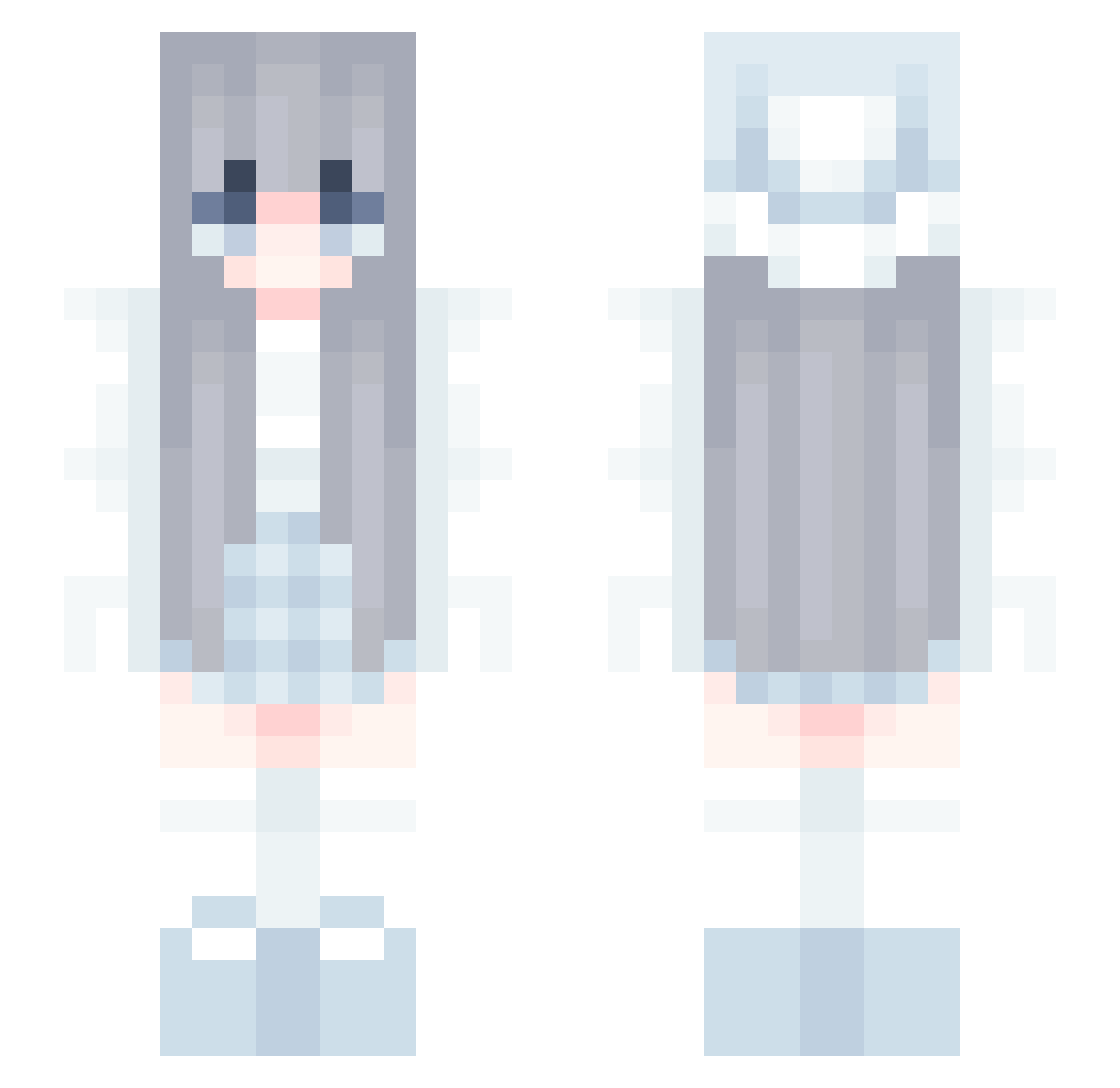
Current Minecraft skin of the player Frolozi, loaded from the official Mojang API. Rotate the 3D model with your mouse or finger, then download the skin as a PNG file and use it in Minecraft: Bedrock Edition or Java Edition for free. When Frolozi changes their skin, this page updates automatically and the old skin stays in the history below.
Other players with this skin (134)
Frolozi was the 100th player we have seen with this skin, first spotted on 18.10.2026. The same skin was seen on these players. Open a nickname to see their current skin and skin history.
 Su_qwq_ F0xty TyarGaming LemonLexi23084 huekolu Vallencia cleanlove 1g8j AstralCube Malickmba111 RSJEUX 1fpss trogledyte albarsabal chilledIsland Bisxuit_ arsemo TW_Salmon0318 Tianhanghhhh IbNaHa Axel_AKA_ Hannahsusan XiaoDe12138 Yearning247 Freeze428 _Emllia_ Afanismenos maplefun Khaluxx_ PopCream Martin_cCZ char_coal dlsu sUrmanitOF anna_ml lBorka n7d_ stsmari Jargrub waterheart943 _xRuby_VN qvnt Vuivi StarRiver_lin Xydith Aolexper SneeuwSlet Flipperbike nanomol3445 BambusRegelt sina_mon utsur3o TAN00K Meteodina Icefire2333 Amigos W1l_d_ Apyl_ eetanh chlgus75
More Anime Girl Minecraft skins
See all 14126 Anime Girl skins
How to install the Frolozi skin
- Press the Download button above to save the skin as a PNG file.
- Minecraft: Bedrock Edition (PE): open the Dressing Room from the main menu (or tap your character → Edit Character), go to Classic Skins → Owned, press the + (new skin) button, choose the downloaded PNG and pick the Slim (Alex) model. Works on PC and mobile; consoles cannot import custom skins.
- Minecraft: Java Edition: open the Minecraft Launcher, go to the Skins tab, click New Skin, load the PNG, pick the Slim (Alex) model and press Save & Use. You can also upload it at minecraft.net → Profile → Change Skin.
The skin does not show up after import - what should I do?
Restart Minecraft and open the Dressing Room again - imported skins sometimes appear only after a restart. Also make sure you selected the imported skin and picked the Slim (Alex) model.
Which model should I choose, Classic or Slim?
This skin is designed for the Slim (Alex) model. If you pick the wrong model, the arms of the skin will look stretched or squeezed.
Is the skin of Frolozi free to download?
Yes. Press Download, save the PNG file and use it in Minecraft: Bedrock Edition or Java Edition - no payment or registration needed. The skin also works on multiplayer servers and Realms.
More skins
Looking for more? Go back to all Minecraft skins and check the top skins of the week, month and all time, or find any player's skin by nickname.