
FoGiess - Minecraft Skins & Skin History
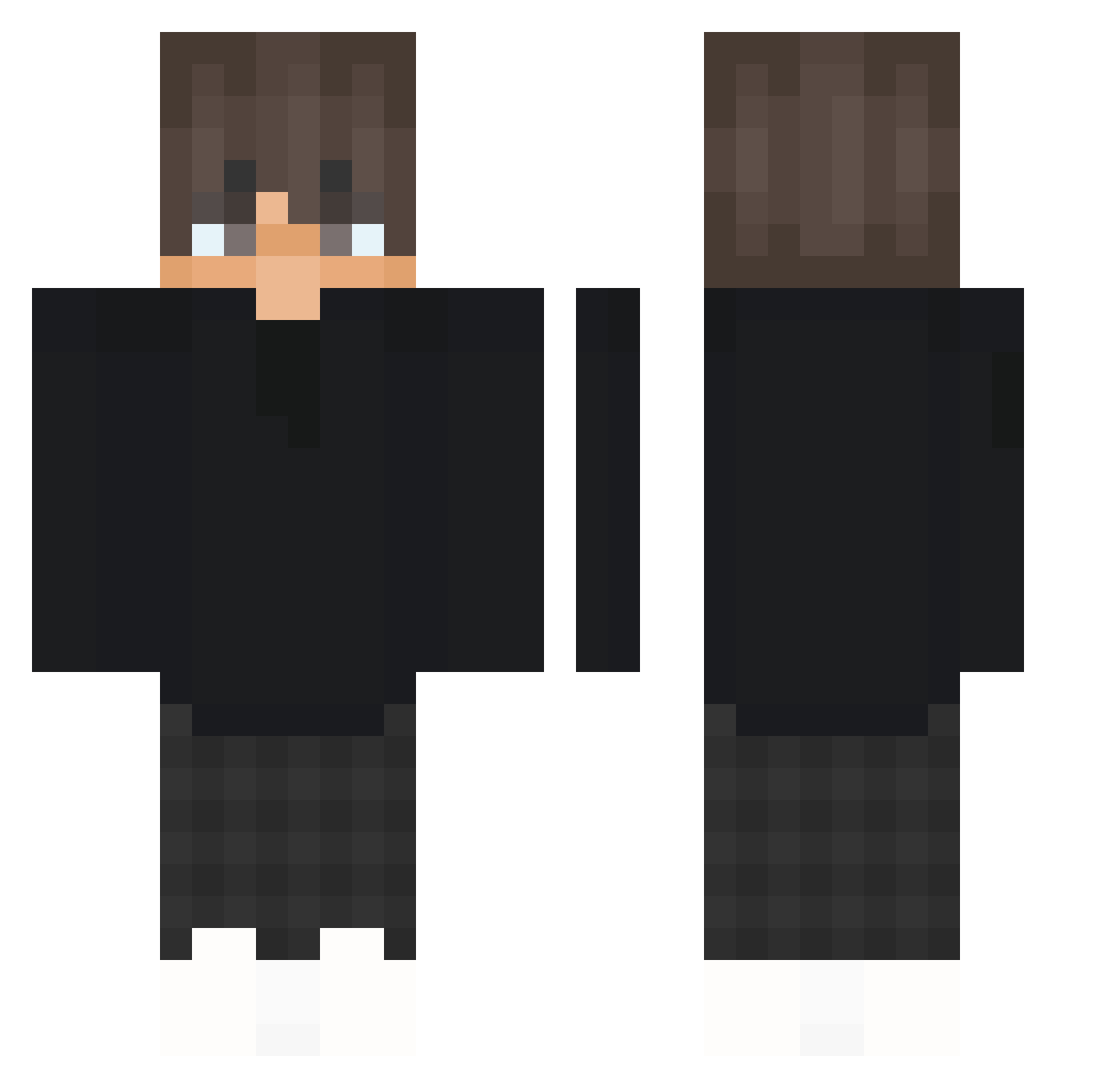
Current Minecraft skin of the player FoGiess, loaded from the official Mojang API. Rotate the 3D model with your mouse or finger, then download the skin as a PNG file and use it in Minecraft: Bedrock Edition or Java Edition for free. When FoGiess changes their skin, this page updates automatically and the old skin stays in the history below.
Other players with this skin (447)
FoGiess was the 383rd player we have seen with this skin, first spotted on 23.10.2026. The same skin was seen on these players. Open a nickname to see their current skin and skin history.
 Vanazadian Vorty77YT Ronng1 joeybouw CuksuzF4 Adri__1 victoriousre9ga misty_7 kolaaacja NehoraypXD FLAK3Y_ Violetworriar1 ethucraft yuki_nova Jassas3ghh reb3rto LeftSideInc koks420 nothanzi czarna_maska_YT llmontyll DerreekkkMc558 DiegoArias444 xAppLe_Mix atxxsia Siquil _xCloudy Jeanilo s3pi_ VVaalleerr Penguin_Ytt omerbbo Kayz_ik MedorYa_ Ganga201 not_kaiu Ymvs _InfamousLife_ Affane Xwiqtor frofy_ ka1denboe ACEBALLER Walker1964 DOOTTR Petafeu FawnQuill Tiznit SAWWA3Y serio_07 Rawhes _8ad7 Schmorbiii ToufTouf_113236 Tommyx29 Itzg1usee ppaptawan wtfadrian SydSuperstar batmanden1
How to install the FoGiess skin
- Press the Download button above to save the skin as a PNG file.
- Minecraft: Bedrock Edition (PE): open the Dressing Room from the main menu (or tap your character → Edit Character), go to Classic Skins → Owned, press the + (new skin) button, choose the downloaded PNG and pick the Classic (Steve) model. Works on PC and mobile; consoles cannot import custom skins.
- Minecraft: Java Edition: open the Minecraft Launcher, go to the Skins tab, click New Skin, load the PNG, pick the Classic (Steve) model and press Save & Use. You can also upload it at minecraft.net → Profile → Change Skin.
The skin does not show up after import - what should I do?
Restart Minecraft and open the Dressing Room again - imported skins sometimes appear only after a restart. Also make sure you selected the imported skin and picked the Classic (Steve) model.
Which model should I choose, Classic or Slim?
This skin is designed for the Classic (Steve) model. If you pick the wrong model, the arms of the skin will look stretched or squeezed.
Is the skin of FoGiess free to download?
Yes. Press Download, save the PNG file and use it in Minecraft: Bedrock Edition or Java Edition - no payment or registration needed. The skin also works on multiplayer servers and Realms.
More skins
Looking for more? Go back to all Minecraft skins and check the top skins of the week, month and all time, or find any player's skin by nickname.