
FlexVega234 - Minecraft Skins & Skin History
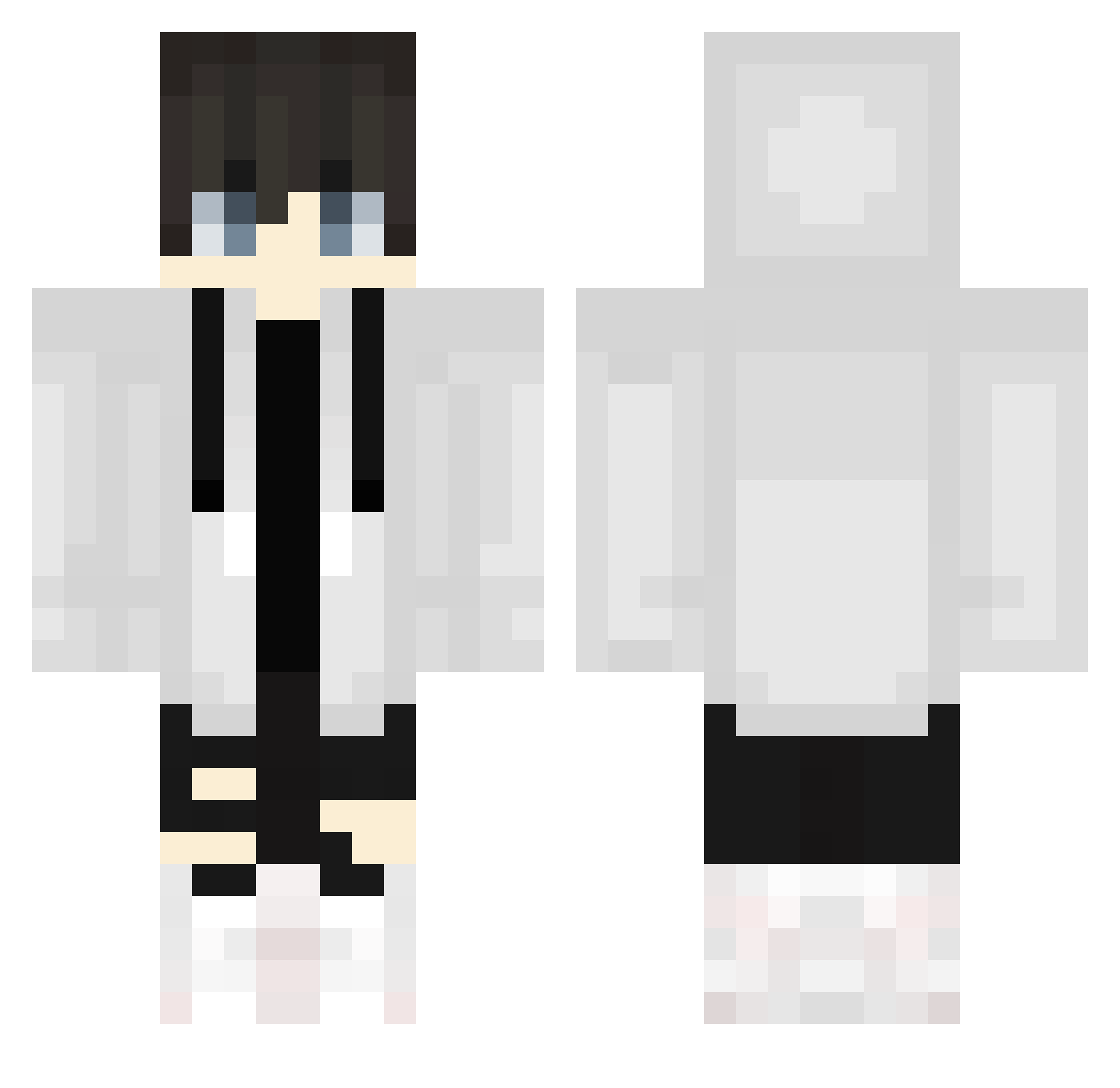
Current Minecraft skin of the player FlexVega234, loaded from the official Mojang API. Rotate the 3D model with your mouse or finger, then download the skin as a PNG file and use it in Minecraft: Bedrock Edition or Java Edition for free. When FlexVega234 changes their skin, this page updates automatically and the old skin stays in the history below.
Other players with this skin (755)
FlexVega234 was the 623rd player we have seen with this skin, first spotted on 25.10.2026. The same skin was seen on these players. Open a nickname to see their current skin and skin history.
 Hikaru672 kubahrajeCSGO chyobicchi specter0923 meriyabyss0116 P1etr02k BigusD1ckus CloPolo2004 FriedRice3 AMMC2743 lordnelson1999 PeeTNoy Sunny1011124 __Saxophone__ erica1111 foxxx1224 Discentt pmpm6290 HG77 EckigerLuca MAUSERmike itsandresito Ash_Metin cHER1B Csq1004 nour_plays YamiiGN parababa54 steini739 Sneyder1090 cobbcobb Syunta0607 Kae_Tanaka Tommi_13092 thiagoaclx shuo0508 Droxer07 sakapidayo DragonYTGamez ____TheFlyYT____ OPDramo123 yukimaru888 Pro970 Noxeito sarukiti333 P_hanjun iNoahh_ Danielz55 Criticiize NhtFvs Arkrayle narusbox sassychickenlegs Swagap1no Wolf_Inferno TurkuazKola skye_steel maritori_3 Reze1610 KjBears
More Streetwear Minecraft skins
How to install the FlexVega234 skin
- Press the Download button above to save the skin as a PNG file.
- Minecraft: Bedrock Edition (PE): open the Dressing Room from the main menu (or tap your character → Edit Character), go to Classic Skins → Owned, press the + (new skin) button, choose the downloaded PNG and pick the Classic (Steve) model. Works on PC and mobile; consoles cannot import custom skins.
- Minecraft: Java Edition: open the Minecraft Launcher, go to the Skins tab, click New Skin, load the PNG, pick the Classic (Steve) model and press Save & Use. You can also upload it at minecraft.net → Profile → Change Skin.
The skin does not show up after import - what should I do?
Restart Minecraft and open the Dressing Room again - imported skins sometimes appear only after a restart. Also make sure you selected the imported skin and picked the Classic (Steve) model.
Which model should I choose, Classic or Slim?
This skin is designed for the Classic (Steve) model. If you pick the wrong model, the arms of the skin will look stretched or squeezed.
Is the skin of FlexVega234 free to download?
Yes. Press Download, save the PNG file and use it in Minecraft: Bedrock Edition or Java Edition - no payment or registration needed. The skin also works on multiplayer servers and Realms.
More skins
Looking for more? Go back to all Minecraft skins and check the top skins of the week, month and all time, or find any player's skin by nickname.