
Fishy_203 - Minecraft Skins & Skin History
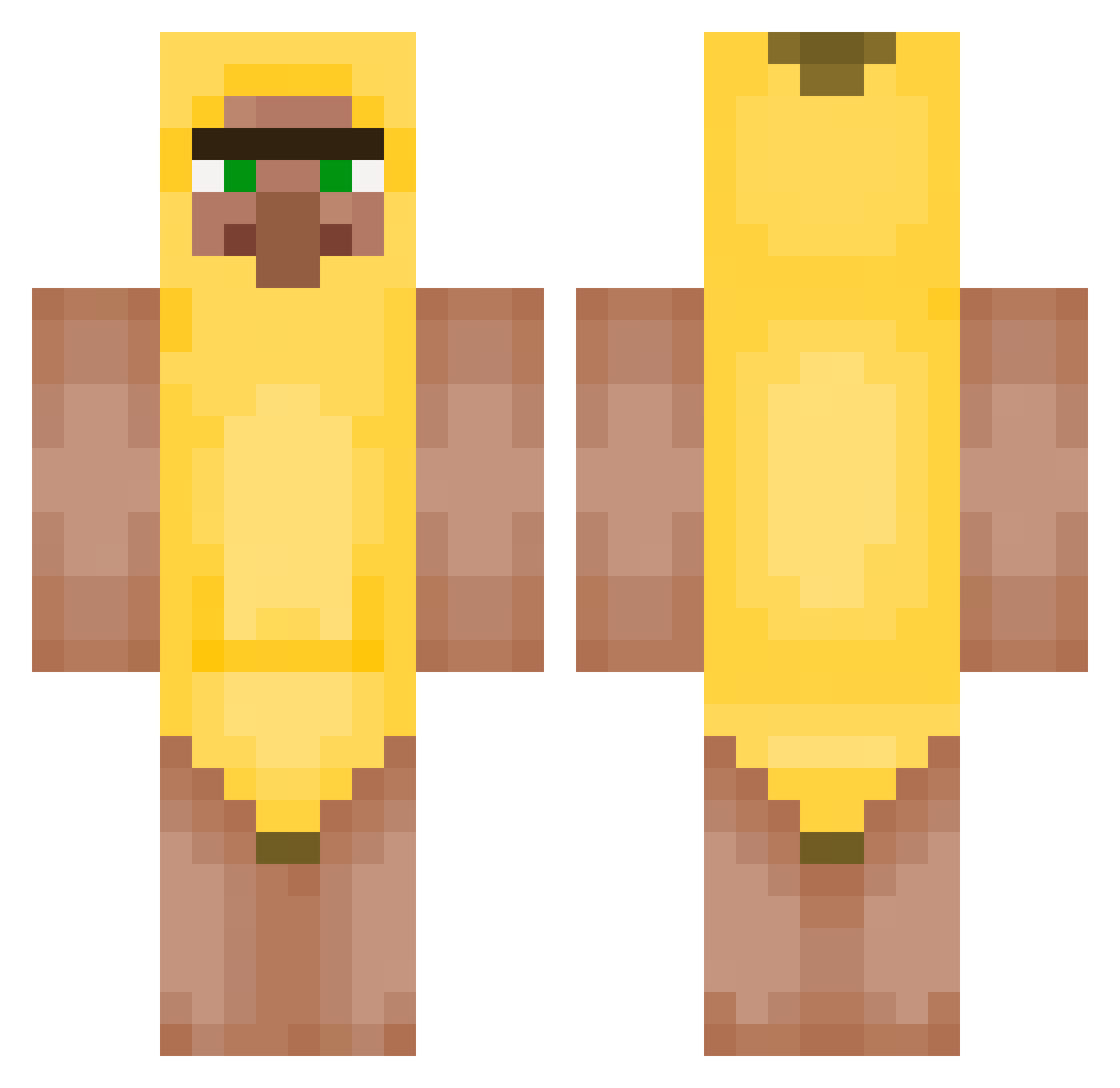
Current Minecraft skin of the player Fishy_203, loaded from the official Mojang API. Rotate the 3D model with your mouse or finger, then download the skin as a PNG file and use it in Minecraft: Bedrock Edition or Java Edition for free. When Fishy_203 changes their skin, this page updates automatically and the old skin stays in the history below.
Other players with this skin (450)
Fishy_203 was the 350th player we have seen with this skin, first spotted on 18.10.2026. The same skin was seen on these players. Open a nickname to see their current skin and skin history.
 Melker2012 Ryyyxx T2M7A chuck08 LINENicks cVin100 Ekul09 dingbat1234 lSUNULl zyvorn TonyTime27 h9se kyeomsonlive Gamza509 pandaz23 downiearmy Jiajie124 Acid0070 Yxsh999 Sharkooowz aatabrk Himmatkang kobra13 Elmerbro2022 uhyo_ MicroJonson BeachSlot darkk23 LUHanaaa Juicy_paste MalleBalle10000 little_carl didgkwns6651 Careca66 skrillaa JH_0724 Lolozin_21 Swolcomb young_woong tyscript Jonn_a mateokiller1985 Blessing_movelov Artysky788 1345599 markopolo32 Hangyaku07 SUK43 dongjo_1204 asassin775 D3mme Lightfal_ Dougy_G YaaONE Beastmode521 smellysoap2014 hanbyeol1120 W_Survivor CartmanIsFat Hana_EH
More Banana Minecraft skins
How to install the Fishy_203 skin
- Press the Download button above to save the skin as a PNG file.
- Minecraft: Bedrock Edition (PE): open the Dressing Room from the main menu (or tap your character → Edit Character), go to Classic Skins → Owned, press the + (new skin) button, choose the downloaded PNG and pick the Classic (Steve) model. Works on PC and mobile; consoles cannot import custom skins.
- Minecraft: Java Edition: open the Minecraft Launcher, go to the Skins tab, click New Skin, load the PNG, pick the Classic (Steve) model and press Save & Use. You can also upload it at minecraft.net → Profile → Change Skin.
The skin does not show up after import - what should I do?
Restart Minecraft and open the Dressing Room again - imported skins sometimes appear only after a restart. Also make sure you selected the imported skin and picked the Classic (Steve) model.
Which model should I choose, Classic or Slim?
This skin is designed for the Classic (Steve) model. If you pick the wrong model, the arms of the skin will look stretched or squeezed.
Is the skin of Fishy_203 free to download?
Yes. Press Download, save the PNG file and use it in Minecraft: Bedrock Edition or Java Edition - no payment or registration needed. The skin also works on multiplayer servers and Realms.
More skins
Looking for more? Go back to all Minecraft skins and check the top skins of the week, month and all time, or find any player's skin by nickname.