
FinoChannel - Minecraft Skins & Skin History
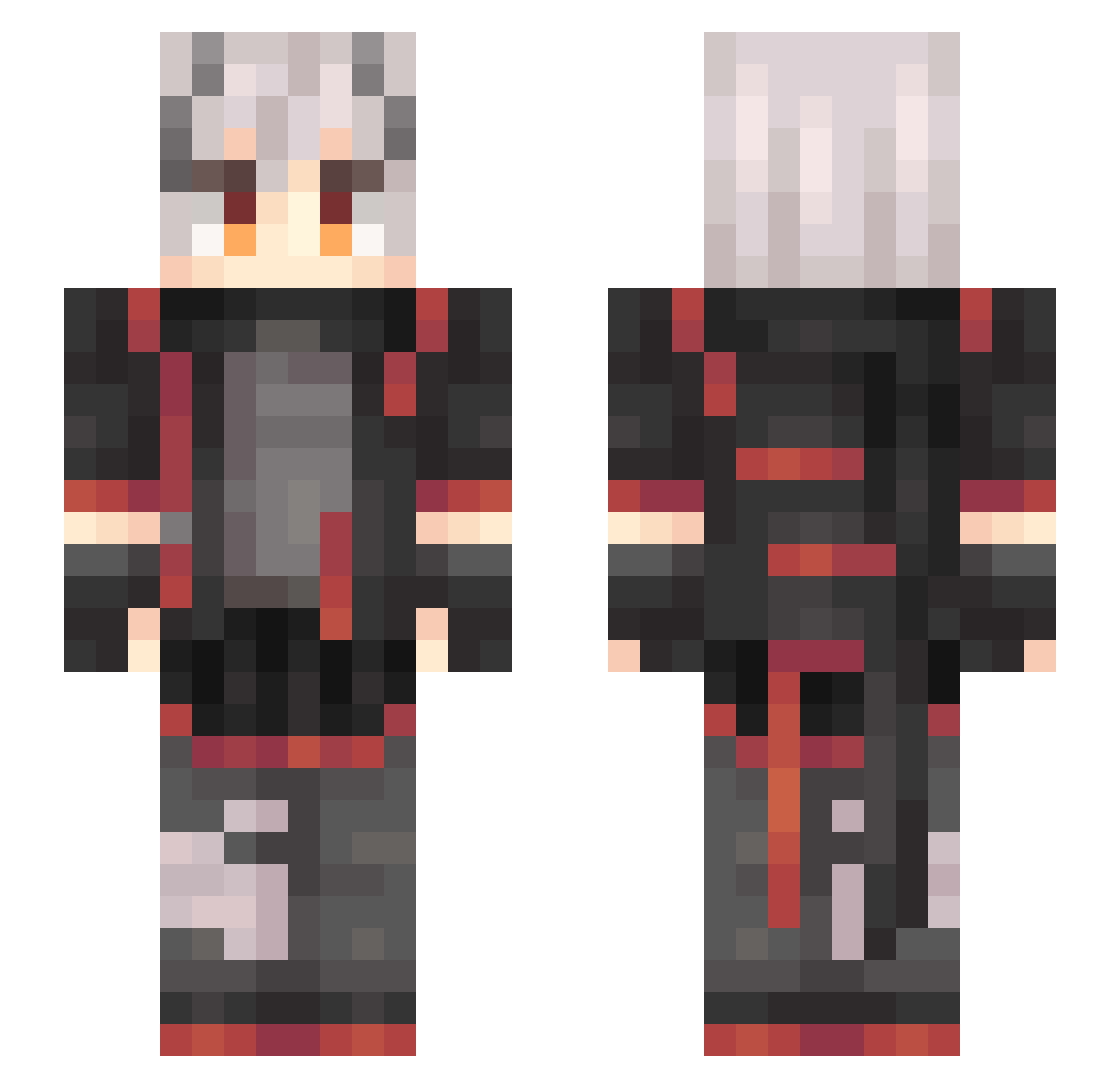
Current Minecraft skin of the player FinoChannel, loaded from the official Mojang API. Rotate the 3D model with your mouse or finger, then download the skin as a PNG file and use it in Minecraft: Bedrock Edition or Java Edition for free. When FinoChannel changes their skin, this page updates automatically and the old skin stays in the history below.
Other players with this skin (637)
FinoChannel was the 473rd player we have seen with this skin, first spotted on 15.10.2026. The same skin was seen on these players. Open a nickname to see their current skin and skin history.
 iwannahiiro Tuyesiji in_Shiro hutimute ZAInile liangcha_hh X_Ikaros Kariyah Msaltisaa taru__2 Crossuant OtisWang SPRUCECLAW FOOLISHMOON duvi329 ______W______ YLPFQ VioletSkadi coverhololive WEAST327 Asnil Ping_yuGTS Fuel7823 baozi2005 MisterPastis XIAYE1 Reuentahl See_You_Again_ lris_ache NoraBet WWSDA Hibzyy AER_Plaxy Agent4643 lililiiiiii Strelitz1a_ OSCANTE SCPyaojin Err0rCode64 yingxin203 Fzsoap Earena Extravor NamiYurii PowerYYDS duppasan Scclc YoshiGei SprataS jowder LingXianYe Linzekai666 bob_king66 Rainnxxx rasmuslh11 Twelfth_cola BILLY_LURK DF_Otter YuZhou11 Neptune9728
More Cyberpunk Minecraft skins
How to install the FinoChannel skin
- Press the Download button above to save the skin as a PNG file.
- Minecraft: Bedrock Edition (PE): open the Dressing Room from the main menu (or tap your character → Edit Character), go to Classic Skins → Owned, press the + (new skin) button, choose the downloaded PNG and pick the Slim (Alex) model. Works on PC and mobile; consoles cannot import custom skins.
- Minecraft: Java Edition: open the Minecraft Launcher, go to the Skins tab, click New Skin, load the PNG, pick the Slim (Alex) model and press Save & Use. You can also upload it at minecraft.net → Profile → Change Skin.
The skin does not show up after import - what should I do?
Restart Minecraft and open the Dressing Room again - imported skins sometimes appear only after a restart. Also make sure you selected the imported skin and picked the Slim (Alex) model.
Which model should I choose, Classic or Slim?
This skin is designed for the Slim (Alex) model. If you pick the wrong model, the arms of the skin will look stretched or squeezed.
Is the skin of FinoChannel free to download?
Yes. Press Download, save the PNG file and use it in Minecraft: Bedrock Edition or Java Edition - no payment or registration needed. The skin also works on multiplayer servers and Realms.
More skins
Looking for more? Go back to all Minecraft skins and check the top skins of the week, month and all time, or find any player's skin by nickname.