
Filiposos369 - Minecraft Skins & Skin History
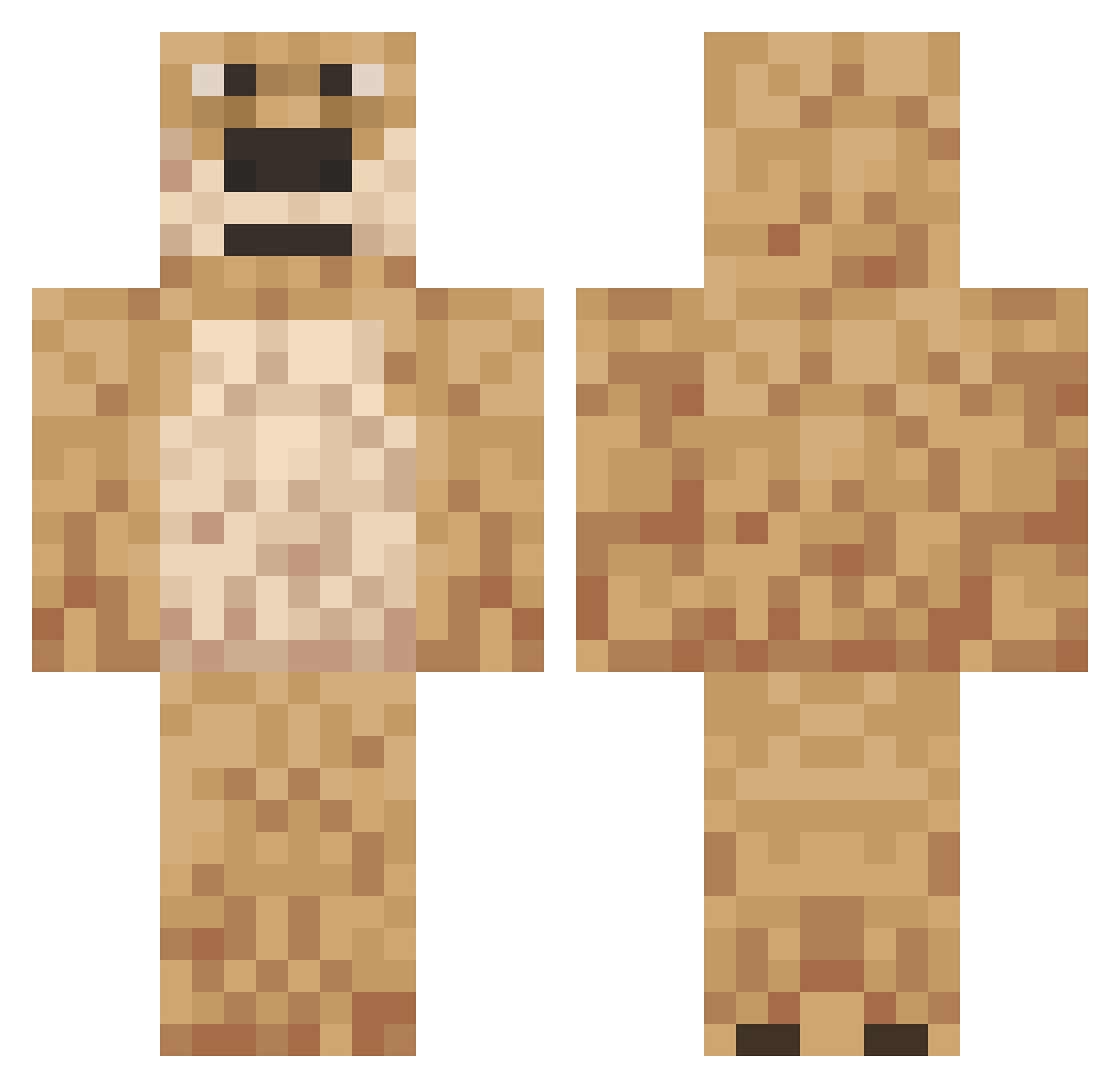
Current Minecraft skin of the player Filiposos369, loaded from the official Mojang API. Rotate the 3D model with your mouse or finger, then download the skin as a PNG file and use it in Minecraft: Bedrock Edition or Java Edition for free. When Filiposos369 changes their skin, this page updates automatically and the old skin stays in the history below.
Other players with this skin (558)
Filiposos369 was the 498th player we have seen with this skin, first spotted on 28.10.2026. The same skin was seen on these players. Open a nickname to see their current skin and skin history.
 beatenorphan XPolkX eltiti31 lolbadlolV52 GhidraZ DaddyBennV13 BubbaBulk Daxern_ joame puponi4k daflopperplug BenPlaysStuff3 YUR1YX popsikile nakogre 60usd yungrizzy PatriciusMaximus Bennybob9387 KnuddelBubbel Diabus_Kalisz AntiQZN ugghhhhh lolbadloldlpv121 dhend03 RussianBen Jayden_vvs koqaru DirtyMonkey67 Superprosper420 Kuuudos Gacus321 CanadianCactus7 rafiges123 si_yo duzybolec2015 BenOnTopV47 47isthegoat Ben9112001 axelo3 didi64 momrider69 qwuak_ _Mez_ QinShan jten57 terry4230 Tk_Nooko vueqlue BenTenLaZone Elite_X__ Beansco Ventorexx Burky1 Regolioz BenSkibidi itz_daylab Las_hermanas _Drxpz mngGoat
More Talking Ben Minecraft skins
How to install the Filiposos369 skin
- Press the Download button above to save the skin as a PNG file.
- Minecraft: Bedrock Edition (PE): open the Dressing Room from the main menu (or tap your character → Edit Character), go to Classic Skins → Owned, press the + (new skin) button, choose the downloaded PNG and pick the Classic (Steve) model. Works on PC and mobile; consoles cannot import custom skins.
- Minecraft: Java Edition: open the Minecraft Launcher, go to the Skins tab, click New Skin, load the PNG, pick the Classic (Steve) model and press Save & Use. You can also upload it at minecraft.net → Profile → Change Skin.
The skin does not show up after import - what should I do?
Restart Minecraft and open the Dressing Room again - imported skins sometimes appear only after a restart. Also make sure you selected the imported skin and picked the Classic (Steve) model.
Which model should I choose, Classic or Slim?
This skin is designed for the Classic (Steve) model. If you pick the wrong model, the arms of the skin will look stretched or squeezed.
Is the skin of Filiposos369 free to download?
Yes. Press Download, save the PNG file and use it in Minecraft: Bedrock Edition or Java Edition - no payment or registration needed. The skin also works on multiplayer servers and Realms.
More skins
Looking for more? Go back to all Minecraft skins and check the top skins of the week, month and all time, or find any player's skin by nickname.