
FJ27cool - Minecraft Skins & Skin History
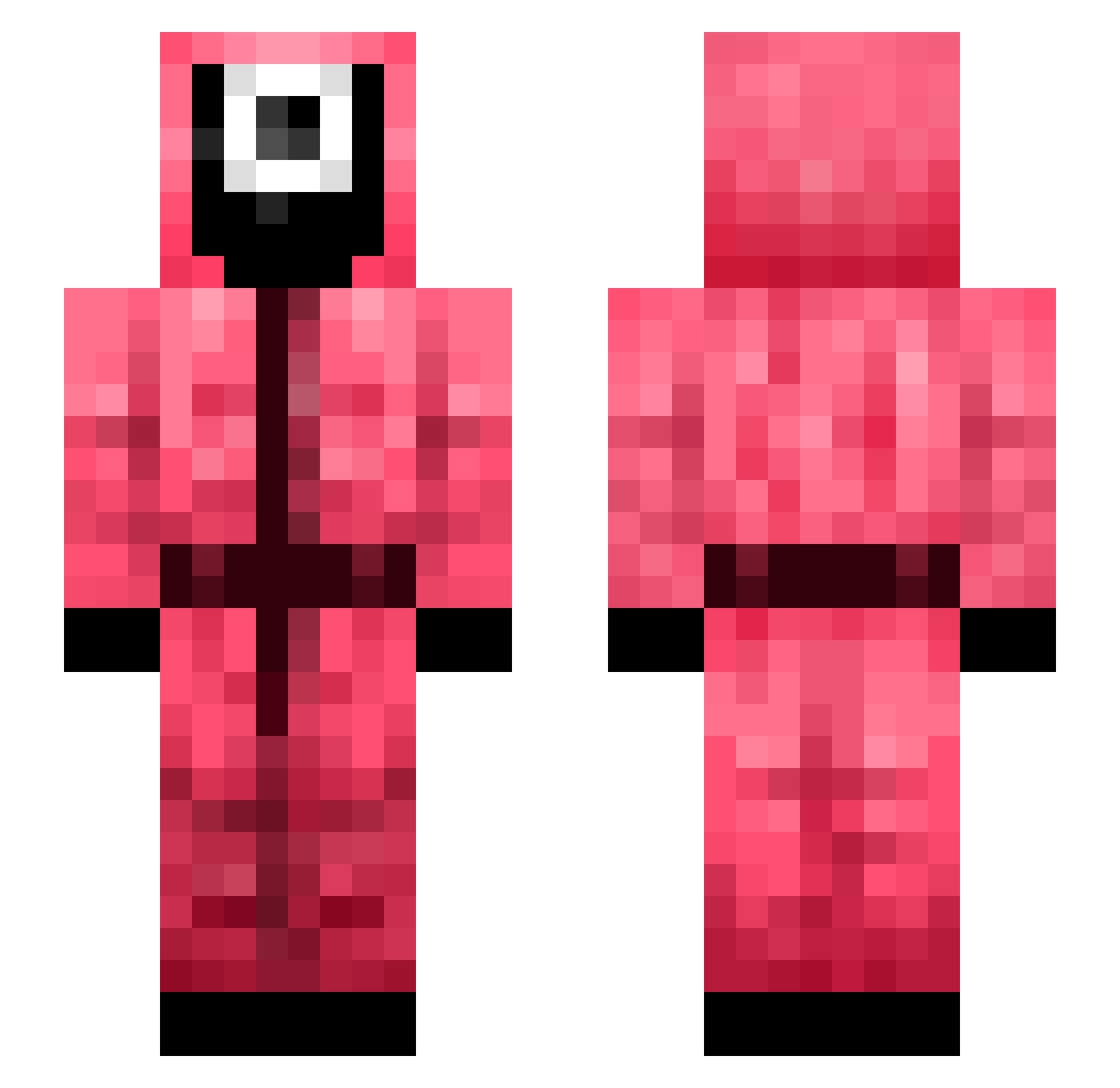
Current Minecraft skin of the player FJ27cool, loaded from the official Mojang API. Rotate the 3D model with your mouse or finger, then download the skin as a PNG file and use it in Minecraft: Bedrock Edition or Java Edition for free. When FJ27cool changes their skin, this page updates automatically and the old skin stays in the history below.
Other players with this skin (437)
FJ27cool was the 318th player we have seen with this skin, first spotted on 18.10.2026. The same skin was seen on these players. Open a nickname to see their current skin and skin history.
 Izunia000 HongjoonE Av_Philipp Caysp Domino335 LeVince82 Davidtangseng MShadowM Bushboimanz Amelien2506 SAVAGEMANSS ShivKam TrGenter Akrizan93 HariyPoppins1 TrueBlueGamer07 WrenWings LEE3025 noonegreater LinonWorld tin919 Unattested Nnash_up SpazoidBratface Dipkiddd SlimeGore JimmyTheArsonist Gekzer linhosjunior pjojjang juuzokenn CheesyLollipop Branchester Allah100 aLoNeByReD Shogoot CAPTmello laeylous LateralHeart375 MegaGenesect05 TomGod1 Misters9341 hannah99997 force_open Solo__9 Sky_Nayze Muchapasta ypman BumseVogel SadlyAdopted SIRIUS_TIME Sgiya krisztina549 JiBae SuperSarh thewarfare24 neda22 LouisTKim JungyaHo2021 JungkoBro
More Guard Minecraft skins
How to install the FJ27cool skin
- Press the Download button above to save the skin as a PNG file.
- Minecraft: Bedrock Edition (PE): open the Dressing Room from the main menu (or tap your character → Edit Character), go to Classic Skins → Owned, press the + (new skin) button, choose the downloaded PNG and pick the Slim (Alex) model. Works on PC and mobile; consoles cannot import custom skins.
- Minecraft: Java Edition: open the Minecraft Launcher, go to the Skins tab, click New Skin, load the PNG, pick the Slim (Alex) model and press Save & Use. You can also upload it at minecraft.net → Profile → Change Skin.
The skin does not show up after import - what should I do?
Restart Minecraft and open the Dressing Room again - imported skins sometimes appear only after a restart. Also make sure you selected the imported skin and picked the Slim (Alex) model.
Which model should I choose, Classic or Slim?
This skin is designed for the Slim (Alex) model. If you pick the wrong model, the arms of the skin will look stretched or squeezed.
Is the skin of FJ27cool free to download?
Yes. Press Download, save the PNG file and use it in Minecraft: Bedrock Edition or Java Edition - no payment or registration needed. The skin also works on multiplayer servers and Realms.
More skins
Looking for more? Go back to all Minecraft skins and check the top skins of the week, month and all time, or find any player's skin by nickname.