
EndoraNeco - Minecraft Skins & Skin History
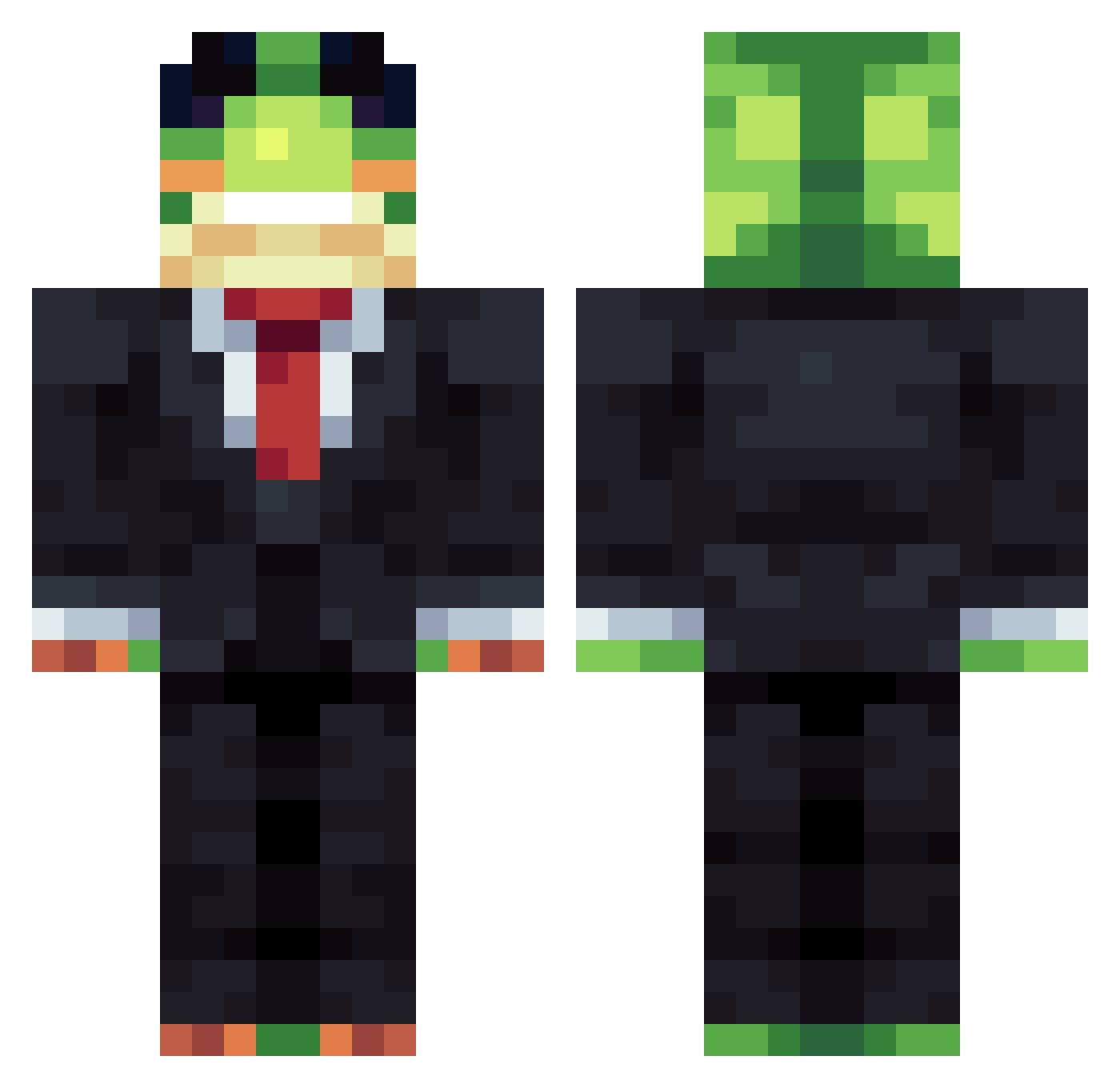
Current Minecraft skin of the player EndoraNeco, loaded from the official Mojang API. Rotate the 3D model with your mouse or finger, then download the skin as a PNG file and use it in Minecraft: Bedrock Edition or Java Edition for free. When EndoraNeco changes their skin, this page updates automatically and the old skin stays in the history below.
Other players with this skin (1484)
EndoraNeco was the 1183rd player we have seen with this skin, first spotted on 22.10.2026. The same skin was seen on these players. Open a nickname to see their current skin and skin history.
 aaa217217 tobynoob Melmannn3 pendzelek mirurun_0713 SidneyLizard Igris420 Ironlay cuhjuan102 Christancho24 NareYY _Grimjow_ kliffgomel wznliu MONKEYAQUAZ eyih aimanwuztaken oreotaku Finkgomez tunadude itsjulka hagoromo_chalk I_Like_Chainsaw Zwarhsa Armyman0920 pepitoelpro1213 xXPau rip_martin helplessss Pepcoboss Livvexx BAggTit w1zrex144 mithic1234 refractxvii aysul Mightyowl172 Zimnaparuwa lupik1234 PlumyThefruit twerknation43 Bunnykins14 _Kz0_ Konstantinpopel slleepycqt yejong0216 wiggmann tycho67 rettuc_ ActiveGuy2011 BratMSN Damsy fr99y Fresh_Lucky11 metryczny codyz717 42km LargeBingus Tank3d Sub2Sharpness
More Frog Minecraft skins
How to install the EndoraNeco skin
- Press the Download button above to save the skin as a PNG file.
- Minecraft: Bedrock Edition (PE): open the Dressing Room from the main menu (or tap your character → Edit Character), go to Classic Skins → Owned, press the + (new skin) button, choose the downloaded PNG and pick the Classic (Steve) model. Works on PC and mobile; consoles cannot import custom skins.
- Minecraft: Java Edition: open the Minecraft Launcher, go to the Skins tab, click New Skin, load the PNG, pick the Classic (Steve) model and press Save & Use. You can also upload it at minecraft.net → Profile → Change Skin.
The skin does not show up after import - what should I do?
Restart Minecraft and open the Dressing Room again - imported skins sometimes appear only after a restart. Also make sure you selected the imported skin and picked the Classic (Steve) model.
Which model should I choose, Classic or Slim?
This skin is designed for the Classic (Steve) model. If you pick the wrong model, the arms of the skin will look stretched or squeezed.
Is the skin of EndoraNeco free to download?
Yes. Press Download, save the PNG file and use it in Minecraft: Bedrock Edition or Java Edition - no payment or registration needed. The skin also works on multiplayer servers and Realms.
More skins
Looking for more? Go back to all Minecraft skins and check the top skins of the week, month and all time, or find any player's skin by nickname.