
Emmyljohnson - Minecraft Skins & Skin History
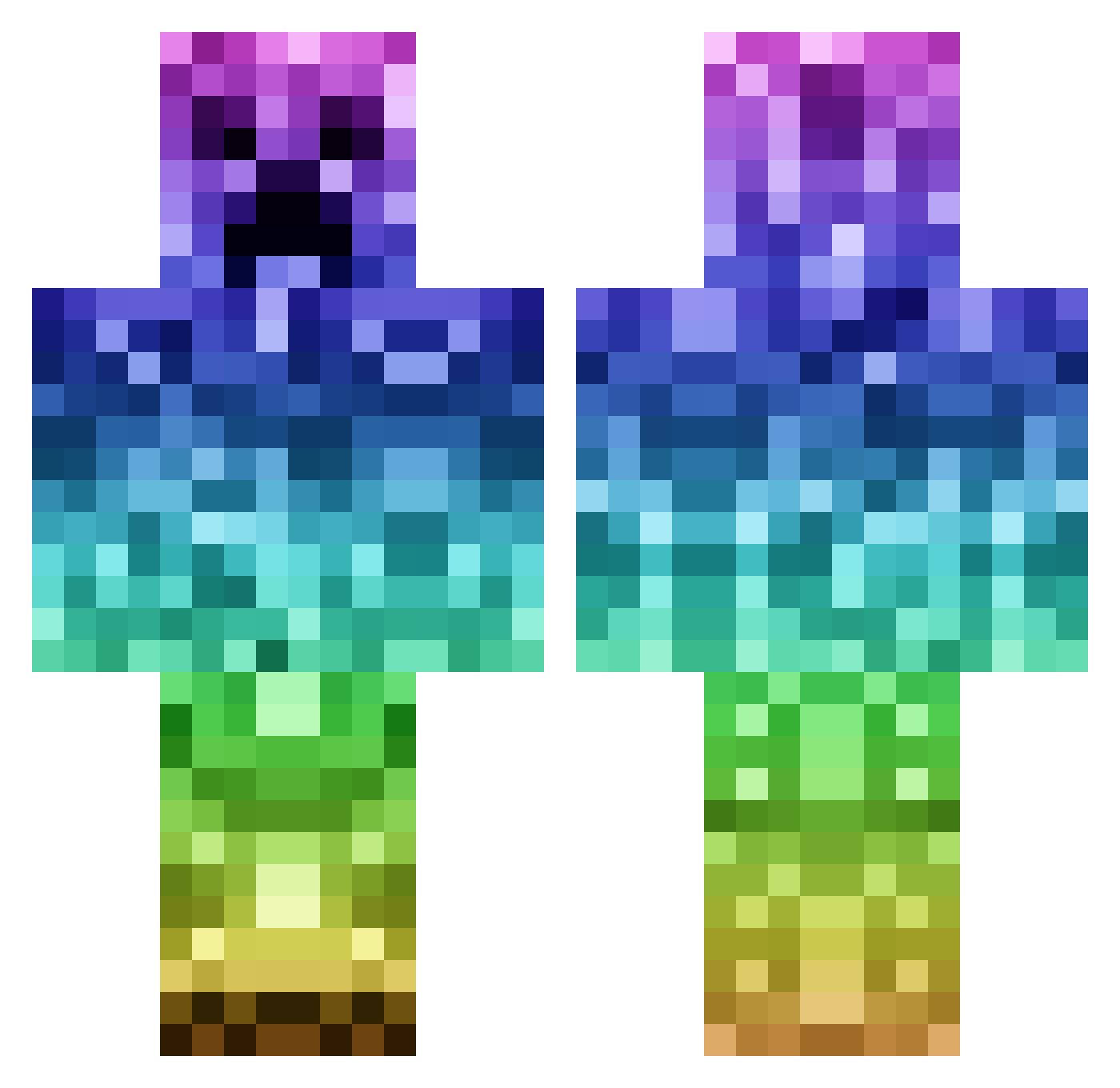
Current Minecraft skin of the player Emmyljohnson, loaded from the official Mojang API. Rotate the 3D model with your mouse or finger, then download the skin as a PNG file and use it in Minecraft: Bedrock Edition or Java Edition for free. When Emmyljohnson changes their skin, this page updates automatically and the old skin stays in the history below.
Other players with this skin (1144)
Emmyljohnson was the 610th player we have seen with this skin, first spotted on 27.09.2026. The same skin was seen on these players. Open a nickname to see their current skin and skin history.
 cracknoo1 TUNAMAN00 JOERAY99 zpiazza52 cunningkills Winter_Lola milkycheese2 Cupakow Michaela_H declanc01 Rulltufs Ageston Draukan skyson_00 DOGZOMBY Destiny2222 Rokill12 BoristheTortoise alexander330 benhammy96 BlazeFlames204 Thomas2431 emidoodle nfouche Giggles_000 PURPLE_NINJAAA saratoga360 laura_lovesyou david_topping CubeMaths Lune_ix EarClops Z4CHYBOY FearFromTheRear isaacthepilot 56reggi justtinus Barcaboy2312 IGGI626 Beastlystar12 PuppetMaster290 luther5719 BustinRun goblue138 jediawesome03 MinecraftBoss0 BurningBacon 89Mendo89 L14M505 Dark_Creep57 DropattackHD ThlxDaBeastMode3 adrianviking minemattia SKYarmy_recruit6 Dodi90 Mirck georgepolo101 WaygenArt XxBosle22xX
More Rainbow Minecraft skins
How to install the Emmyljohnson skin
- Press the Download button above to save the skin as a PNG file.
- Minecraft: Bedrock Edition (PE): open the Dressing Room from the main menu (or tap your character → Edit Character), go to Classic Skins → Owned, press the + (new skin) button, choose the downloaded PNG and pick the Classic (Steve) model. Works on PC and mobile; consoles cannot import custom skins.
- Minecraft: Java Edition: open the Minecraft Launcher, go to the Skins tab, click New Skin, load the PNG, pick the Classic (Steve) model and press Save & Use. You can also upload it at minecraft.net → Profile → Change Skin.
The skin does not show up after import - what should I do?
Restart Minecraft and open the Dressing Room again - imported skins sometimes appear only after a restart. Also make sure you selected the imported skin and picked the Classic (Steve) model.
Which model should I choose, Classic or Slim?
This skin is designed for the Classic (Steve) model. If you pick the wrong model, the arms of the skin will look stretched or squeezed.
Is the skin of Emmyljohnson free to download?
Yes. Press Download, save the PNG file and use it in Minecraft: Bedrock Edition or Java Edition - no payment or registration needed. The skin also works on multiplayer servers and Realms.
More skins
Looking for more? Go back to all Minecraft skins and check the top skins of the week, month and all time, or find any player's skin by nickname.