
ElPanaSalchi - Minecraft Skins & Skin History
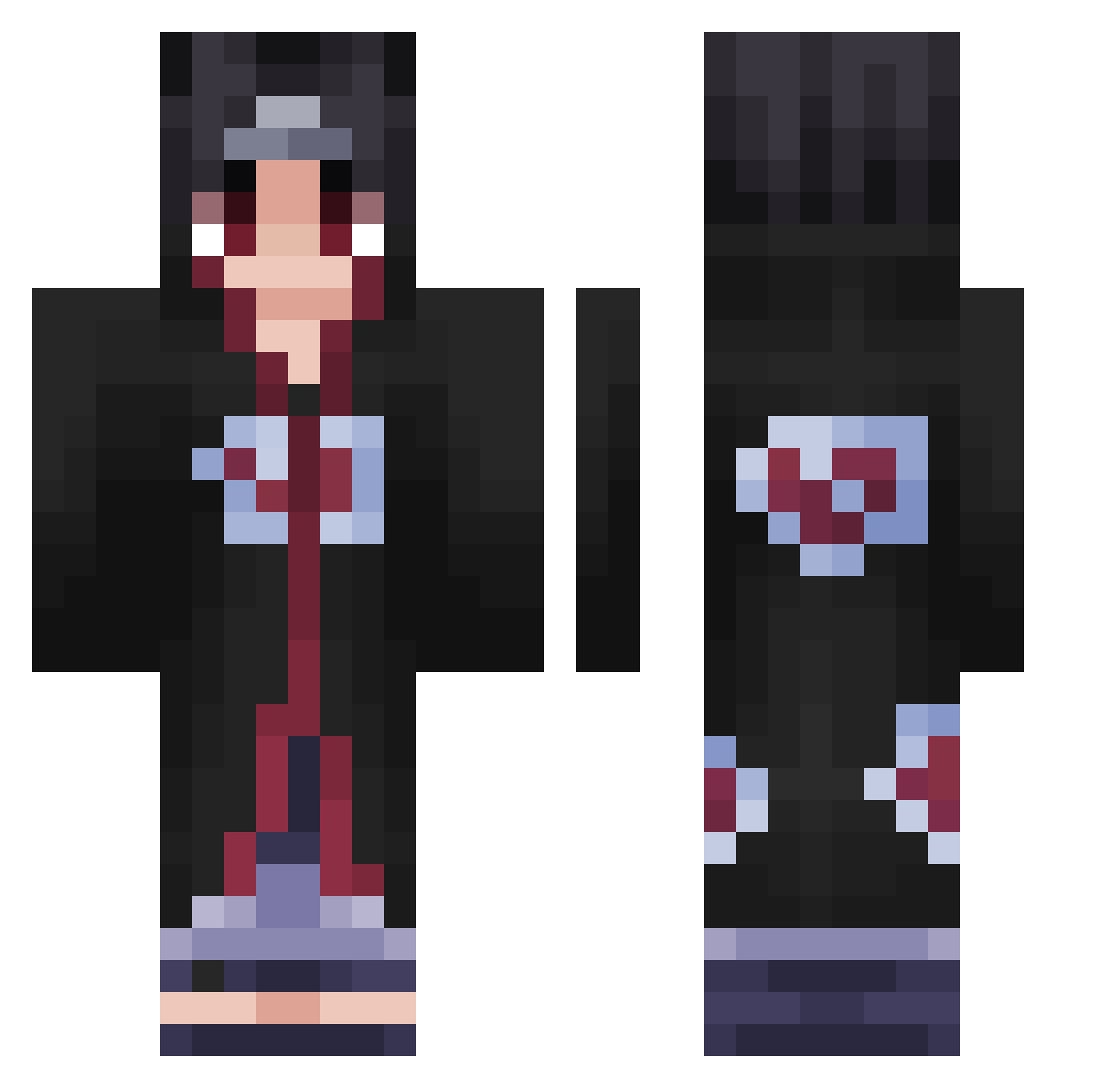
Current Minecraft skin of the player ElPanaSalchi, loaded from the official Mojang API. Rotate the 3D model with your mouse or finger, then download the skin as a PNG file and use it in Minecraft: Bedrock Edition or Java Edition for free. When ElPanaSalchi changes their skin, this page updates automatically and the old skin stays in the history below.
Other players with this skin (542)
ElPanaSalchi was the 471st player we have seen with this skin, first spotted on 29.10.2026. The same skin was seen on these players. Open a nickname to see their current skin and skin history.
 occupy04 S1M4 TheEgorich Sahino47_ Hugoboss491 SayKun rabischhh SirKito Zrocks Garima221 By_Night Jacob_002 B3serkP1rate Kiefer2011 Konojaruu Xico23gabriel Bryoxxx FaZeSuq HellKingMark DiabloHunting itachi8768 lxXP3G4SuSXxl MarianoGu GundulaGHG jansenleo KuzgunCUK YvngZoe Fuze_HvH Uthidir Elbin89 jeriz101 Aldiarboss23 ZeusiGod T1m3l0rDZuga Houndoom7 C0ca_CoLa KiwiNrv weslley653 simon77743 Dilo72 xYVolkYx kasyak_ nyssa137 sarahmimi mauhdxx Awuulius SMCosmin SacredBennett O_A_S_I_S Bladasse Dxminnn itsHalcyan Erick18 Shoto78 kozaczq1 Doshy228 N3mes1s101 gokruu SyKu08 zalamort911
More Itachi Uchiha Minecraft skins
See all 371 Itachi Uchiha skins
How to install the ElPanaSalchi skin
- Press the Download button above to save the skin as a PNG file.
- Minecraft: Bedrock Edition (PE): open the Dressing Room from the main menu (or tap your character → Edit Character), go to Classic Skins → Owned, press the + (new skin) button, choose the downloaded PNG and pick the Classic (Steve) model. Works on PC and mobile; consoles cannot import custom skins.
- Minecraft: Java Edition: open the Minecraft Launcher, go to the Skins tab, click New Skin, load the PNG, pick the Classic (Steve) model and press Save & Use. You can also upload it at minecraft.net → Profile → Change Skin.
The skin does not show up after import - what should I do?
Restart Minecraft and open the Dressing Room again - imported skins sometimes appear only after a restart. Also make sure you selected the imported skin and picked the Classic (Steve) model.
Which model should I choose, Classic or Slim?
This skin is designed for the Classic (Steve) model. If you pick the wrong model, the arms of the skin will look stretched or squeezed.
Is the skin of ElPanaSalchi free to download?
Yes. Press Download, save the PNG file and use it in Minecraft: Bedrock Edition or Java Edition - no payment or registration needed. The skin also works on multiplayer servers and Realms.
More skins
Looking for more? Go back to all Minecraft skins and check the top skins of the week, month and all time, or find any player's skin by nickname.