
EinfachLosto - Minecraft Skins & Skin History
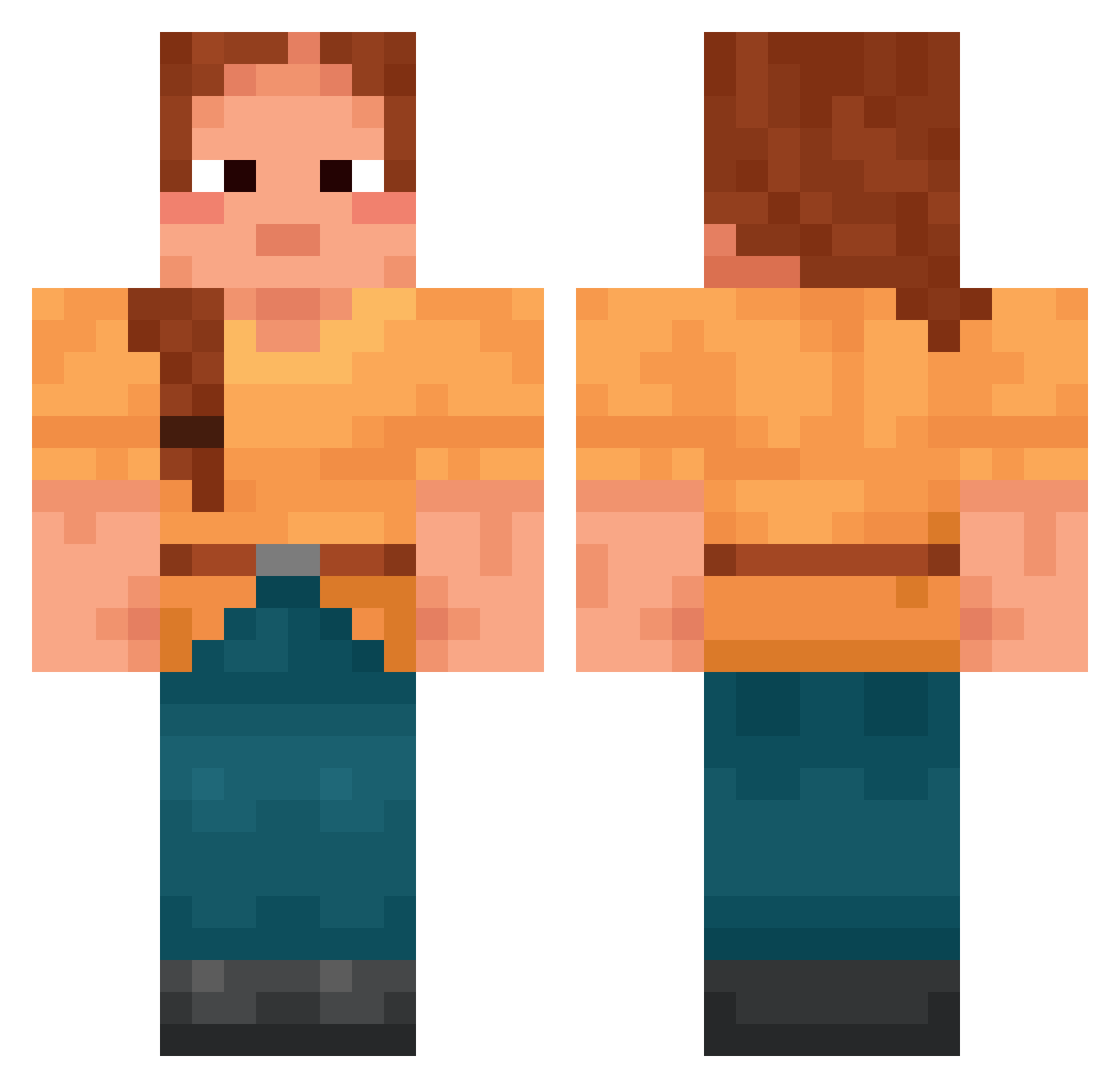
Current Minecraft skin of the player EinfachLosto, loaded from the official Mojang API. Rotate the 3D model with your mouse or finger, then download the skin as a PNG file and use it in Minecraft: Bedrock Edition or Java Edition for free. When EinfachLosto changes their skin, this page updates automatically and the old skin stays in the history below.
Other players with this skin (1837)
EinfachLosto was the 1770th player we have seen with this skin, first spotted on 08.11.2026. The same skin was seen on these players. Open a nickname to see their current skin and skin history.
 _ick Kikabee11 hdwe Zoelaa luke_2274 AlphaSloth LAB05 curryk4tsu Craniata Zxldrix HPStupor2013 dkzinhoUwU ZDM1169 gjgf Dzero213 courtneytear pippen ooju Gargles Norlf Tatties VGSPR Dario_Benedicio Berlin101 ChillPenguin194 Samgitv Narcissistic iWorth bayed cotice Nelje DanieI2 whisperingness Kreamstick Spongioblast Paulipol92I jiang_can_da_de vihuela solions corncrib koxkabanox1312 dadocs Notmotmot45 Therealfrouss Shu0216Shu0401 VarcityNine bastionroutes Tapper SaltyBurrger bummelumme alexas27 Apothegm mala_mi cyclohexyl Z3tsubou cnswur8536 Vespiform Argonen Flintisen 1gradius
More Cottagecore Minecraft skins
See all 7037 Cottagecore skins
How to install the EinfachLosto skin
- Press the Download button above to save the skin as a PNG file.
- Minecraft: Bedrock Edition (PE): open the Dressing Room from the main menu (or tap your character → Edit Character), go to Classic Skins → Owned, press the + (new skin) button, choose the downloaded PNG and pick the Classic (Steve) model. Works on PC and mobile; consoles cannot import custom skins.
- Minecraft: Java Edition: open the Minecraft Launcher, go to the Skins tab, click New Skin, load the PNG, pick the Classic (Steve) model and press Save & Use. You can also upload it at minecraft.net → Profile → Change Skin.
The skin does not show up after import - what should I do?
Restart Minecraft and open the Dressing Room again - imported skins sometimes appear only after a restart. Also make sure you selected the imported skin and picked the Classic (Steve) model.
Which model should I choose, Classic or Slim?
This skin is designed for the Classic (Steve) model. If you pick the wrong model, the arms of the skin will look stretched or squeezed.
Is the skin of EinfachLosto free to download?
Yes. Press Download, save the PNG file and use it in Minecraft: Bedrock Edition or Java Edition - no payment or registration needed. The skin also works on multiplayer servers and Realms.
More skins
Looking for more? Go back to all Minecraft skins and check the top skins of the week, month and all time, or find any player's skin by nickname.