
EUREKAzzz - Minecraft Skins & Skin History
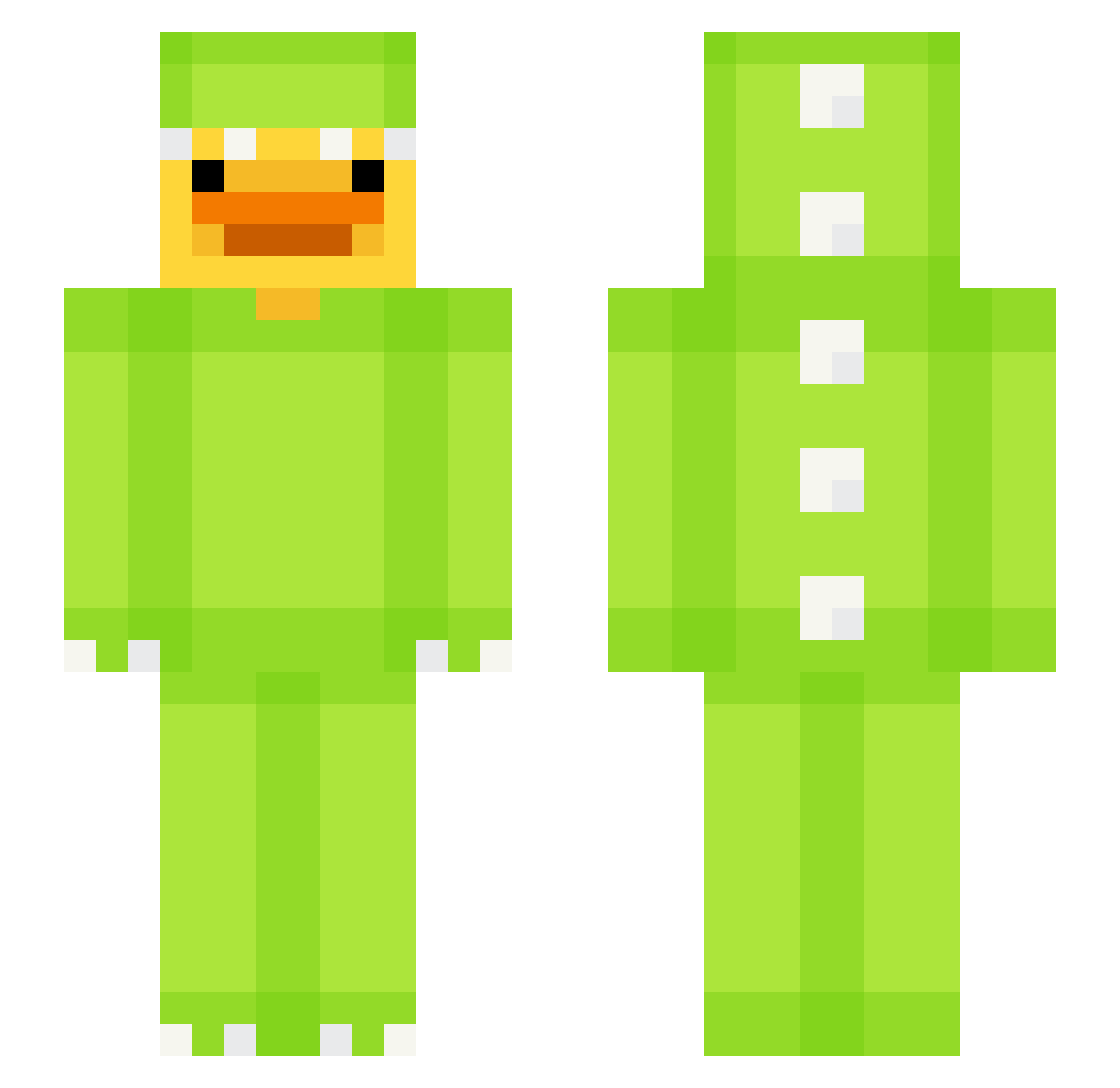
Current Minecraft skin of the player EUREKAzzz, loaded from the official Mojang API. Rotate the 3D model with your mouse or finger, then download the skin as a PNG file and use it in Minecraft: Bedrock Edition or Java Edition for free. When EUREKAzzz changes their skin, this page updates automatically and the old skin stays in the history below.
Other players with this skin (681)
EUREKAzzz was the 531st player we have seen with this skin, first spotted on 19.10.2026. The same skin was seen on these players. Open a nickname to see their current skin and skin history.
 LeozinDoPVP LeVraiShota pat1nho BINIB1N TEMPLXRS DizzyGuy0822957 DexCraftt JesG__ Jacoobster JUN_KING2 storminater_ keilunh SqualidSeven Proamoeba163 SHABI_CAFE lawcot fl00byxcx ShaneDeak eistee0012 zz_aCeFU_03_13 Juanito_Cabrito Reevsy_ CreepeyCuDdler94 dino_duck1 JJoLeBi SmokyOnion skibidilipton Nyolla Akca81 Lexyloulouu bigchef34 limonssauro Coventry05 Aluzic diegoblue2 rabalyn sg143 Danoninoo_ itzriwksdww yuri_6666 run_for_roses Amritsar88 ZachIsMyDaddy Kimolaje2 calvinpatoxi HeyheyDino shineblossom c14patae BoueTractee ZENNY_0731 Rengensu_19 Itz_Spr Stormelomski yasirikun Tiggy404 underhill720 ROTImausii bldx Brook6 RoyalJoe11
More Dinosaur Kigurumi Minecraft skins
See all 418 Dinosaur Kigurumi skins
How to install the EUREKAzzz skin
- Press the Download button above to save the skin as a PNG file.
- Minecraft: Bedrock Edition (PE): open the Dressing Room from the main menu (or tap your character → Edit Character), go to Classic Skins → Owned, press the + (new skin) button, choose the downloaded PNG and pick the Slim (Alex) model. Works on PC and mobile; consoles cannot import custom skins.
- Minecraft: Java Edition: open the Minecraft Launcher, go to the Skins tab, click New Skin, load the PNG, pick the Slim (Alex) model and press Save & Use. You can also upload it at minecraft.net → Profile → Change Skin.
The skin does not show up after import - what should I do?
Restart Minecraft and open the Dressing Room again - imported skins sometimes appear only after a restart. Also make sure you selected the imported skin and picked the Slim (Alex) model.
Which model should I choose, Classic or Slim?
This skin is designed for the Slim (Alex) model. If you pick the wrong model, the arms of the skin will look stretched or squeezed.
Is the skin of EUREKAzzz free to download?
Yes. Press Download, save the PNG file and use it in Minecraft: Bedrock Edition or Java Edition - no payment or registration needed. The skin also works on multiplayer servers and Realms.
More skins
Looking for more? Go back to all Minecraft skins and check the top skins of the week, month and all time, or find any player's skin by nickname.