
Dragonrat08 - Minecraft Skins & Skin History
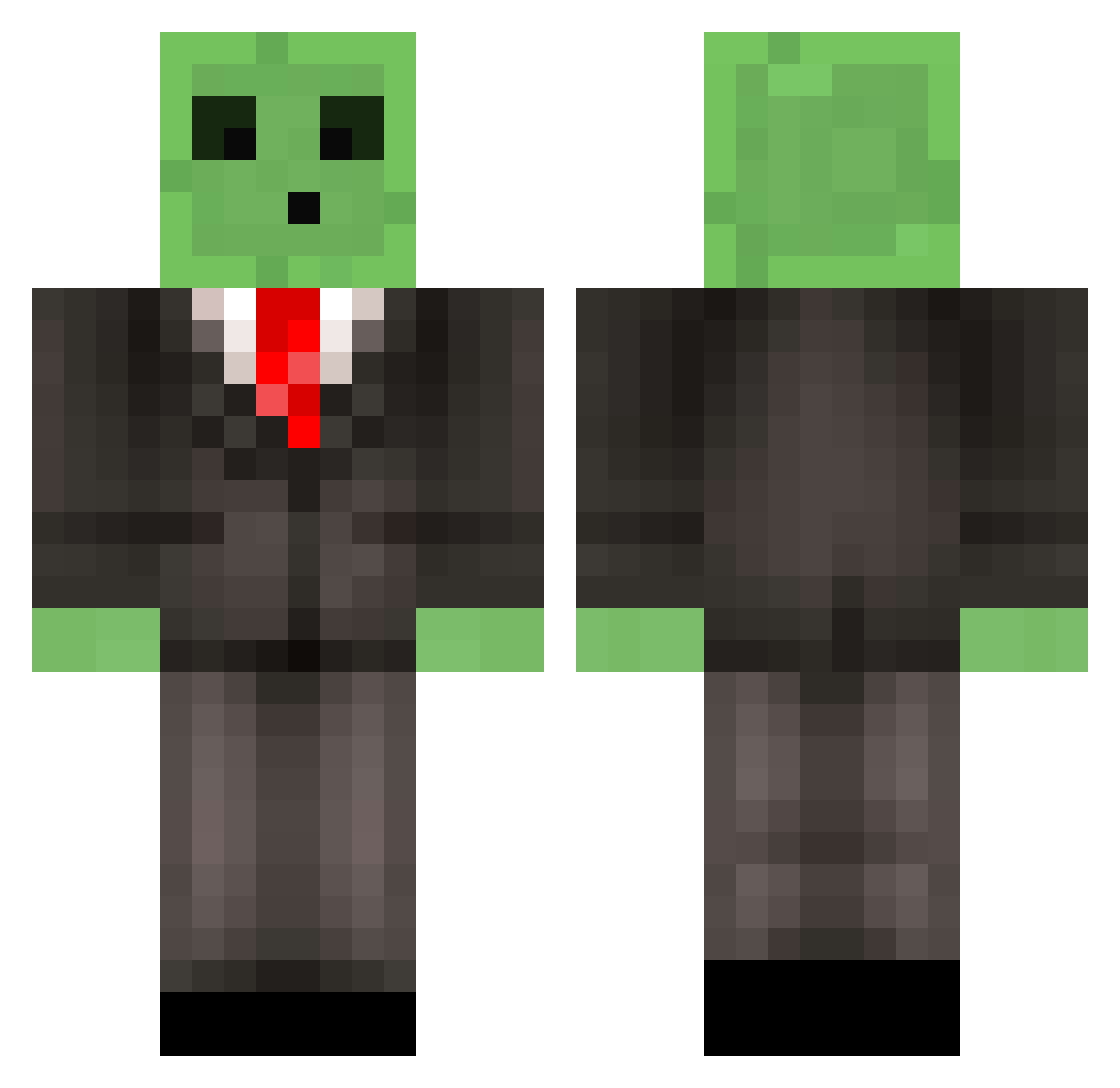
Current Minecraft skin of the player Dragonrat08, loaded from the official Mojang API. Rotate the 3D model with your mouse or finger, then download the skin as a PNG file and use it in Minecraft: Bedrock Edition or Java Edition for free. When Dragonrat08 changes their skin, this page updates automatically and the old skin stays in the history below.
Other players with this skin (518)
Dragonrat08 was the 366th player we have seen with this skin, first spotted on 14.10.2026. The same skin was seen on these players. Open a nickname to see their current skin and skin history.
 SkyGuyGabe gouze233 seaHF sonicboy125 thetiger756 Pablo_Tarts IBCRUZIN SIHU08 BasicRoyalty LtTayto AnsonJJ MrDPJ21 kiler3077 stillfanatic backwardsIspeak xNessinator b_lime GewapAlt20 Zinmaker TomPvP_ exeh2214 IchBinHeiko Comfyinmypajamas trueMCM3 Pinecone12 slime_boy_11 NEEBV 27HD GiantPeener olivcoolpool huangbu piln_ jackotacko8084 MadMarquis Snabe69 SmaukWeed Brunkerino Celiria62 iTzHAM C0dy22 misozuke_21 TZEPPE GewapAlt7 iHawk1 ShockingPage SourFisher Nounet Gloooper ForsakenButter tomesho Kyklekongen UnlikelyRyan KingDrPepper Blackussss Entitypogger Kamikaze_Noob SandaKitty Skarfur ShabbyTalk MrTeddypie
More Slime Minecraft skins
How to install the Dragonrat08 skin
- Press the Download button above to save the skin as a PNG file.
- Minecraft: Bedrock Edition (PE): open the Dressing Room from the main menu (or tap your character → Edit Character), go to Classic Skins → Owned, press the + (new skin) button, choose the downloaded PNG and pick the Classic (Steve) model. Works on PC and mobile; consoles cannot import custom skins.
- Minecraft: Java Edition: open the Minecraft Launcher, go to the Skins tab, click New Skin, load the PNG, pick the Classic (Steve) model and press Save & Use. You can also upload it at minecraft.net → Profile → Change Skin.
The skin does not show up after import - what should I do?
Restart Minecraft and open the Dressing Room again - imported skins sometimes appear only after a restart. Also make sure you selected the imported skin and picked the Classic (Steve) model.
Which model should I choose, Classic or Slim?
This skin is designed for the Classic (Steve) model. If you pick the wrong model, the arms of the skin will look stretched or squeezed.
Is the skin of Dragonrat08 free to download?
Yes. Press Download, save the PNG file and use it in Minecraft: Bedrock Edition or Java Edition - no payment or registration needed. The skin also works on multiplayer servers and Realms.
More skins
Looking for more? Go back to all Minecraft skins and check the top skins of the week, month and all time, or find any player's skin by nickname.