
DrDrosten666 - Minecraft Skins & Skin History
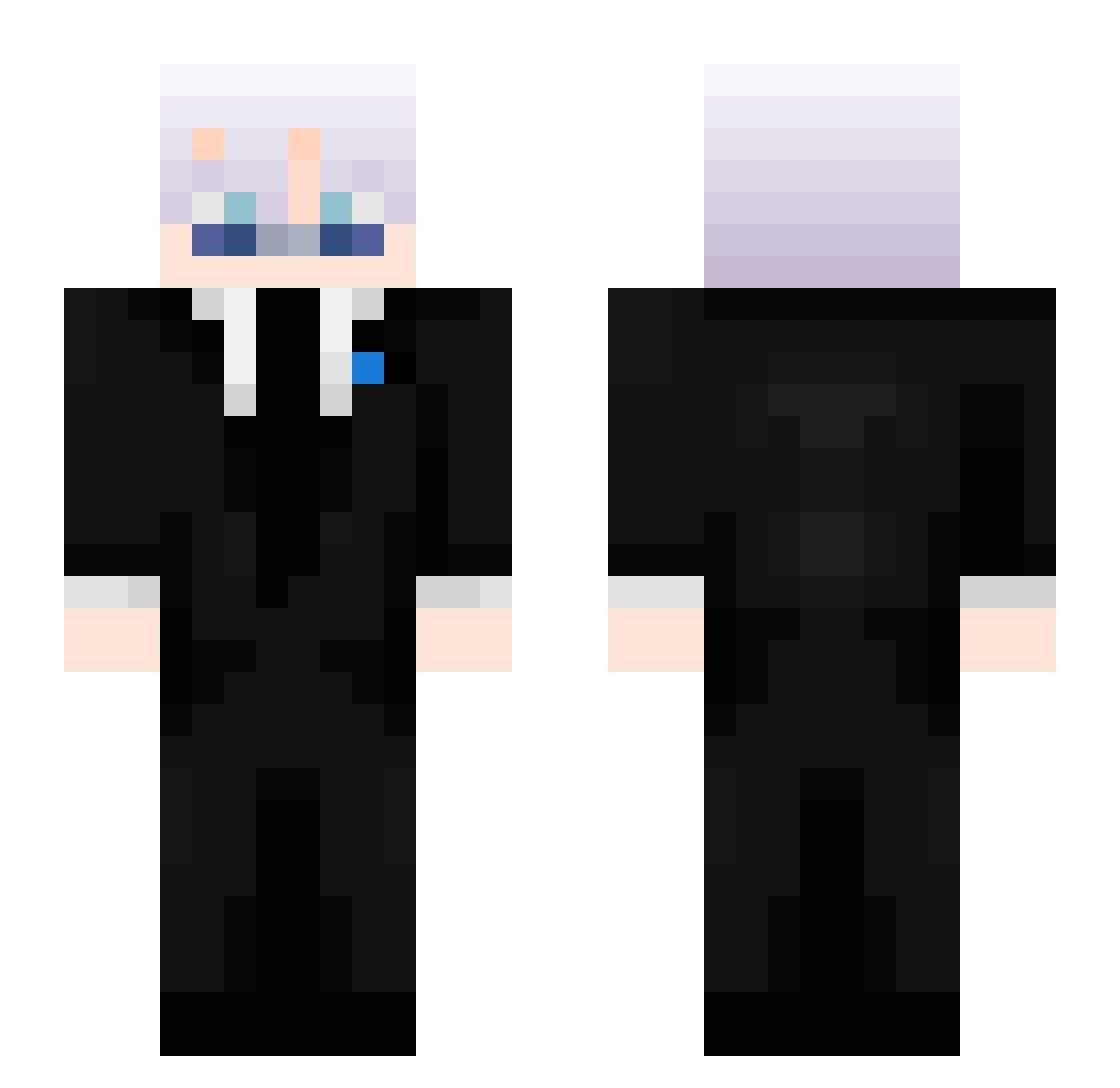
Current Minecraft skin of the player DrDrosten666, loaded from the official Mojang API. Rotate the 3D model with your mouse or finger, then download the skin as a PNG file and use it in Minecraft: Bedrock Edition or Java Edition for free. When DrDrosten666 changes their skin, this page updates automatically and the old skin stays in the history below.
Other players with this skin (508)
DrDrosten666 was the 457th player we have seen with this skin, first spotted on 02.11.2026. The same skin was seen on these players. Open a nickname to see their current skin and skin history.
 WaxAutumn kubabialy20 Mhkor yusufipekci ItzQrz TacoCPVP 532n Prachand Dr_beast WALLL_and ZerooO_O xNotTryHxrdzz OTucker12 xen0zz Lilpotata48 whiteShxrk Daxiell Maksor555 __rexo__ ERFGAMING Zumzum37 DIEGOSIS kira_v1 s0l0_k1ll_ Oskar221112 ki3ranmc Astramac12 ItzSwoxer TheDarkMio BranBran9614 SpiderNinja127 Its_Nop cgt_zyrix raseerd69 Aizenz1 BlazeGHG KAM1XE Megumi_Shikga M4XPVNK SwiftCabbage596_ Xenturyy Kqven_ Juxhtin zLucasCr4ft aKa_Ruffy Skycron_TeMsd_05 TwistedVs_ Lepazzz SkyVitalz RoseStk Mumm3yPS nxvys ItzReal_Diesel Todesdrache 7FourB tttogb n779 XxswankyfinnxX 2O94 P40T
More Satoru Gojo Minecraft skins
See all 1423 Satoru Gojo skins
How to install the DrDrosten666 skin
- Press the Download button above to save the skin as a PNG file.
- Minecraft: Bedrock Edition (PE): open the Dressing Room from the main menu (or tap your character → Edit Character), go to Classic Skins → Owned, press the + (new skin) button, choose the downloaded PNG and pick the Slim (Alex) model. Works on PC and mobile; consoles cannot import custom skins.
- Minecraft: Java Edition: open the Minecraft Launcher, go to the Skins tab, click New Skin, load the PNG, pick the Slim (Alex) model and press Save & Use. You can also upload it at minecraft.net → Profile → Change Skin.
The skin does not show up after import - what should I do?
Restart Minecraft and open the Dressing Room again - imported skins sometimes appear only after a restart. Also make sure you selected the imported skin and picked the Slim (Alex) model.
Which model should I choose, Classic or Slim?
This skin is designed for the Slim (Alex) model. If you pick the wrong model, the arms of the skin will look stretched or squeezed.
Is the skin of DrDrosten666 free to download?
Yes. Press Download, save the PNG file and use it in Minecraft: Bedrock Edition or Java Edition - no payment or registration needed. The skin also works on multiplayer servers and Realms.
More skins
Looking for more? Go back to all Minecraft skins and check the top skins of the week, month and all time, or find any player's skin by nickname.