
Dosuemonnn - Minecraft Skins & Skin History
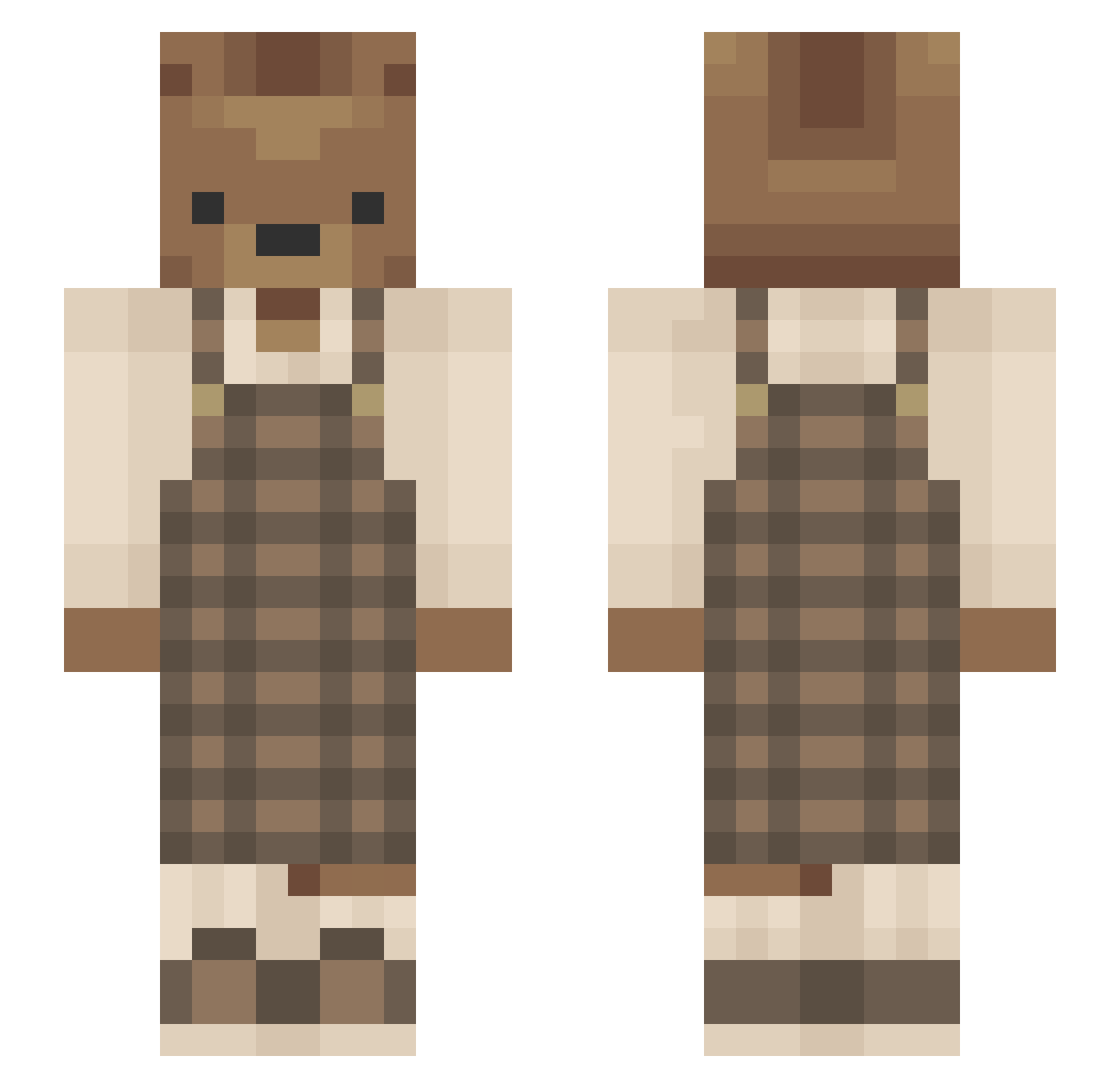
Current Minecraft skin of the player Dosuemonnn, loaded from the official Mojang API. Rotate the 3D model with your mouse or finger, then download the skin as a PNG file and use it in Minecraft: Bedrock Edition or Java Edition for free. When Dosuemonnn changes their skin, this page updates automatically and the old skin stays in the history below.
Other players with this skin (637)
Dosuemonnn was the 482nd player we have seen with this skin, first spotted on 18.10.2026. The same skin was seen on these players. Open a nickname to see their current skin and skin history.
 strawbenniecake Trashsatan03 M1sia Rocky3563 Vilicity cable8 Pudinheed bryzoi Natsuo8 lxtoo AsisA5047 meganddoyle JDfan13 owlswirl iDontTeam Adicts O3O404 THEECLIPSE123 luvvvyy oing7 grizzaabella Raptorat kASHmoneeyy jotunheimhuman pnpn2 rarr678 Sloth_S3ducer toofdelmas josbrechje nalboi Sebastian52568 High54Every1 Sicrea PAWWWWS itsiamh nevaeh9999 Hysilie sh4res Jx57569 Pinpairdu jamieherself creekcryptid lyliex lopickleo wvhsdavid MischiefMara E_Lenders Gnohomomo DumbBxxtchJuice nomsik DirtySouthBoy hann9 Zillgz 99Sebastian amirgop Holomacult Mheacelo Sneaky_03 Norbi03 cellarspiders
More Bear Minecraft skins
How to install the Dosuemonnn skin
- Press the Download button above to save the skin as a PNG file.
- Minecraft: Bedrock Edition (PE): open the Dressing Room from the main menu (or tap your character → Edit Character), go to Classic Skins → Owned, press the + (new skin) button, choose the downloaded PNG and pick the Slim (Alex) model. Works on PC and mobile; consoles cannot import custom skins.
- Minecraft: Java Edition: open the Minecraft Launcher, go to the Skins tab, click New Skin, load the PNG, pick the Slim (Alex) model and press Save & Use. You can also upload it at minecraft.net → Profile → Change Skin.
The skin does not show up after import - what should I do?
Restart Minecraft and open the Dressing Room again - imported skins sometimes appear only after a restart. Also make sure you selected the imported skin and picked the Slim (Alex) model.
Which model should I choose, Classic or Slim?
This skin is designed for the Slim (Alex) model. If you pick the wrong model, the arms of the skin will look stretched or squeezed.
Is the skin of Dosuemonnn free to download?
Yes. Press Download, save the PNG file and use it in Minecraft: Bedrock Edition or Java Edition - no payment or registration needed. The skin also works on multiplayer servers and Realms.
More skins
Looking for more? Go back to all Minecraft skins and check the top skins of the week, month and all time, or find any player's skin by nickname.