
Donkeyjace - Minecraft Skins & Skin History
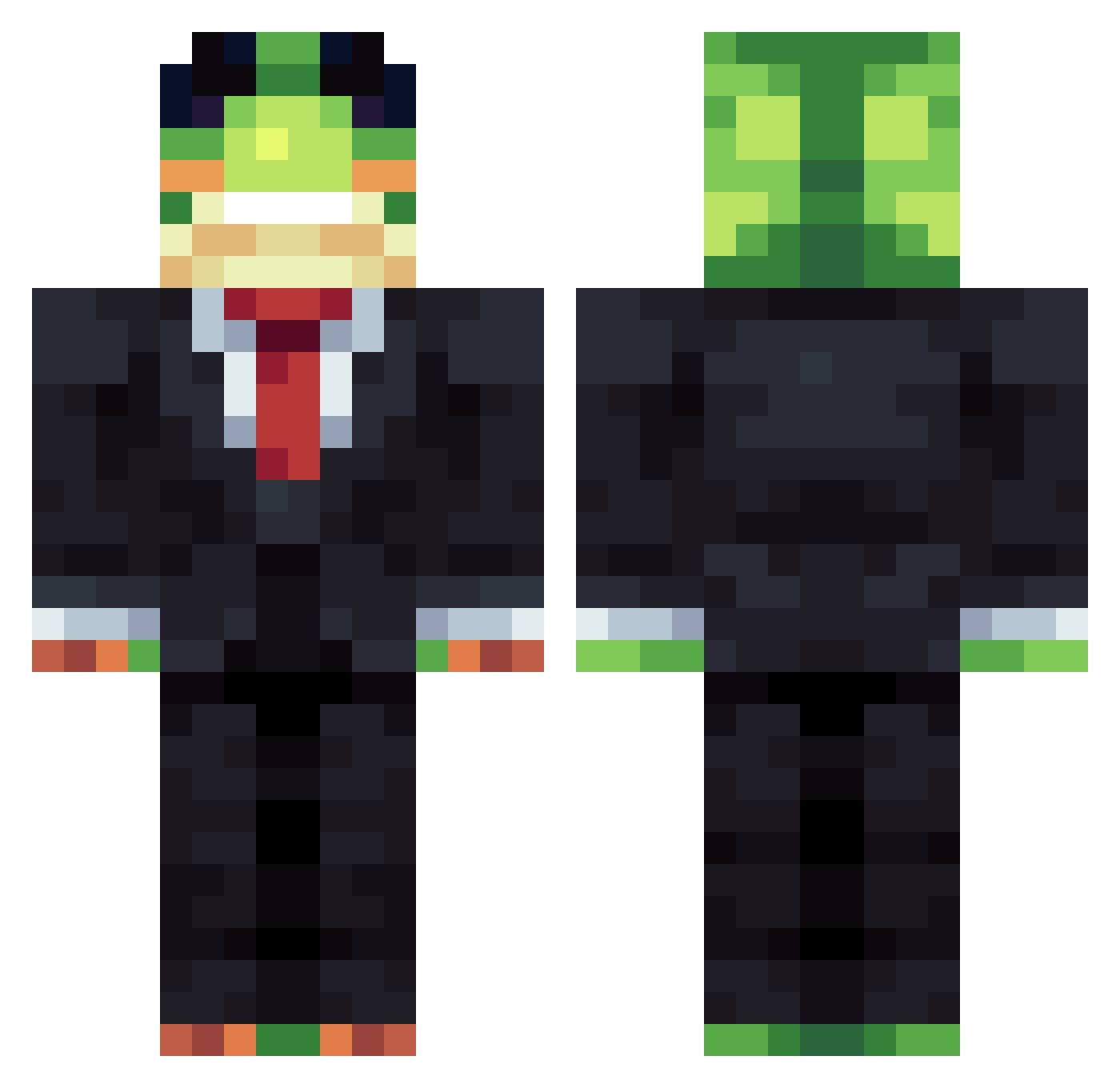
Current Minecraft skin of the player Donkeyjace, loaded from the official Mojang API. Rotate the 3D model with your mouse or finger, then download the skin as a PNG file and use it in Minecraft: Bedrock Edition or Java Edition for free. When Donkeyjace changes their skin, this page updates automatically and the old skin stays in the history below.
Other players with this skin (1482)
Donkeyjace was the 1443rd player we have seen with this skin, first spotted on 07.11.2026. The same skin was seen on these players. Open a nickname to see their current skin and skin history.
 MrMuskat leveltengyat wilheimer matfs cheesepuffs1234 smenica eid5000 Killer3713 xclonaxxzx ROCCO135 therocker40 WEWEWW CN500X Bremsbacken Zoidberg151 Minkul_ plapi Doofen1196 mandu123476 LaurentSandwich Doo_Bu MelikeGeese Mxved ToteBanane007 avnxr08 Ilovefun24 LittleButt8178 legitchoppa Sprody420 GOOD_Lyy etthan1113 browen69 kuni77 eduartuley Runninlow haydendonkeykong _Rck__ Duffee25 Pyroco101 DAVES15 Tim_609 Fuzzycat2006 Haloxic zinanel0 blue627 xVinnn HUGODEKING51 Dvpsoad jlharvey Gijsvdc DrCoCoNuttela Elias201355 Kohannanp KILEIN06 Lev_Tigr13 Nifi5108 ToelessTim GogglesMC nmup NuFluxfzpiJK
More Frog Minecraft skins
How to install the Donkeyjace skin
- Press the Download button above to save the skin as a PNG file.
- Minecraft: Bedrock Edition (PE): open the Dressing Room from the main menu (or tap your character → Edit Character), go to Classic Skins → Owned, press the + (new skin) button, choose the downloaded PNG and pick the Classic (Steve) model. Works on PC and mobile; consoles cannot import custom skins.
- Minecraft: Java Edition: open the Minecraft Launcher, go to the Skins tab, click New Skin, load the PNG, pick the Classic (Steve) model and press Save & Use. You can also upload it at minecraft.net → Profile → Change Skin.
The skin does not show up after import - what should I do?
Restart Minecraft and open the Dressing Room again - imported skins sometimes appear only after a restart. Also make sure you selected the imported skin and picked the Classic (Steve) model.
Which model should I choose, Classic or Slim?
This skin is designed for the Classic (Steve) model. If you pick the wrong model, the arms of the skin will look stretched or squeezed.
Is the skin of Donkeyjace free to download?
Yes. Press Download, save the PNG file and use it in Minecraft: Bedrock Edition or Java Edition - no payment or registration needed. The skin also works on multiplayer servers and Realms.
More skins
Looking for more? Go back to all Minecraft skins and check the top skins of the week, month and all time, or find any player's skin by nickname.