
DexterBoon - Minecraft Skins & Skin History
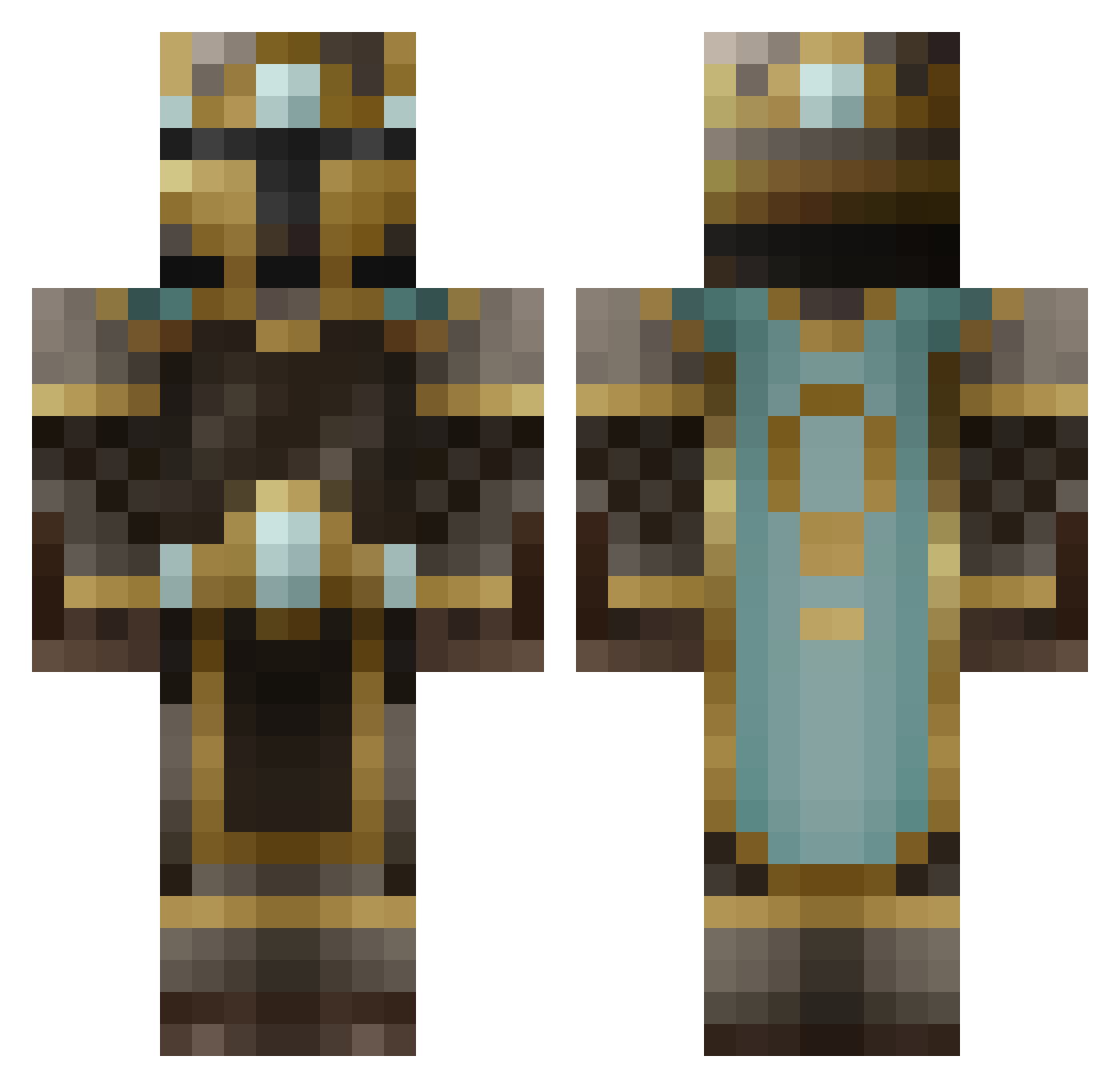
Current Minecraft skin of the player DexterBoon, loaded from the official Mojang API. Rotate the 3D model with your mouse or finger, then download the skin as a PNG file and use it in Minecraft: Bedrock Edition or Java Edition for free. When DexterBoon changes their skin, this page updates automatically and the old skin stays in the history below.
Other players with this skin (629)
DexterBoon was the 491st player we have seen with this skin, first spotted on 22.10.2026. The same skin was seen on these players. Open a nickname to see their current skin and skin history.
 NotDeBuilder minecrafter6846 Bluntlung tm1171 ZoloBob SavageLife101 kungXander Swisher66 Max9506 North_River CriticalMind me_kaleb snipemxs Goodbubba MacksW RedDragonX1 CaitlynW BananaRama1234 spidey256780 iamazombiee Andypanda2000 Cornflakeo SEVA114 CptFrischgemuese Little_samuel jackderipper05 Divine_Creation supreme224 thebigbuttcheek Glouth Rawrior ThynnusVolvite obh2000 ninjasification davidk1515 destroDC prof3t ohitsdairy TheSpaceCowboy97 ksgkiller932 ASFKelly mjonge94 PumpkinHarvest SpiceyMeatball77 toxicdoctor Ax_Titan Strider34601 ergo_proxy jonathanp7264 amaurie98 Danesalt antonioNunziata TB96 Atamer mylquetoast _As_Gard_ litebringer DAOatic4 jbe014 Beowulf125
More King Minecraft skins
How to install the DexterBoon skin
- Press the Download button above to save the skin as a PNG file.
- Minecraft: Bedrock Edition (PE): open the Dressing Room from the main menu (or tap your character → Edit Character), go to Classic Skins → Owned, press the + (new skin) button, choose the downloaded PNG and pick the Classic (Steve) model. Works on PC and mobile; consoles cannot import custom skins.
- Minecraft: Java Edition: open the Minecraft Launcher, go to the Skins tab, click New Skin, load the PNG, pick the Classic (Steve) model and press Save & Use. You can also upload it at minecraft.net → Profile → Change Skin.
The skin does not show up after import - what should I do?
Restart Minecraft and open the Dressing Room again - imported skins sometimes appear only after a restart. Also make sure you selected the imported skin and picked the Classic (Steve) model.
Which model should I choose, Classic or Slim?
This skin is designed for the Classic (Steve) model. If you pick the wrong model, the arms of the skin will look stretched or squeezed.
Is the skin of DexterBoon free to download?
Yes. Press Download, save the PNG file and use it in Minecraft: Bedrock Edition or Java Edition - no payment or registration needed. The skin also works on multiplayer servers and Realms.
More skins
Looking for more? Go back to all Minecraft skins and check the top skins of the week, month and all time, or find any player's skin by nickname.