
DJisakov - Minecraft Skins & Skin History
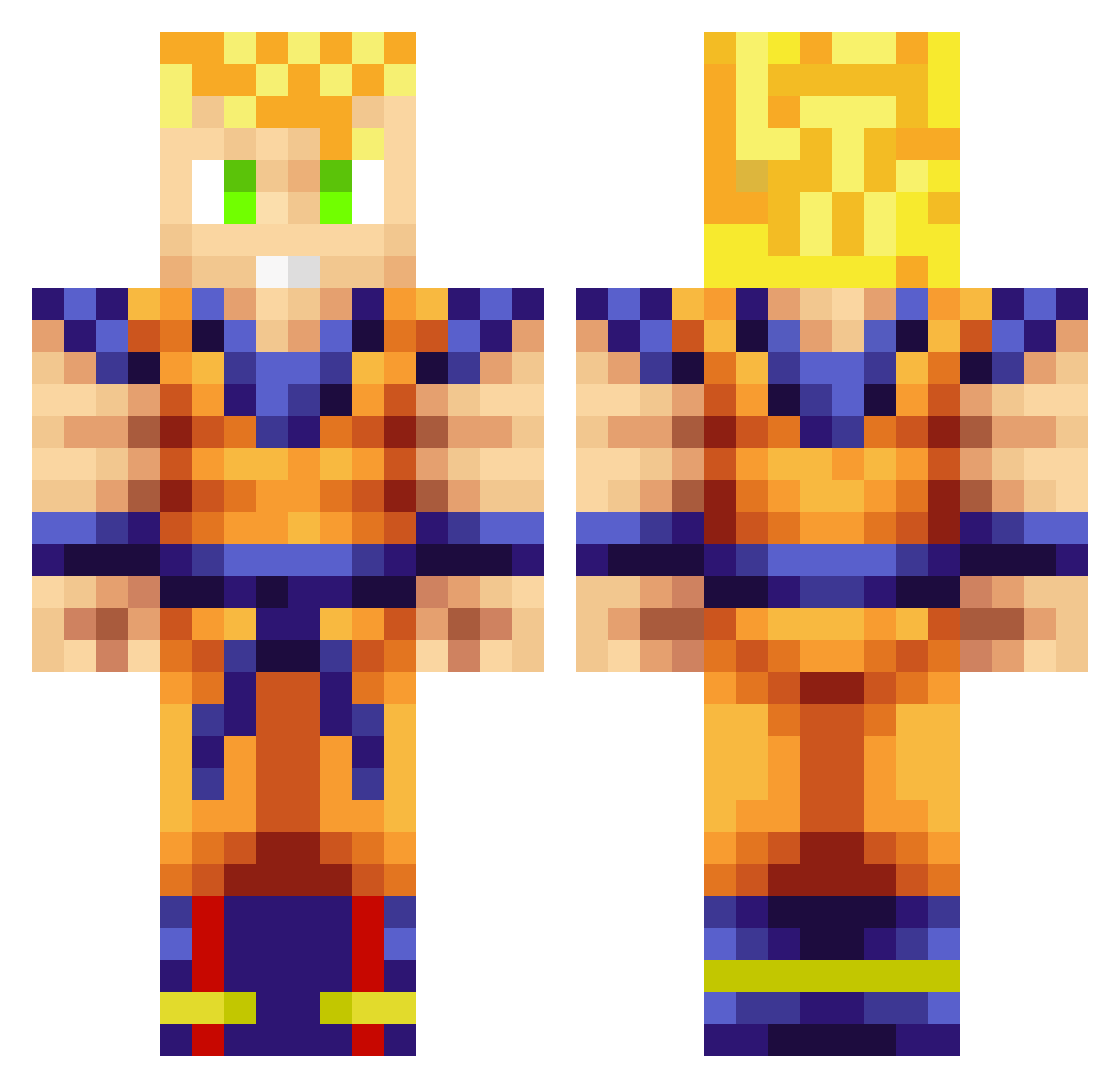
Current Minecraft skin of the player DJisakov, loaded from the official Mojang API. Rotate the 3D model with your mouse or finger, then download the skin as a PNG file and use it in Minecraft: Bedrock Edition or Java Edition for free. When DJisakov changes their skin, this page updates automatically and the old skin stays in the history below.
Other players with this skin (928)
DJisakov was the 841st player we have seen with this skin, first spotted on 28.10.2026. The same skin was seen on these players. Open a nickname to see their current skin and skin history.
 DevoLeDonk Sitze JuanmaExe Sr_Conan PedromonYT Doubletime YoungKilla35 jeppe944 Walker69 LeonHDxxx kimi0914 gamerman1 Dr_Steifen Beta_Ray_Ben Son_Goku_96 KAUAI_SOJAH Timmey93 ZeQuI_KiE13 hornblowera timmmarlad SecretBomb the_miner49er LathiumxA GOTEM777 awsome_boy_2002 Aspen5280 dmel25 Noobie_CrossOver lickatoad007s resigner coltonwilliams3 Tufek26 Activeparasite anthony_anhalt11 HulkSMASHED101 nautica997 54hman fireeye95 Philmooo ben112099 Skeleton290 xan_the_man_ diaz9740 Jantoks PIMS_fr FredTHAreD Geamer_360 Dragonade123 Cutrer45 Shaampit jeff1309 BAMGUIDO ZogTheGod xMosis IKive CheeHa Kev1n_Ch3n kronos0911 creeperman030 WhatzzUpp
More Goku Minecraft skins
How to install the DJisakov skin
- Press the Download button above to save the skin as a PNG file.
- Minecraft: Bedrock Edition (PE): open the Dressing Room from the main menu (or tap your character → Edit Character), go to Classic Skins → Owned, press the + (new skin) button, choose the downloaded PNG and pick the Classic (Steve) model. Works on PC and mobile; consoles cannot import custom skins.
- Minecraft: Java Edition: open the Minecraft Launcher, go to the Skins tab, click New Skin, load the PNG, pick the Classic (Steve) model and press Save & Use. You can also upload it at minecraft.net → Profile → Change Skin.
The skin does not show up after import - what should I do?
Restart Minecraft and open the Dressing Room again - imported skins sometimes appear only after a restart. Also make sure you selected the imported skin and picked the Classic (Steve) model.
Which model should I choose, Classic or Slim?
This skin is designed for the Classic (Steve) model. If you pick the wrong model, the arms of the skin will look stretched or squeezed.
Is the skin of DJisakov free to download?
Yes. Press Download, save the PNG file and use it in Minecraft: Bedrock Edition or Java Edition - no payment or registration needed. The skin also works on multiplayer servers and Realms.
More skins
Looking for more? Go back to all Minecraft skins and check the top skins of the week, month and all time, or find any player's skin by nickname.