
CuteGirlMiaoMiao - Minecraft Skins & Skin History
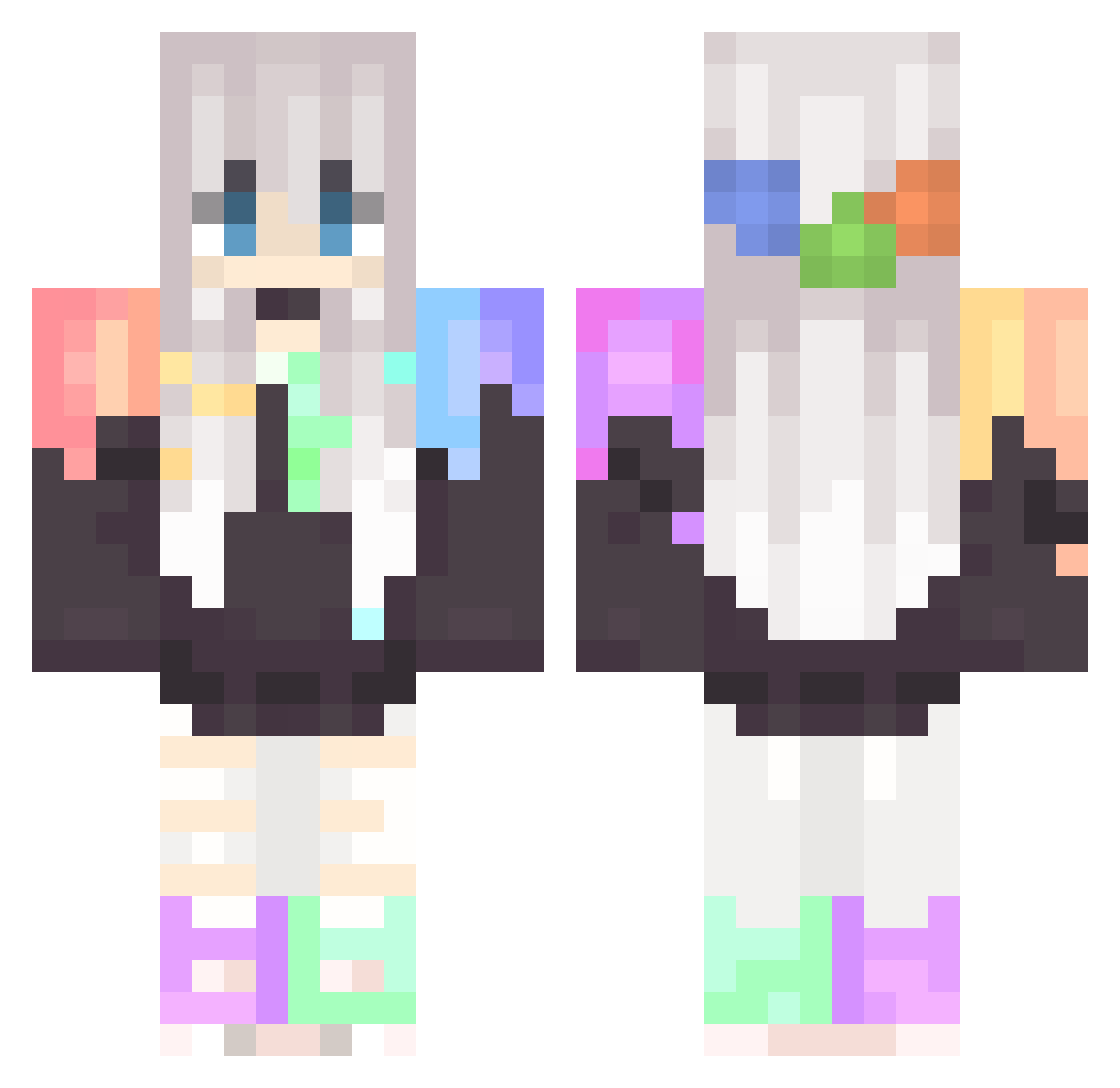
Current Minecraft skin of the player CuteGirlMiaoMiao, loaded from the official Mojang API. Rotate the 3D model with your mouse or finger, then download the skin as a PNG file and use it in Minecraft: Bedrock Edition or Java Edition for free. When CuteGirlMiaoMiao changes their skin, this page updates automatically and the old skin stays in the history below.
Other players with this skin (67)
CuteGirlMiaoMiao was the 36th player we have seen with this skin, first spotted on 03.10.2026. The same skin was seen on these players. Open a nickname to see their current skin and skin history.
 JanekGab2016 IndeedRigo shunsons1001 Huron47 69_E_Girl_69 XiaoXing_TW ttaakkeett NephyliaUwU Frost535 Cheeebeee Kelln_Nayn YXY40 Indosat WO4Ablaze Ams550 Yatomi2115 E1ys1um_ Tchouri Swishcuits LinYiYie Moona511 choper02 TheUltimateCutie Prunerose Amikro SuzuKR bobo6458 bulletins cronkanator sQUALLo7 wapiw Ia_Nishikori rojopino JP_Niji OrangeBrew Flanima Chenyu_1225 Enantiomorph Fry_dragon Jim_HF_Johnson ayaka711 AutoBlockingMeow P_A_D_A Blacki9717 rennamao Leifx3 AAESTHETICC zoezs _Lillychuu_ inversemooner Katydeusa_1 alyxshiro ChaojiMALI Wincox Serendipithy Lunaaaaaaaaaaa Sorrachai_06 Carou Niki007_MC J3bac_Antolka
More Anime Girl Minecraft skins
See all 14126 Anime Girl skins
How to install the CuteGirlMiaoMiao skin
- Press the Download button above to save the skin as a PNG file.
- Minecraft: Bedrock Edition (PE): open the Dressing Room from the main menu (or tap your character → Edit Character), go to Classic Skins → Owned, press the + (new skin) button, choose the downloaded PNG and pick the Classic (Steve) model. Works on PC and mobile; consoles cannot import custom skins.
- Minecraft: Java Edition: open the Minecraft Launcher, go to the Skins tab, click New Skin, load the PNG, pick the Classic (Steve) model and press Save & Use. You can also upload it at minecraft.net → Profile → Change Skin.
The skin does not show up after import - what should I do?
Restart Minecraft and open the Dressing Room again - imported skins sometimes appear only after a restart. Also make sure you selected the imported skin and picked the Classic (Steve) model.
Which model should I choose, Classic or Slim?
This skin is designed for the Classic (Steve) model. If you pick the wrong model, the arms of the skin will look stretched or squeezed.
Is the skin of CuteGirlMiaoMiao free to download?
Yes. Press Download, save the PNG file and use it in Minecraft: Bedrock Edition or Java Edition - no payment or registration needed. The skin also works on multiplayer servers and Realms.
More skins
Looking for more? Go back to all Minecraft skins and check the top skins of the week, month and all time, or find any player's skin by nickname.