
CstEc9 - Minecraft Skins & Skin History
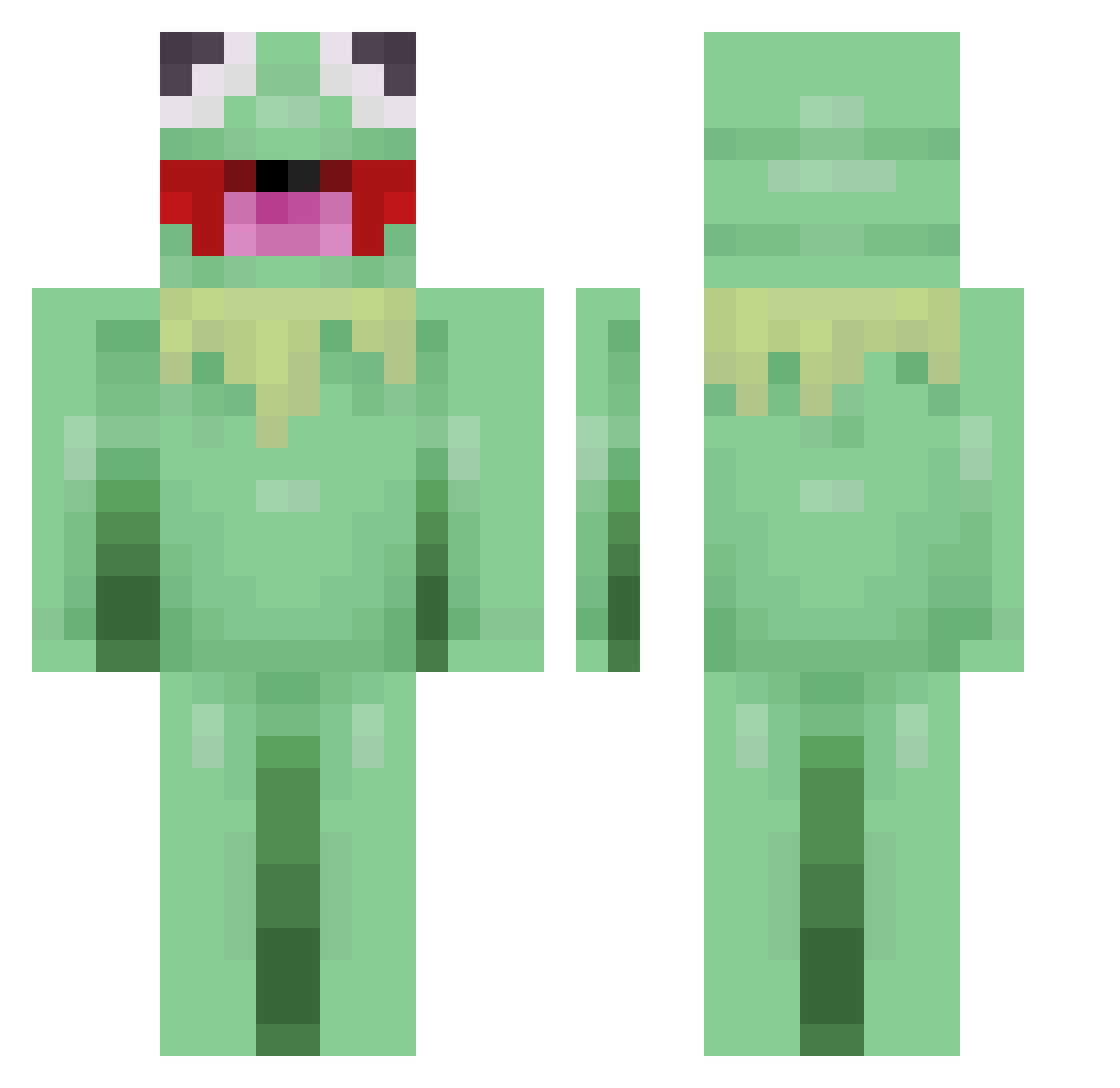
Current Minecraft skin of the player CstEc9, loaded from the official Mojang API. Rotate the 3D model with your mouse or finger, then download the skin as a PNG file and use it in Minecraft: Bedrock Edition or Java Edition for free. When CstEc9 changes their skin, this page updates automatically and the old skin stays in the history below.
Other players with this skin (41)
CstEc9 was the 34th player we have seen with this skin, first spotted on 22.10.2026. The same skin was seen on these players. Open a nickname to see their current skin and skin history.
 Reloxoo dylanyaya yousung0908 SupMoo Frakson123 FlyingTaco8789 PatronArthur Sl3azy_J0 Dzzatx llamapaloooza TheDerpyPancake qwedelo iamcriss_rw pxwio elchinohd10 Reekals Zynkiy PurpleFish2012 BabaOnWhatsApp HeiHei114514 madedie kakkaman234 Boblesponges Tyleerrrr fjutnik kogodd ying1016 Danisg12 Xx_MBAPPE_xX seojy chegor0 Marc1979lo Cha0603 Left_fish KlosSWy_ testomustoo whortle Sean1911
 KutuTv pitr_ss
 zydorrmoto
More Kermit The Frog Minecraft skins
See all 430 Kermit The Frog skins
How to install the CstEc9 skin
- Press the Download button above to save the skin as a PNG file.
- Minecraft: Bedrock Edition (PE): open the Dressing Room from the main menu (or tap your character → Edit Character), go to Classic Skins → Owned, press the + (new skin) button, choose the downloaded PNG and pick the Classic (Steve) model. Works on PC and mobile; consoles cannot import custom skins.
- Minecraft: Java Edition: open the Minecraft Launcher, go to the Skins tab, click New Skin, load the PNG, pick the Classic (Steve) model and press Save & Use. You can also upload it at minecraft.net → Profile → Change Skin.
The skin does not show up after import - what should I do?
Restart Minecraft and open the Dressing Room again - imported skins sometimes appear only after a restart. Also make sure you selected the imported skin and picked the Classic (Steve) model.
Which model should I choose, Classic or Slim?
This skin is designed for the Classic (Steve) model. If you pick the wrong model, the arms of the skin will look stretched or squeezed.
Is the skin of CstEc9 free to download?
Yes. Press Download, save the PNG file and use it in Minecraft: Bedrock Edition or Java Edition - no payment or registration needed. The skin also works on multiplayer servers and Realms.
More skins
Looking for more? Go back to all Minecraft skins and check the top skins of the week, month and all time, or find any player's skin by nickname.